Introduction
Turn Prompts into Protocols
ReasonKit is a structured reasoning infrastructure layer that forces AI to show its work. Every angle explored. Every assumption exposed. Every decision traceable.
The “Glass Box” Philosophy
Most AI responses are a Black Box: you input a prompt, and you hope for a smart answer.
ReasonKit is a Glass Box. It decomposes reasoning into verifiable, atomic steps. We don’t just ask the model to “think step by step”; we force it through a rigorous, engineered pipeline of cognitive modules.
Why ReasonKit?
1. The Rust Supremacy (<5ms Overhead)
Reasoning chains add latency. If your framework adds overhead, your agent feels sluggish. ReasonKit’s core engine is written in Rust, offering zero-cost abstractions and sub-5ms overhead per step. It is built for production, not just prototyping.
2. Local-First & Private
Your data shouldn’t leave your VPC unless you want it to. ReasonKit works out-of-the-box with Ollama, LocalAI, and custom local endpoints. It is GDPR-compliant by default.
3. The “Faithfulness Gap” Closed
Standard Chain-of-Thought (CoT) often hallucinates a justification after making a decision. ReasonKit’s ThinkTools force the reasoning to happen before the synthesis, bridging the gap between the model’s logic and its output.
The Solution: ThinkTools
ReasonKit provides specialized cognitive modules, akin to software libraries for thought:
| Tool | Purpose | Catches |
|---|---|---|
| GigaThink | Explore all angles | Perspectives you forgot |
| LaserLogic | Check reasoning | Flawed logic hiding in cliches |
| BedRock | Find first principles | Simple answers under complexity |
| ProofGuard | Verify claims | “Facts” that aren’t true |
| BrutalHonesty | See blind spots | The gap between plan and reality |
Quick Example
# Install (Linux/macOS)
curl -fsSL https://get.reasonkit.sh | bash

# Ask a question with structured reasoning
rk think "Should I migrate my team to Rust?" --profile balanced
Who Is This For?
- Engineers building autonomous agents who need reliability guarantees.
- Enterprises who cannot afford stochastic, hallucinated outputs in legal or financial workflows.
- Decision Makers who want to see the process, not just the answer.
Open Core
ReasonKit is Open Source (Apache 2.0).
- Free forever: Core engine + standard ThinkTools.
- Self-host: Run locally, own your traces.
- Extensible: Write custom protocols in YAML/TOML.
Last Updated: March 2026
ReasonKit Interactive Tutorial System
Overview
The rk onboard command provides a progressive, interactive environment for mastering ReasonKit. Instead of reading walls of text, you learn by doing—executing real commands and analyzing live results.
Getting Started
To start your journey, simply run:
rk onboard
This will open an interactive menu where you can choose your learning path.
Tutorial Curriculum
The curriculum is divided into five specialized levels:
Level 1: First Time Setup (5 min)
- Verification: Confirming your installation and environment.
- Quick Start: Running your very first reasoning command.
- Configuration: Setting up your preferred LLM providers (Anthropic, OpenAI, etc.).
Level 2: Core Reasoning (15 min)
- The 5 ThinkTools: Deep dive into GigaThink, LaserLogic, BedRock, ProofGuard, and BrutalHonesty.
- Profiles: Learning when to use
--quickvs--paranoid. - Hands-on Analysis: Guided walkthrough of a real-world decision.
Level 3: Memory & Knowledge (20 min)
- Ingestion: How to feed PDFs and documents into your local knowledge base.
- Hybrid Search: Understanding the power of combined dense and sparse retrieval.
- RAG: Setting up Retrieval-Augmented Generation for fact-based reasoning.
Level 4: Web Sensing (15 min)
- Deep Research: Using
rk webto crawl and synthesize the latest internet data. - Verification: Automating claim verification against live web sources.
Level 5: Task Orchestration (15 min)
- Flow: Organizing complex goals into manageable tasks.
- JTBD: Tracking outcomes based on the “Jobs-to-be-Done” framework.
Advanced Usage
If you want to jump straight to a specific topic:
# Core reasoning only
rk onboard --tutorial core

# List all available modules
rk onboard --list
Features
- Zero-Risk Demos: Includes simulated environments so you can learn even without active API keys.
- Progress Tracking: Visual progress bars show how far you’ve come.
- Branching Paths: The tutorial adapts based on your answers and interests.
MCP (Pro) Tip: ReasonKit MCP (Pro) users get access to exclusive interactive exercises for advanced team collaboration and large-scale document analysis.
ReasonKit Onboarding Quick Reference
One-page reference for getting started with ReasonKit.
🚀 5-Minute Quick Start
# Install
curl -fsSL https://get.reasonkit.sh | bash

# Verify
rk doctor

# Learn
rk onboard --tutorial core
📋 Common Commands
Analysis
# Quick analysis (70% confidence, ~2s)
rk think --profile quick "Your question"

# Standard analysis (80% confidence, ~5s)
rk think --profile balanced "Your question"

# Deep analysis (85% confidence, ~8s)
rk think --profile deep "Your question"

# Maximum rigor (95% confidence, ~15s)
rk think --profile paranoid "Your question"
Verification
# Verify claim with sources
rk verify "Claim to verify" --sources 3
Web Research
# Quick research
rk web "Topic" --depth quick

# Deep research
rk web "Topic" --depth deep

# Save to file
rk web "Topic" --output report.md
Knowledge Base (requires memory feature)
# Ingest document
rk ingest document.pdf --type paper

# Query knowledge base
rk query "Your question" --top-k 5

# RAG query
rk rag query "Your question" --mode thorough
🎯 Profile Selection Guide
| Profile | Confidence | Time | Use For |
|---|---|---|---|
--quick | 70% | ~2s | Brainstorming, drafts, exploration |
--balanced | 80% | ~5s | Standard decisions, most use cases |
--deep | 85% | ~8s | Important decisions, complex problems |
--paranoid | 95% | ~15s | Critical decisions, high stakes |
🛠️ Troubleshooting
rk: command not found
# Add to PATH
export PATH="$HOME/.cargo/bin:$PATH"

# Or restart shell
exec $SHELL
API key not configured
# Set API key
export ANTHROPIC_API_KEY="your-key"
# or
export OPENAI_API_KEY="your-key"
Chrome not found (for web features)
# macOS
brew install --cask google-chrome

# Ubuntu
sudo apt-get install chromium-browser

# Set path
export CHROME_BIN=/usr/bin/google-chrome
📚 Learning Resources
| Resource | Command/Path | Description |
|---|---|---|
| Interactive Tutorial | rk onboard | Hands-on guided learning |
| Examples | cargo run --example | Progressive code examples |
| Use Cases | docs/use-cases/ | Problem-oriented guides |
| API Docs | docs.rs/reasonkit-core | Complete API reference |
🔗 Quick Links
- Website: https://reasonkit.sh
- Docs: https://docs.reasonkit.sh
- GitHub: https://github.com/reasonkit/reasonkit
- Issues: https://github.com/reasonkit/reasonkit/issues
💡 MCP (Pro) Tips
- Start with
--profile quickfor exploration, then use--profile balancedfor decisions - Run
rk doctorafter installation to verify everything works - Use
rk onboard --listto see all available tutorials - Check examples with
ls reasonkit-core/examples/
Print this page and keep it handy while learning!
Quick Start (5 Minutes)
Get ReasonKit running and perform your first verifiable analysis in under 5 minutes.
1. Install ReasonKit (30 Seconds)
Open your terminal and run the installer for your operating system.
Linux / macOS
curl -fsSL https://get.reasonkit.sh | bash
Windows (PowerShell)
irm https://get.reasonkit.sh/windows | iex
Verify installation by running rk --version. You should see rk v1.0.0.
2. Connect Your “Brain” (1 Minute)
ReasonKit requires an LLM provider to power its reasoning. We recommend Anthropic Claude for the best logic performance.
# Add this to your ~/.bashrc or ~/.zshrc to keep it permanent
export ANTHROPIC_API_KEY="sk-ant-..."
(Alternatively, set OPENAI_API_KEY for GPT-4o models.)
3. Your First Analysis (2 Minutes)
Let’s test ReasonKit’s ability to think critically about a daily decision.
rk think "Should I invest $5,000 in a Bitcoin mining rig today?" --profile balanced
What to Expect:
You will see ReasonKit’s “Glass Box” in action. Instead of a single paragraph, you’ll see the engine cycling through:
- GigaThink: Exploring hardware costs, electricity, and hash rates.
- LaserLogic: Checking if your “break-even” math actually adds up.
- BrutalHonesty: Challenging the assumption that Bitcoin prices will stay high.
4. Try Different “Depth” (1 Minute)
ReasonKit adapts its thinking time based on the Profile you choose.
| Command | Thinking Time | Use Case |
|---|---|---|
rk think "..." --quick | ~10s | Simple facts, summarization. |
rk think "..." --balanced | ~30s | Daily work, code review. |
rk think "..." --deep | ~2m | Strategy, architecture, legal. |
rk think "..." --paranoid | ~5m | High-stakes verification. |
5. Next Steps
- Integrate: Add ReasonKit to your LangChain workflows.
- Customize: Create your first Custom ThinkTool.
- Audit: View your full Reasoning Traces in JSON.
Need Help? Join our GitHub Discussions or check the Troubleshooting Guide.
Installation
Get ReasonKit’s five ThinkTools for structured AI reasoning:
| Tool | Purpose | Use When |
|---|---|---|
| GigaThink | Expansive thinking, 10+ perspectives | Need creative solutions, brainstorming |
| LaserLogic | Precision reasoning, fallacy detection | Validating arguments, logical analysis |
| BedRock | First principles decomposition | Foundational decisions, axiom building |
| ProofGuard | Multi-source verification | Fact-checking, claim validation |
| BrutalHonesty | Adversarial self-critique | Reality checks, finding flaws |
Quick Install
Universal One-Liner (All Platforms)
Works on: Linux, macOS, Windows (WSL), FreeBSD
curl -fsSL https://get.reasonkit.sh | bash
The installer automatically:
- ✅ Detects your platform (Linux/macOS/Windows/WSL)
- ✅ Detects your shell (Bash/Zsh/Fish/Nu/PowerShell/Elvish)
- ✅ Chooses optimal installation path
- ✅ Configures PATH for your shell
- ✅ Installs Rust if needed
- ✅ Provides beautiful progress visualization
Windows (Native PowerShell)
irm https://get.reasonkit.sh/windows | iex
Shell-Specific Installation
The installer supports all major shells:
| Shell | Detection | PATH Setup | Completion |
|---|---|---|---|
| Bash | ✅ Auto | ✅ Auto | ✅ Available |
| Zsh | ✅ Auto | ✅ Auto | ✅ Available |
| Fish | ✅ Auto | ✅ Auto | ✅ Available |
| Nu (Nushell) | ✅ Auto | ✅ Auto | ⚠️ Manual |
| PowerShell | ✅ Auto | ✅ Auto | ⚠️ Manual |
| Elvish | ✅ Auto | ✅ Auto | ⚠️ Manual |
| tcsh/csh | ✅ Auto | ✅ Auto | ❌ None |
| ksh | ✅ Auto | ✅ Auto | ❌ None |
Prerequisites
- Git (for building from source)
- Rust 1.70+ (auto-installed if missing)
- An LLM API key (Anthropic, OpenAI, OpenRouter, or local Ollama)
Installation Methods
One-Liner (Recommended)
The installer auto-detects your OS and architecture:
# Linux/macOS
curl -fsSL https://get.reasonkit.sh | bash

# Windows PowerShell
irm https://get.reasonkit.sh/windows | iex
This will:
- Detect your platform (Linux/macOS/Windows/WSL/FreeBSD)
- Detect your shell (Bash/Zsh/Fish/Nu/PowerShell/Elvish)
- Install Rust if not present (via rustup)
- Build ReasonKit with beautiful progress visualization
- Configure PATH automatically for your shell
- Verify installation and show quick start guide
Installation paths:
- macOS:
~/bin(or Homebrew path if available) - Linux:
~/.local/bin - Windows (WSL):
~/.local/bin(works with Windows PATH integration) - Windows (Native):
%LOCALAPPDATA%\ReasonKit\bin
Cargo
For Rust developers:
cargo install reasonkit-core
From Source
For development or customization:
git clone https://github.com/reasonkit/reasonkit-core
cd reasonkit-core
cargo build --release
./target/release/rk --help
Verify Installation
rk --version
# reasonkit-core 0.1.5

rk --help
LLM Provider Setup
ReasonKit requires an LLM provider. Choose one:
Anthropic Claude (Recommended)
Best quality reasoning:
export ANTHROPIC_API_KEY="sk-ant-..."
OpenAI
export OPENAI_API_KEY="sk-..."
OpenRouter (300+ Models)
Access to many models through one API:
export OPENROUTER_API_KEY="sk-or-..."

# Specify a model
rk think "question" --model anthropic/claude-3-opus
Google Gemini
export GOOGLE_API_KEY="..."
Groq (Fast Inference)
export GROQ_API_KEY="..."
Local Models (Ollama)
For privacy-sensitive use cases:
ollama serve
rk think "question" --provider ollama --model llama3
Quick Test
Try each ThinkTool:
# GigaThink - Get 10+ perspectives
rk think "Should I start a business?" --tool gigathink

# LaserLogic - Check reasoning
rk think "This investment guarantees 50% returns" --tool laserlogic

# BedRock - Find first principles
rk think "What makes a good leader?" --tool bedrock

# ProofGuard - Verify claims
rk think "Coffee causes cancer" --tool proofguard

# BrutalHonesty - Reality check
rk think "My startup idea is perfect" --tool brutalhonesty
Configuration File
Create ~/.config/reasonkit/config.toml:
[default]
provider = "anthropic"
model = "claude-3-sonnet-20240229"
profile = "balanced"

[providers.anthropic]
api_key_env = "ANTHROPIC_API_KEY"

[providers.openai]
api_key_env = "OPENAI_API_KEY"
model = "gpt-4-turbo-preview"

[output]
format = "pretty"
color = true
Docker
docker run -e ANTHROPIC_API_KEY=$ANTHROPIC_API_KEY \
  ghcr.io/reasonkit/reasonkit-core \
  think "Should I buy a house?"
Troubleshooting
“API key not found”
Make sure your API key is exported:
echo $ANTHROPIC_API_KEY # Should print your key
“Rate limited”
Use a different provider or wait. Consider OpenRouter for high volume.
“Model not available”
Check that your provider supports the requested model:
rk models list # Show available models
Next Steps
- Your First Analysis - Run your first ThinkTool
- Configuration - Customize behavior
- ThinkTools Overview - Deep dive into each tool
Your First Analysis
Let’s walk through a complete ReasonKit analysis step by step.
The Scenario
You’ve received a job offer. It pays 20% more than your current role, but requires relocating to a new city. You’re not sure whether to accept.
Running the Analysis
rk think "I received a job offer with 20% more salary but requires relocating to a new city. Should I take it?" --profile balanced
Understanding the Output
1. GigaThink: Exploring Perspectives
GIGATHINK: 10 Perspectives

1. FINANCIAL: 20% raise minus cost of living difference
2. CAREER: Is this a career accelerator or lateral move?
3. MANAGER: Who will you report to? Track record?
4. COMPANY: Growing, stable, or declining?
5. PERSONAL: How does your partner/family feel about relocating?
6. SOCIAL: What are you leaving behind? Friends, community?
7. RISK: What if this doesn't work out? Can you return?
8. OPPORTUNITY: Is this your best option or just the one in front of you?
9. TIMING: Is now the right time in your life for a major move?
10. GUT: When you imagine accepting, do you feel excited or anxious?
What to notice: GigaThink forces you to consider angles you might have missed while focused on the salary number.
2. LaserLogic: Checking Reasoning
LASERLOGIC: Hidden Assumptions

FLAW 1: "20% more salary = better"
→ Cost of living not factored in
→ $100K in Kansas City ≠ $100K in San Francisco

FLAW 2: "More money = happier"
→ Beyond $75K, correlation with happiness flattens
→ Other factors matter more at higher incomes

FLAW 3: "This opportunity won't come again"
→ Scarcity mindset may be causing rushed decision
→ Similar opportunities likely to arise
What to notice: LaserLogic catches the mental shortcuts you might have accepted uncritically.
3. BedRock: First Principles
BEDROCK: What Actually Matters

CORE QUESTION: Is this move aligned with your 5-year goals?

THE 80/20:
• Career growth potential (not just current salary)
• Quality of life in new location
• Reversibility if it doesn't work out

SIMPLIFIED DECISION FRAMEWORK:
If the role accelerates your career AND quality of life is acceptable
→ Strong yes

If it's a lateral move OR quality of life significantly worse
→ Probably no
What to notice: BedRock cuts through complexity to the essential question.
4. ProofGuard: Verifying Claims
PROOFGUARD: Fact Check

VERIFIED: Cost of living varies dramatically by city
→ San Francisco is 80% more expensive than national average
→ Your 20% raise might be a pay cut in real terms

VERIFIED: Job hopper stigma is decreasing
→ Average tenure is now 4.1 years (BLS, 2024)
→ Leaving after 1-2 years is increasingly common

TO VERIFY: Company's actual growth trajectory
→ Check their funding, revenue, layoff history
→ Ask for specific growth numbers in interview
What to notice: ProofGuard identifies claims worth verifying before deciding.
5. BrutalHonesty: Uncomfortable Truths
BRUTALHONESTY: Reality Check

UNCOMFORTABLE TRUTH 1:
You're probably overweighting the salary because it's quantifiable.
The harder-to-measure factors (manager quality, work-life balance)
often matter more for happiness.

UNCOMFORTABLE TRUTH 2:
Relocating is harder than you think.
Building new social connections takes years.
Most people underestimate the loneliness of a new city.

UNCOMFORTABLE TRUTH 3:
You might be running FROM something, not TO something.
Is there something about your current situation you're avoiding?

HONEST QUESTIONS:
• If the salary were the same, would you still want this move?
• Have you talked to people who work there (not recruiters)?
• What's your plan if this doesn't work out after 1 year?
What to notice: BrutalHonesty asks the questions you’ve been avoiding.
What to Do Next
Based on this analysis, you might:
-
Gather more information
- Calculate real cost-of-living adjusted salary
- Talk to people who work at the company
- Visit the new city before deciding
-
Ask better questions
- Why is this role open? Growth or replacement?
- What does the career path look like?
- What’s the team turnover like?
-
Negotiate better
- Armed with cost-of-living data, negotiate higher
- Ask for relocation assistance
- Negotiate a trial period if possible
-
Make a decision framework
- What would make this an obvious yes?
- What would make this an obvious no?
- Set a deadline to decide
Tips for Future Analyses
-
Be specific — “Job offer” is better than “career question”
-
Include context — Mention key constraints (timeline, family, etc.)
-
Use appropriate profile — Major decisions deserve
--deepor--paranoid -
Focus on BrutalHonesty — It’s usually the most valuable section
-
Action the insights — Analysis is only useful if it changes behavior
Next Steps
- ThinkTools Overview — Deep dive into each tool
- Profiles — Choose your analysis depth
- Use Cases — More decision examples
Configuration
ReasonKit can be configured via config file, environment variables, or CLI flags.
Configuration File
Create ~/.config/reasonkit/config.toml:
# Default settings
[default]
provider = "anthropic"
model = "claude-sonnet-4-20260514"
profile = "balanced"
output_format = "pretty"

# LLM Providers
[providers.anthropic]
api_key_env = "ANTHROPIC_API_KEY"
model = "claude-sonnet-4-20260514"
max_tokens = 8192

[providers.openai]
api_key_env = "OPENAI_API_KEY"
model = "gpt-4o"
max_tokens = 8192

[providers.openrouter]
api_key_env = "OPENROUTER_API_KEY"
default_model = "anthropic/claude-sonnet-4"

[providers.ollama]
base_url = "http://localhost:11434"
model = "llama3"

# Output settings
[output]
format = "pretty"  # pretty, json, markdown
color = true
show_timing = true
show_tokens = false

# ThinkTool configurations
[thinktools.gigathink]
min_perspectives = 10
include_contrarian = true

[thinktools.laserlogic]
fallacy_detection = true
assumption_analysis = true
show_math = true

[thinktools.bedrock]
decomposition_depth = 3
show_80_20 = true

[thinktools.proofguard]
min_sources = 3
require_citation = true
source_tier_threshold = 3

[thinktools.brutalhonesty]
severity = "high"
include_alternatives = true

# Profile customization
[profiles.custom_quick]
tools = ["gigathink", "laserlogic"]
gigathink_perspectives = 5
timeout = 30

[profiles.custom_thorough]
tools = ["gigathink", "laserlogic", "bedrock", "proofguard", "brutalhonesty"]
gigathink_perspectives = 15
laserlogic_depth = "deep"
proofguard_sources = 5
timeout = 600
Environment Variables
# Required: Your LLM provider API key
export ANTHROPIC_API_KEY="sk-ant-..."
export OPENAI_API_KEY="sk-..."
export OPENROUTER_API_KEY="sk-or-..."
export GOOGLE_API_KEY="..."
export GROQ_API_KEY="gsk_..."

# Optional: Defaults
export RK_PROVIDER="anthropic"
export RK_MODEL="claude-sonnet-4-20260514"
export RK_PROFILE="balanced"
export RK_OUTPUT_FORMAT="pretty"

# Optional: Logging
export RK_LOG_LEVEL="info"  # debug, info, warn, error
export RK_LOG_FILE="~/.local/share/reasonkit/logs/rk.log"
CLI Flags
CLI flags override config file and environment variables:
# Provider and model
rk think "question" --provider anthropic --model claude-3-opus-20240229

# Profile
rk think "question" --profile deep

# Output format
rk think "question" --format json

# Specific tool settings
rk think "question" --min-perspectives 15 --min-sources 5

# Timeout
rk think "question" --timeout 300

# Verbosity
rk think "question" --verbose
rk think "question" --quiet
Configuration Precedence
- CLI flags (highest priority)
- Environment variables
- Config file
- Built-in defaults (lowest priority)
Provider-Specific Configuration
Anthropic Claude
[providers.anthropic]
api_key_env = "ANTHROPIC_API_KEY"
model = "claude-sonnet-4-20260514"
max_tokens = 8192
temperature = 0.7
Available models:
claude-opus-4-20260514(most capable)claude-sonnet-4-20260514(balanced, recommended)claude-haiku-3-5-20260514(fastest)
OpenAI
[providers.openai]
api_key_env = "OPENAI_API_KEY"
model = "gpt-4o"
max_tokens = 8192
temperature = 0.7
Available models:
gpt-4o(most capable)gpt-4o-mini(fast, cost-effective)o1(reasoning-optimized)
Google Gemini
[providers.google]
api_key_env = "GOOGLE_API_KEY"
model = "gemini-2.0-flash"
Groq (Fast Inference)
[providers.groq]
api_key_env = "GROQ_API_KEY"
model = "llama-3.3-70b-versatile"
OpenRouter
[providers.openrouter]
api_key_env = "OPENROUTER_API_KEY"
default_model = "anthropic/claude-sonnet-4"
300+ models available. See openrouter.ai/models.
Ollama (Local)
[providers.ollama]
base_url = "http://localhost:11434"
model = "llama3"
Run ollama list to see available models.
Custom Profiles
Create custom profiles for common use cases:
[profiles.career]
# Optimized for career decisions
tools = ["gigathink", "laserlogic", "brutalhonesty"]
gigathink_perspectives = 12
laserlogic_depth = "deep"
brutalhonesty_severity = "high"

[profiles.fact_check]
# Optimized for verifying claims
tools = ["laserlogic", "proofguard"]
proofguard_sources = 5
proofguard_require_citation = true

[profiles.quick_sanity]
# Fast sanity check
tools = ["gigathink", "brutalhonesty"]
gigathink_perspectives = 5
timeout = 30
Use custom profiles:
rk think "Should I take this job?" --profile career
Output Configuration
Pretty (Default)
[output]
format = "pretty"
color = true
box_style = "rounded"  # rounded, sharp, ascii
JSON
[output]
format = "json"
pretty_print = true
Markdown
[output]
format = "markdown"
include_metadata = true
Logging
[logging]
level = "info"  # debug, info, warn, error
file = "~/.local/share/reasonkit/logs/rk.log"
rotate = true
max_size = "10MB"
Validating Configuration
# Check config is valid
rk config validate

# Show effective config
rk config show

# Show config file path
rk config path
Next Steps
- CLI Reference — Full command documentation
- Custom ThinkTools — Create your own tools
ThinkTools Overview
ThinkTools are specialized reasoning modules that catch specific types of oversight in AI analysis.
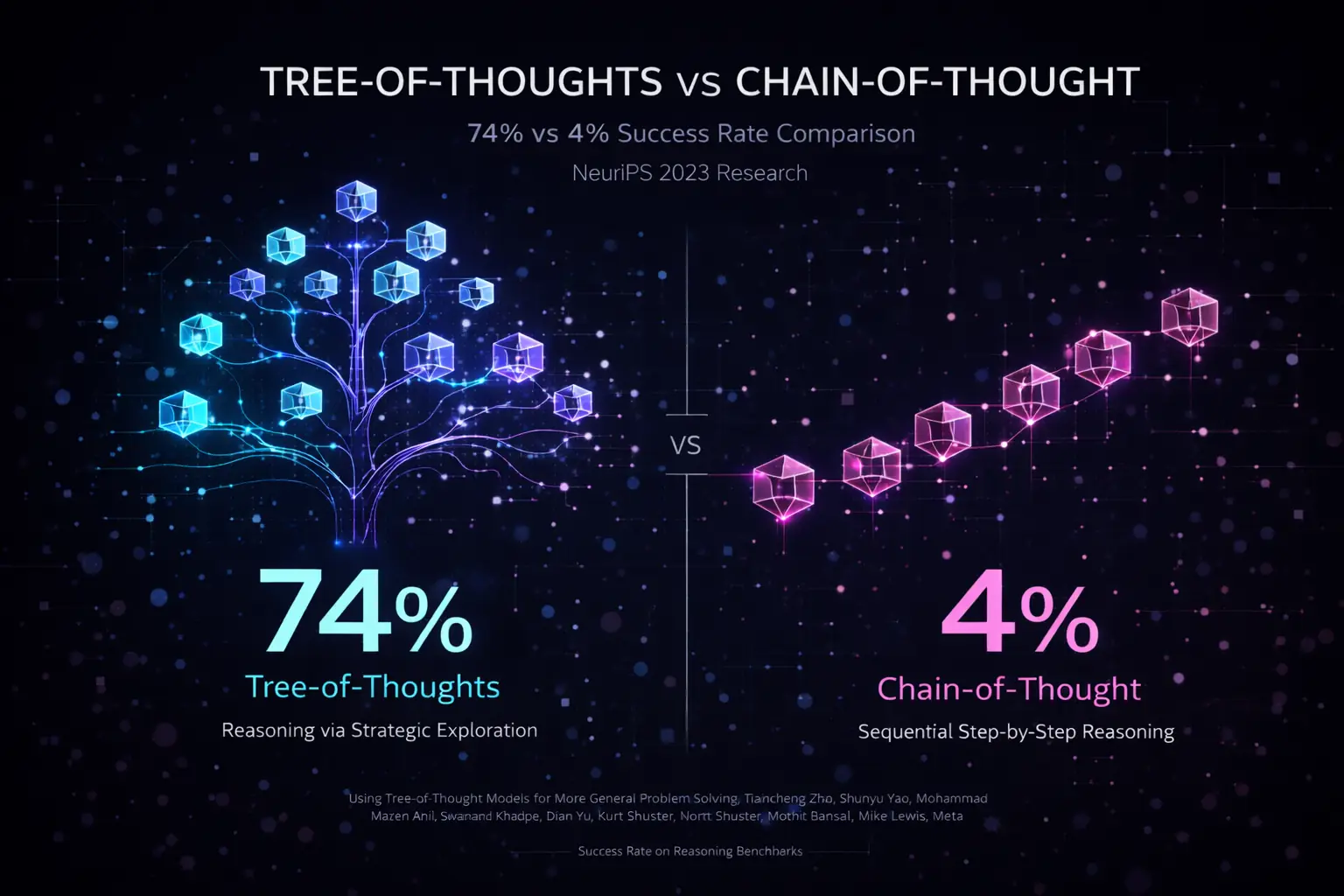
Why ThinkTools Matter: Research from NeurIPS 2023 demonstrates that Tree-of-Thoughts reasoning (divergent exploration) achieves 74% success rate compared to just 4% for Chain-of-Thought (sequential step-by-step) on complex reasoning tasks. ThinkTools implement this proven methodology.
The Five Core ThinkTools
| Tool | Purpose | Blind Spot It Catches |
|---|---|---|
| GigaThink | Explore all angles | Perspectives you forgot |
| LaserLogic | Check reasoning | Flawed logic in cliches |
| BedRock | First principles | Simple answers under complexity |
| ProofGuard | Verify claims | “Facts” that aren’t true |
| BrutalHonesty | See blind spots | Gap between plan and reality |
Quick Decision Tree
| If you need to… | Use this ThinkTool |
|---|---|
| Brainstorm and explore new ideas | GigaThink |
| Debug a flawed argument or plan | LaserLogic |
| Simplify a complex problem | BedRock |
| Verify if a specific claim is true | ProofGuard |
| Stress-test your final decision | BrutalHonesty |
| Analyze a major high-stakes choice | PowerCombo (via rk think) |
How They Work Together
The ThinkTools follow a designed sequence:
┌─────────────────────────────────────────────────────────────┐
│                    THE 5-STEP PROCESS                        │
├─────────────────────────────────────────────────────────────┤
│                                                              │
│   1. DIVERGE      →   Explore all possibilities first       │
│   (GigaThink)         Don't narrow too early                 │
│                                                              │
│   2. CONVERGE     →   Check logic, find flaws               │
│   (LaserLogic)        Question assumptions                   │
│                                                              │
│   3. GROUND       →   Strip to first principles             │
│   (BedRock)           What actually matters?                 │
│                                                              │
│   4. VERIFY       →   Check facts against sources           │
│   (ProofGuard)        Triangulate claims                     │
│                                                              │
│   5. CUT          →   Attack your own work                  │
│   (BrutalHonesty)     Find the uncomfortable truths          │
│                                                              │
└─────────────────────────────────────────────────────────────┘
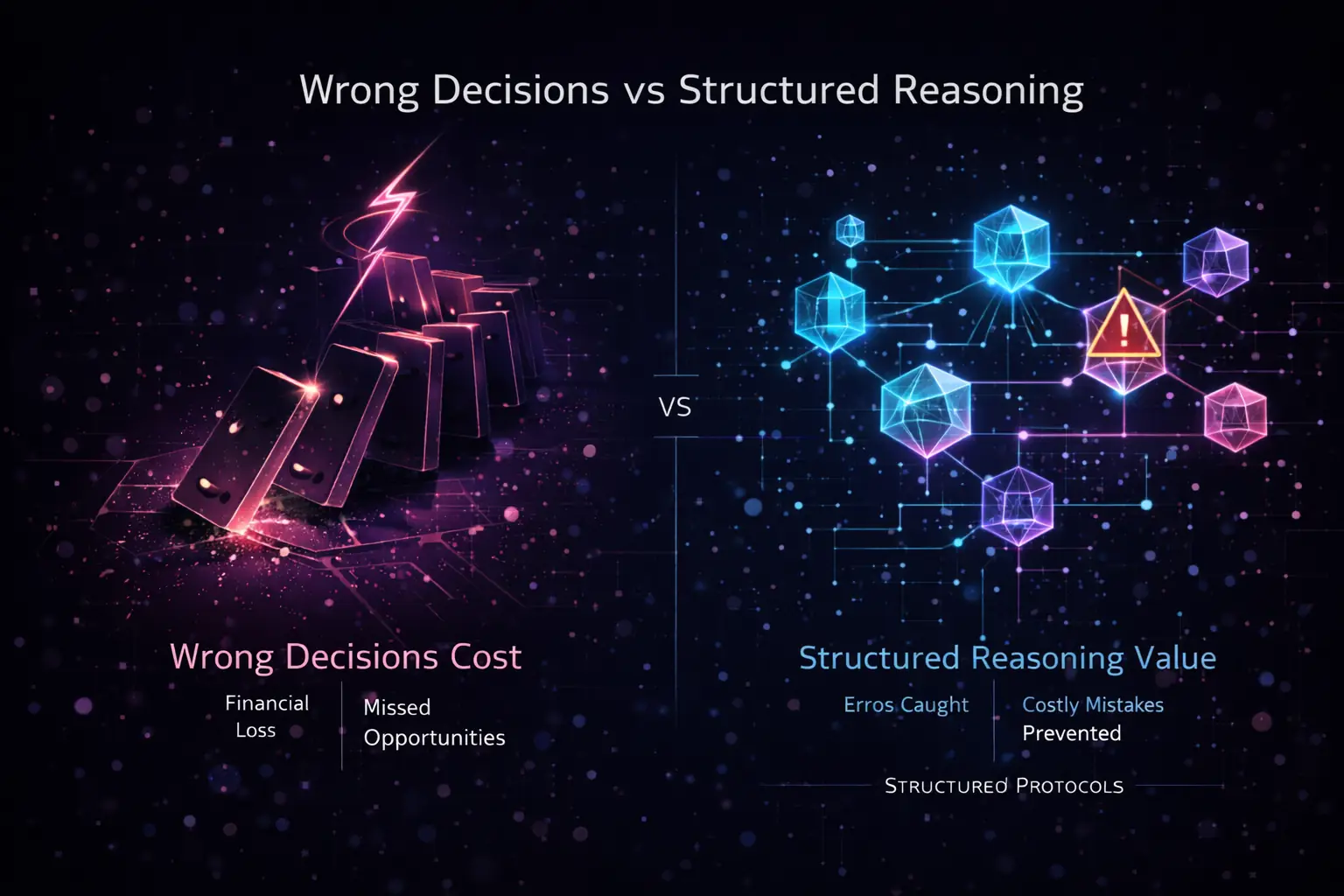
The Cost of Wrong Decisions: Without structured reasoning, decisions lead to financial loss and missed opportunities. ThinkTools catch errors early and prevent costly mistakes before they compound.
Why This Sequence?
The order is deliberate:
- Divergent → Convergent: Explore widely before focusing
- Abstract → Concrete: From ideas to principles to evidence
- Constructive → Destructive: Build up, then attack
Using Individual Tools
You can invoke any tool directly:
# Just explore perspectives
rk gigathink "Should I start a business?"

# Just check logic
rk laserlogic "Renting is throwing money away"

# Just find first principles
rk bedrock "How do I get healthier?"

# Just verify a claim
rk proofguard "You should drink 8 glasses of water a day"

# Just get brutal honesty
rk brutalhonesty "I want to start a YouTube channel"
Using PowerCombo
PowerCombo runs all five tools in sequence:
# Full analysis
rk think "Should I take this job offer?" --profile balanced
The profile determines how thorough each tool’s analysis is.
Tool Configurations
Each tool can be configured:
# ~/.config/reasonkit/config.toml

[thinktools.gigathink]
min_perspectives = 10
include_contrarian = true

[thinktools.laserlogic]
fallacy_detection = true
assumption_analysis = true

[thinktools.bedrock]
decomposition_depth = 3

[thinktools.proofguard]
min_sources = 3
require_citation = true

[thinktools.brutalhonesty]
severity = "high"  # low, medium, high
Next Steps
Dive deep into each tool:
- GigaThink — Multi-perspective analysis
- LaserLogic — Logic and assumption checking
- BedRock — First principles decomposition
- ProofGuard — Claim verification
- BrutalHonesty — Adversarial self-critique
- PowerCombo — All tools in sequence
GigaThink
See All The Angles
GigaThink catches the perspectives you forget when you’re excited about an opportunity or focused on one aspect of a decision.
The Blind Spot
You’re only thinking about a decision from one angle. When we’re excited or stressed, we tend to focus narrowly and miss important perspectives.
Example
Question: “Should I take this job offer?”
Without GigaThink:
“Consider salary, benefits, and culture fit.”
With GigaThink:
10 PERSPECTIVES YOU MIGHT MISS:

1. FINANCIAL: What's the TOTAL comp? 401k match? Equity?
   → Base salary is only part of the picture

2. CAREER TRAJECTORY: Where do people go after 2-3 years?
   → This job is a stepping stone. Where does it lead?

3. MANAGER QUALITY: Your manager = 80% of job satisfaction
   → Who will you report to? What's their reputation?

4. TEAM HEALTH: Why is this role open? Growth or replacement?
   → High turnover = red flag

5. COMPANY TRAJECTORY: Growing, stable, or declining?
   → Joining a sinking ship vs. rocket ship matters

6. WORK-LIFE REALITY: Glassdoor hours vs stated hours
   → "Flexible hours" sometimes means "always working"

7. LEARNING VELOCITY: Will you learn more here?
   → Stagnation kills careers

8. YOUR LEVERAGE: Do they NEED you or just WANT you?
   → Negotiate from strength

9. OPPORTUNITY COST: Is this your best option or first option?
   → Keep looking? Wait for better?

10. GUT CHECK: When you imagine accepting, relief or dread?
    → Your intuition knows something
Usage
CLI
# Direct invocation
rk gigathink "Should I start a business?"

# With options
rk gigathink "Career change?" --min-perspectives 15
Rust API
#![allow(unused)]
fn main() {
use reasonkit::thinktools::GigaThink;

let gigathink = GigaThink::new()
    .min_perspectives(10)
    .include_contrarian(true);

let result = gigathink.analyze("Should I take this job offer?").await?;

for perspective in result.perspectives {
    println!("{}: {}", perspective.category, perspective.insight);
}
}
Python
from reasonkit import GigaThink

gt = GigaThink(min_perspectives=10)
result = gt.analyze("Should I take this job offer?")

for p in result.perspectives:
    print(f"{p.category}: {p.insight}")
Configuration
[thinktools.gigathink]
# Minimum number of perspectives to generate
min_perspectives = 10

# Include deliberately contrarian perspectives
include_contrarian = true

# Categories to always include
required_categories = [
    "financial",
    "career",
    "personal",
    "risk",
    "opportunity_cost"
]

# Maximum perspectives (to avoid analysis paralysis)
max_perspectives = 20
Output Format
{
  "tool": "gigathink",
  "query": "Should I take this job offer?",
  "perspectives": [
    {
      "category": "financial",
      "label": "TOTAL COMPENSATION",
      "insight": "What's the 401k match? Equity vesting schedule? Bonus structure?",
      "questions": [
        "What's the full compensation package?",
        "How does equity vest?"
      ]
    }
  ],
  "meta": {
    "perspective_count": 10,
    "categories_covered": [
      "financial",
      "career",
      "personal",
      "risk",
      "opportunity"
    ],
    "contrarian_included": true
  }
}
Best Practices
-
Don’t stop at the obvious — The first 3-4 perspectives are usually obvious. The value is in perspectives 5-10.
-
Question the frame — GigaThink might reveal that you’re asking the wrong question entirely.
-
Note discomfort — If a perspective makes you uncomfortable, that’s often the most important one.
-
Use for big decisions — GigaThink shines for career, financial, and relationship decisions.
Related
- LaserLogic — After exploring angles, check your reasoning
- PowerCombo — Run all five tools in sequence
LaserLogic
Spot Bad Reasoning
LaserLogic catches arguments that sound wise but hide flawed logic. It exposes hidden assumptions and logical fallacies.
The Blind Spot
Arguments that sound wise but hide flawed logic. “Common wisdom” often contains false equivalences, missing variables, and unexamined assumptions.
Example
Claim: “Renting is throwing money away”
Without LaserLogic:
“Building equity is generally better long-term.”
With LaserLogic:
HIDDEN ASSUMPTIONS EXPOSED:

1. FALSE EQUIVALENCE
   Rent = 100% goes to housing (you get shelter)
   Mortgage = 60-80% goes to INTEREST (also "thrown away")
   → Early mortgage payments are mostly interest, not equity

2. MISSING VARIABLES
   - Down payment could be invested in S&P 500 (7-10% annual return)
   - Transaction costs: 6% realtor fees when selling
   - Maintenance: 1-2% of home value annually
   - Property taxes: ongoing cost that renters don't pay
   - Insurance: typically higher for owners
   - Opportunity cost of capital tied up in house

3. ASSUMES APPRECIATION
   "Houses always go up" — ask anyone who bought in 2007
   → Real estate is local and cyclical

4. IGNORES FLEXIBILITY
   Rent: 30 days to leave
   Own: 6+ months to sell, 6% transaction costs
   → Flexibility has economic value

5. SURVIVORSHIP BIAS
   You hear from people who made money on houses
   You don't hear from people who lost money

VERDICT: "Renting is throwing money away" is OVERSIMPLIFIED
Breakeven typically requires 5-7 years in same location.
The right answer depends on your specific situation.
Usage
CLI
# Direct invocation
rk laserlogic "Renting is throwing money away"

# Check specific argument
rk laserlogic "You should follow your passion" --check-fallacies
Rust API
#![allow(unused)]
fn main() {
use reasonkit::thinktools::LaserLogic;

let laser = LaserLogic::new()
    .check_fallacies(true)
    .check_assumptions(true);

let result = laser.analyze("Renting is throwing money away").await?;

for flaw in result.flaws {
    println!("{}: {}", flaw.category, flaw.explanation);
}
}
Fallacy Detection
LaserLogic identifies common logical fallacies:
| Fallacy | Description | Example |
|---|---|---|
| False equivalence | Treating unlike things as equal | “Rent = waste, mortgage = investment” |
| Missing variables | Ignoring relevant factors | Ignoring maintenance costs |
| Survivorship bias | Only seeing successes | “My friend got rich from real estate” |
| Sunk cost fallacy | Over-valuing past investment | “I’ve spent too much to quit now” |
| Appeal to authority | Trusting credentials over logic | “Experts say…” |
| Hasty generalization | Too few examples | “Everyone I know…” |
| False dichotomy | Only two options when more exist | “Buy or rent” (ignore: rent and invest) |
Configuration
[thinktools.laserlogic]
# Check for logical fallacies
fallacy_detection = true

# Analyze hidden assumptions
assumption_analysis = true

# Show mathematical breakdowns where applicable
show_math = true

# Severity threshold (0.0 - 1.0)
min_severity = 0.3
Output Format
{
  "tool": "laserlogic",
  "claim": "Renting is throwing money away",
  "flaws": [
    {
      "category": "false_equivalence",
      "severity": 0.8,
      "description": "Treating rent and mortgage interest as different",
      "explanation": "Early mortgage payments are 60-80% interest",
      "counter": "Both rent and interest provide shelter value"
    }
  ],
  "verdict": {
    "classification": "oversimplified",
    "confidence": 0.85,
    "nuance": "True under specific conditions (5-7 year horizon, stable location)"
  }
}
Best Practices
-
Question cliches — If advice is short and catchy, it’s probably oversimplified.
-
Follow the math — Many “wisdom” claims fall apart when you do the actual calculation.
-
Ask “compared to what?” — Every choice has an alternative. What’s being compared?
-
Look for hidden variables — What factors is the argument ignoring?
Common Myths LaserLogic Exposes
- “A college degree always pays off”
- “You can’t time the market”
- “Networking is everything”
- “Hard work always pays off”
- “Early is always better than late”
Related
- GigaThink — First explore angles, then check logic
- ProofGuard — After checking logic, verify facts
BedRock
Find the Simple Answer
BedRock cuts through complexity to find first principles. It identifies what actually matters when you’re overwhelmed with options.
The Blind Spot
Overwhelmed with options, missing what actually matters. Information overload leads to analysis paralysis and missing the simple truth.
Example
Question: “How do I get healthier?”
Without BedRock:
“Consider diet, exercise, sleep, stress management, supplements, biohacking, intermittent fasting, cold exposure, meditation…”
With BedRock:
FIRST PRINCIPLES ANALYSIS:

What actually moves the needle? (Research consensus)

1. SLEEP: 7-9 hours
   → Most ignored, highest impact
   → Affects hormones, recovery, decision-making
   → Foundation for everything else

2. MOVEMENT: 150 min/week moderate OR 75 min vigorous
   → Doesn't need to be fancy
   → Walking counts

3. NUTRITION: Mostly plants, enough protein, not too much
   → The specifics matter less than the basics
   → Most diets work by reducing total calories

═══════════════════════════════════════════════════════════════

THE 80/20 ANSWER:

If you do ONLY these three things:
1. Sleep 7+ hours (non-negotiable)
2. Walk 30 min daily
3. Eat one vegetable with every meal

→ You'll be healthier than 80% of people.

Everything else (supplements, biohacking, specific diets)
is optimization on top of these basics.

═══════════════════════════════════════════════════════════════

THE UNCOMFORTABLE TRUTH:

You probably already know what to do.
The problem isn't information, it's execution.

The question isn't "how do I get healthier?"
The question is "what's stopping me from doing what I already know?"
Usage
CLI
# Direct invocation
rk bedrock "How do I get healthier?"

# With depth level
rk bedrock "How do I build a business?" --depth 3
Rust API
#![allow(unused)]
fn main() {
use reasonkit::thinktools::BedRock;

let bedrock = BedRock::new()
    .decomposition_depth(3)
    .show_80_20(true);

let result = bedrock.analyze("How do I get healthier?").await?;

println!("Core principles:");
for principle in result.first_principles {
    println!("- {}: {}", principle.name, principle.description);
}

println!("\n80/20 answer:\n{}", result.pareto_answer);
}
First Principles Method
BedRock follows a structured decomposition:
1. DECOMPOSE
   Break the question into fundamental components
   "Health" → Physical, Mental, Longevity

2. EVIDENCE CHECK
   What does research actually say?
   Filter signal from noise

3. PARETO ANALYSIS
   What 20% of actions give 80% of results?
   Find the vital few

4. UNCOMFORTABLE TRUTH
   What does the questioner already know but avoid?
   Address the real blocker
Configuration
[thinktools.bedrock]
# How deep to decompose (1-5)
decomposition_depth = 3

# Include 80/20 analysis
show_80_20 = true

# Include uncomfortable truths
include_uncomfortable_truth = true

# Require research backing
require_evidence = true
Output Format
{
  "tool": "bedrock",
  "query": "How do I get healthier?",
  "first_principles": [
    {
      "name": "Sleep",
      "priority": 1,
      "evidence_level": "strong",
      "description": "7-9 hours is foundation for everything else",
      "why_first": "Affects hormones, recovery, decision-making"
    }
  ],
  "pareto_answer": {
    "actions": ["Sleep 7+ hours", "Walk 30 min daily", "Eat vegetables"],
    "expected_impact": "Better than 80% of population"
  },
  "uncomfortable_truth": {
    "insight": "You probably already know what to do",
    "real_question": "What's stopping you from doing what you already know?"
  }
}
When to Use BedRock
BedRock is most valuable when:
- Information overload — Too many options, too many opinions
- Analysis paralysis — Can’t decide because of complexity
- Seeking the “best” approach — When “good enough” is actually optimal
- Recurring problems — When you keep revisiting the same issue
The 80/20 Principle
BedRock applies Pareto’s principle:
- 20% of actions give 80% of results
- The “best” solution is often worse than “good enough done consistently”
- Complexity is often a form of procrastination
Related
- LaserLogic — Check the logic of your simplified approach
- BrutalHonesty — Face the uncomfortable truth
ProofGuard
Verify Before You Believe
ProofGuard catches widely-believed “facts” that aren’t actually true. It triangulates claims against multiple sources.
The Blind Spot
Acting on “facts” you never verified. Many commonly accepted beliefs have no scientific basis or are misunderstood.
Example
Claim: “You should drink 8 glasses of water a day”
Without ProofGuard:
“Yes, staying hydrated is important. Drink plenty of water.”
With ProofGuard:
CLAIM VERIFICATION:
"You should drink 8 glasses of water a day"

═══════════════════════════════════════════════════════════════

SOURCE 1: British Medical Journal (2007)
"Drink at least eight glasses of water a day. Really?"
→ "No scientific evidence for 8x8 recommendation"
→ Origin traced to 1945 Food and Nutrition Board misinterpretation
→ The original recommendation included water from food

SOURCE 2: Mayo Clinic (2022)
→ "Adequate daily fluid intake is about 15.5 cups for men, 11.5 for women"
→ This is TOTAL fluids (includes food), not just water
→ "Most healthy people can stay hydrated by drinking water when thirsty"

SOURCE 3: National Academy of Sciences (2004)
"Dietary Reference Intakes for Water"
→ "Most people meet hydration needs through normal thirst"
→ No evidence of widespread dehydration in general population
→ Urine color is a better indicator than counting glasses

═══════════════════════════════════════════════════════════════

CROSS-REFERENCE ANALYSIS:
✓ All three sources agree: 8x8 has no scientific basis
✓ All three sources agree: thirst is generally reliable
✓ All three sources agree: food provides significant water

═══════════════════════════════════════════════════════════════

VERDICT: MOSTLY MYTH

• "8 glasses" has no scientific basis
• Food provides 20-30% of water intake
• Coffee/tea count toward hydration (mild diuretic effect is offset)
• Your body has a hydration sensor: thirst
• Overhydration (hyponatremia) is actually more dangerous than mild dehydration

PRACTICAL TRUTH:
Drink when thirsty. Check urine color (pale yellow = good).
No need to count glasses.
Usage
CLI
# Direct invocation
rk proofguard "You should drink 8 glasses of water a day"

# Require specific number of sources
rk proofguard "Breakfast is the most important meal" --min-sources 3
Rust API
#![allow(unused)]
fn main() {
use reasonkit::thinktools::ProofGuard;

let proofguard = ProofGuard::new()
    .min_sources(3)
    .require_citation(true);

let result = proofguard.verify("8 glasses of water a day").await?;

println!("Verdict: {:?}", result.verdict);
for source in result.sources {
    println!("- {}: {}", source.name, source.finding);
}
}
Source Tiers
ProofGuard prioritizes sources by reliability:
| Tier | Source Type | Weight |
|---|---|---|
| 1 | Peer-reviewed journals, meta-analyses | 1.0 |
| 2 | Government health agencies (CDC, NHS) | 0.9 |
| 3 | Major medical institutions (Mayo, Cleveland) | 0.8 |
| 4 | Established news with citations | 0.5 |
| 5 | Uncited claims, social media | 0.1 |
Verification Method
1. IDENTIFY CLAIM
   Extract the specific, falsifiable claim

2. MULTI-SOURCE SEARCH
   Find 3+ independent sources
   Prioritize Tier 1-2 sources

3. TRIANGULATION
   Do sources agree or conflict?
   What's the consensus?

4. ORIGIN TRACE
   Where did this claim originate?
   Is it misquoted or out of context?

5. VERDICT
   True / False / Partially True / Myth / Nuanced
Configuration
[thinktools.proofguard]
# Minimum sources required
min_sources = 3

# Require citations to be verified
require_citation = true

# Include origin tracing
trace_origin = true

# Source tier threshold (1-5)
min_source_tier = 3
Output Format
{
  "tool": "proofguard",
  "claim": "You should drink 8 glasses of water a day",
  "sources": [
    {
      "name": "British Medical Journal",
      "year": 2007,
      "tier": 1,
      "finding": "No scientific evidence for 8x8 recommendation",
      "url": "https://..."
    }
  ],
  "triangulation": {
    "agreement": "strong",
    "conflicts": null
  },
  "origin": {
    "traced_to": "1945 Food and Nutrition Board",
    "misinterpretation": "Original included water from food"
  },
  "verdict": {
    "classification": "myth",
    "confidence": 0.9,
    "nuance": "Thirst is generally reliable; no need to count glasses"
  }
}
Common Myths ProofGuard Exposes
- “Breakfast is the most important meal of the day”
- “We only use 10% of our brains”
- “Sugar makes kids hyperactive”
- “You need 10,000 steps per day”
- “Cracking knuckles causes arthritis”
- “Reading in dim light damages your eyes”
ProofLedger Anchoring
For auditable verification, ProofGuard can anchor verified claims to a cryptographic ProofLedger.
CLI Usage
# Verify and anchor a claim
rk verify "The speed of light is 299,792,458 m/s" --anchor

# Uses SQLite with SHA-256 hashing for immutable records
# Each anchor includes: claim, sources, timestamp, content hash
Rust API
#![allow(unused)]
fn main() {
use reasonkit::verification::ProofLedger;

let ledger = ProofLedger::new("./proofledger.db")?;

// Anchor a verified claim
let hash = ledger.anchor(
    "Speed of light is 299,792,458 m/s",
    "https://physics.nist.gov/cgi-bin/cuu/Value?c",
    Some(r#"{"verified": true, "sources": 3}"#.to_string()),
)?;

// Later: verify the anchor still matches
let valid = ledger.verify(&hash)?;
}
Ledger Output
{
  "id": 1,
  "claim": "Speed of light is 299,792,458 m/s",
  "source_url": "https://physics.nist.gov/cgi-bin/cuu/Value?c",
  "content_hash": "a3b2c1...",
  "anchored_at": "2026-01-15T10:30:00Z",
  "metadata": { "verified": true, "sources": 3 }
}
This creates an immutable audit trail for compliance and reproducibility.
Best Practices
-
Question “everyone knows” claims — The more universal a belief, the more worth verifying
-
Trace origins — Many myths start from misquoted studies or marketing
-
Check for conflicts of interest — Who benefits from this claim?
-
Update beliefs — Science changes; what was “known” 20 years ago may be wrong
-
Use anchoring for critical claims — Create permanent records for auditable decisions
Related
- LaserLogic — Check the reasoning, not just the facts
- BrutalHonesty — Face inconvenient verified truths
BrutalHonesty
See Your Blind Spots
BrutalHonesty catches the gap between your optimistic plan and reality. It tells you what you don’t want to hear—before reality does.
The Blind Spot
You love your plan and can’t see its flaws. Optimism bias makes us overestimate success and underestimate challenges.
Example
Statement: “I’m going to start a YouTube channel as a side hustle”
Without BrutalHonesty:
“Focus on a niche and be consistent!”
With BrutalHonesty:
UNCOMFORTABLE TRUTHS:

═══════════════════════════════════════════════════════════════

1. THE MATH DOESN'T WORK FOR 99%

   • Median YouTuber income: $0
   • Top 3% of channels get 90% of views
   • Ad revenue: ~$3-5 per 1,000 views
   • To make €5K/year: need 1-2 million views/year
   • That's 30,000+ views per DAY, every day

═══════════════════════════════════════════════════════════════

2. TIME INVESTMENT IS MASSIVE

   • 1 quality video = 10-40 hours
     - Research: 2-5 hours
     - Scripting: 2-5 hours
     - Filming: 2-8 hours
     - Editing: 4-20 hours
     - Thumbnail/title: 1-2 hours

   • That's a part-time job for months with zero return
   • "Consistency" means this schedule EVERY WEEK

═══════════════════════════════════════════════════════════════

3. YOU'RE COMPETING WITH PROFESSIONALS

   • MrBeast has a 100-person team
   • Your "side hustle" competes with their full-time career
   • Top creators work 60-80 hour weeks
   • They have professional equipment, editors, writers

═══════════════════════════════════════════════════════════════

4. BURNOUT IS THE ACTUAL OUTCOME

   • 95% of channels quit within first year
   • Common pattern: excitement → grind → disappointment → quit
   • Most channels never hit 1,000 subscribers

═══════════════════════════════════════════════════════════════

HONEST QUESTIONS:

• Can you commit 20+ hrs/week for 2 years with zero return?
• Why YouTube specifically? (Newsletter/podcast may be easier)
• Is this for money or creative expression? (Different strategies)
• What's your unique advantage? (Why would anyone watch YOU?)
• Have you made 10 videos already? (Most quit before 10)

═══════════════════════════════════════════════════════════════

IF YOU STILL WANT TO DO IT:

• Make 10 videos before "launching" (tests commitment)
• Treat it as hobby, not business, until proven
• Set a 6-month review point with specific metrics
• Have a "quit threshold" to avoid sunk cost fallacy
• Consider it successful if you enjoy the process, not the outcome
Usage
CLI
# Direct invocation
rk brutalhonesty "I'm going to start a YouTube channel"

# Adjust severity
rk brutalhonesty "I'm going to quit my job to write a novel" --severity high
Rust API
#![allow(unused)]
fn main() {
use reasonkit::thinktools::BrutalHonesty;

let bh = BrutalHonesty::new()
    .severity(Severity::High)
    .include_alternatives(true);

let result = bh.analyze("I'm starting a YouTube channel").await?;

println!("Uncomfortable truths:");
for truth in result.uncomfortable_truths {
    println!("- {}", truth);
}

println!("\nHonest questions:");
for question in result.questions {
    println!("- {}", question);
}
}
Severity Levels
| Level | Description | Use Case |
|---|---|---|
| Low | Gentle pushback | Early exploration |
| Medium | Direct feedback | Normal decisions |
| High | No-holds-barred | High-stakes, need reality |
The BrutalHonesty Method
1. STATISTICAL REALITY
   What do the actual numbers say?
   Base rates, not anecdotes

2. COMPETITION ANALYSIS
   Who are you actually competing against?
   What's their unfair advantage?

3. TIME/EFFORT AUDIT
   What's the true time investment?
   Opportunity cost calculation

4. FAILURE MODE MAPPING
   How do most attempts like this fail?
   What's the most likely outcome?

5. HONEST QUESTIONS
   Questions that force confrontation with reality
   What you'd ask a friend in this situation

6. CONDITIONAL ADVICE
   "If you still want to do this..."
   How to approach it wisely
Configuration
[thinktools.brutalhonesty]
# Severity level: low, medium, high
severity = "high"

# Include alternative suggestions
include_alternatives = true

# Include conditional advice (if they proceed)
include_conditional = true

# Base rate lookup
use_statistics = true
Output Format
{
  "tool": "brutalhonesty",
  "plan": "Start a YouTube channel as a side hustle",
  "uncomfortable_truths": [
    {
      "category": "math",
      "truth": "Median YouTuber income is $0",
      "evidence": "Top 3% get 90% of views"
    }
  ],
  "questions": [
    "Can you commit 20+ hrs/week for 2 years with zero return?",
    "Why YouTube specifically?"
  ],
  "base_rates": {
    "success_rate": 0.01,
    "quit_rate_year_1": 0.95,
    "median_income": 0
  },
  "conditional_advice": [
    "Make 10 videos before launching",
    "Treat as hobby until proven",
    "Set a 6-month review point"
  ]
}
Common Plans BrutalHonesty Scrutinizes
- “I’m going to become a content creator”
- “I’m going to start a business”
- “I’m going to write a book”
- “I’m going to become a day trader”
- “I’m going to become an influencer”
- “I’m going to drop out and code”
When to Use BrutalHonesty
- Before big commitments — Quitting job, major investment
- When excited — Excitement impairs judgment
- After being told “great idea!” — Friends are often too supportive
- Recurring ideas — If you keep revisiting, get honest
The Value of Honest Feedback
BrutalHonesty isn’t about discouragement. It’s about:
- Informed decisions — Know what you’re getting into
- Better planning — Address challenges before they arise
- Appropriate expectations — Success metrics that make sense
- Early pivots — Recognize bad paths before sunk costs accumulate
Related
PowerCombo
All Five Tools in Sequence
Research Foundation: PowerCombo implements Tree-of-Thoughts reasoning, which achieved 74% success rate vs 4% for Chain-of-Thought on complex reasoning benchmarks (Yao et al., NeurIPS 2023). This 18.5x improvement demonstrates why structured, multi-path exploration beats linear sequential thinking.
PowerCombo runs all five ThinkTools in the optimal sequence for comprehensive analysis.
The 5-Step Process
┌─────────────────────────────────────────────────────────────┐
│                      POWERCOMBO                              │
├─────────────────────────────────────────────────────────────┤
│                                                              │
│   1. GigaThink      → Explore all angles                    │
│                        Cast a wide net first                 │
│                                                              │
│   2. LaserLogic     → Check the reasoning                   │
│                        Find logical flaws                    │
│                                                              │
│   3. BedRock        → Find first principles                 │
│                        Cut to what matters                   │
│                                                              │
│   4. ProofGuard     → Verify the facts                      │
│                        Triangulate claims                    │
│                                                              │
│   5. BrutalHonesty  → Face uncomfortable truths             │
│                        Attack your own conclusions           │
│                                                              │
└─────────────────────────────────────────────────────────────┘
Why This Order?
The sequence is deliberate:
-
Divergent → Convergent
- First explore widely (GigaThink)
- Then narrow ruthlessly (LaserLogic, BedRock)
-
Abstract → Concrete
- Start with ideas (GigaThink)
- Move to principles (BedRock)
- End with evidence (ProofGuard)
-
Constructive → Destructive
- Build up possibilities first
- Then attack your own work (BrutalHonesty)
Usage
CLI
# Run full analysis
rk think "Should I take this job offer?" --profile balanced

# Equivalent to:
rk powercombo "Should I take this job offer?" --profile balanced
With Profiles
| Profile | Time | Depth |
|---|---|---|
--quick | ~10 sec | Light pass on each tool |
--balanced | ~20 sec | Standard depth |
--deep | ~1 min | Thorough analysis |
--paranoid | ~2-3 min | Maximum scrutiny |
Rust API
#![allow(unused)]
fn main() {
use reasonkit::thinktools::PowerCombo;
use reasonkit::profiles::Profile;

let combo = PowerCombo::new()
    .profile(Profile::Balanced);

let result = combo.analyze("Should I take this job offer?").await?;

// Access each tool's output
println!("GigaThink found {} perspectives", result.gigathink.perspectives.len());
println!("LaserLogic found {} flaws", result.laserlogic.flaws.len());
println!("BedRock principles: {:?}", result.bedrock.first_principles);
println!("ProofGuard verdict: {:?}", result.proofguard.verdict);
println!("BrutalHonesty truths: {:?}", result.brutalhonesty.uncomfortable_truths);
}
Example Output
Question: “Should I buy a house?”
╔══════════════════════════════════════════════════════════════╗
║  POWERCOMBO ANALYSIS                                         ║
║  Question: Should I buy a house?                             ║
║  Profile: balanced                                           ║
╚══════════════════════════════════════════════════════════════╝

┌──────────────────────────────────────────────────────────────┐
│  GIGATHINK: Exploring Perspectives                           │
├──────────────────────────────────────────────────────────────┤
│  1. FINANCIAL: Down payment, mortgage rates, total cost     │
│  2. LIFESTYLE: Stability vs. flexibility trade-off          │
│  3. CAREER: Does your job require mobility?                 │
│  4. MARKET: Is this a good time/location to buy?            │
│  5. OPPORTUNITY: What else could you do with that money?    │
│  6. MAINTENANCE: Are you prepared for ongoing costs?        │
│  7. TIMELINE: How long will you stay?                       │
│  8. EMOTIONAL: Ownership satisfaction vs. renting freedom   │
└──────────────────────────────────────────────────────────────┘

┌──────────────────────────────────────────────────────────────┐
│  LASERLOGIC: Checking Reasoning                              │
├──────────────────────────────────────────────────────────────┤
│  FLAW: "Renting is throwing money away"                     │
│  → Mortgage interest is also "thrown away"                  │
│  → Early payments are 60-80% interest                       │
│                                                              │
│  FLAW: "Houses always appreciate"                           │
│  → Real estate is local and cyclical                        │
│  → 2007-2012 counterexample                                 │
└──────────────────────────────────────────────────────────────┘

┌──────────────────────────────────────────────────────────────┐
│  BEDROCK: First Principles                                   │
├──────────────────────────────────────────────────────────────┤
│  CORE QUESTION: Will you be in the same place for 5-7 years?│
│                                                              │
│  THE 80/20:                                                  │
│  • Breakeven on transaction costs: 5-7 years                │
│  • If yes to stability → buying can make sense              │
│  • If no/uncertain → renting is financially rational        │
└──────────────────────────────────────────────────────────────┘

┌──────────────────────────────────────────────────────────────┐
│  PROOFGUARD: Fact Check                                      │
├──────────────────────────────────────────────────────────────┤
│  VERIFIED: Transaction costs are 6-10% (realtor, closing)   │
│  VERIFIED: Average homeowner stays 13 years (NAR, 2024)     │
│  VERIFIED: Maintenance averages 1-2% of home value/year     │
└──────────────────────────────────────────────────────────────┘

┌──────────────────────────────────────────────────────────────┐
│  BRUTALHONESTY: Uncomfortable Truths                         │
├──────────────────────────────────────────────────────────────┤
│  • You're asking because you want validation, not analysis  │
│  • "Investment" framing obscures lifestyle preferences      │
│  • Most people decide emotionally, then justify rationally  │
│                                                              │
│  HONEST QUESTION:                                            │
│  If rent and buy were exactly equal financially,            │
│  which would you choose? That's your real preference.       │
└──────────────────────────────────────────────────────────────┘

═══════════════════════════════════════════════════════════════

SYNTHESIS:
The buy-vs-rent decision depends primarily on timeline.
If staying 5-7+ years in one location: buying can make sense.
If uncertain or likely to move: renting is financially rational.
Most "rent is throwing money away" arguments are oversimplified.
Configuration
[thinktools.powercombo]
# Tools to include (default: all)
tools = ["gigathink", "laserlogic", "bedrock", "proofguard", "brutalhonesty"]

# Order (default: standard)
order = "standard"  # or "custom"

# Include synthesis at end
include_synthesis = true
Output Formats
# Pretty terminal output (default)
rk think "question" --format pretty

# JSON for programmatic use
rk think "question" --format json

# Markdown for documentation
rk think "question" --format markdown
Best Practices
-
Use profiles appropriately — Quick for small decisions, paranoid for major ones
-
Read all sections — Each tool catches different things
-
Focus on BrutalHonesty — It’s often the most valuable
-
Use the synthesis — The combined insight is greater than parts
Related
- Profiles Overview — Choose your depth
- Individual tools: GigaThink, LaserLogic, BedRock, ProofGuard, BrutalHonesty
Reasoning Profiles
Match your analysis depth to your decision stakes.
Profiles are pre-configured tool combinations optimized for different use cases. Think of them as “presets” that balance thoroughness against time.
The Four Profiles
┌─────────────────────────────────────────────────────────────────────────┐
│                         PROFILE SPECTRUM                                │
├─────────────────────────────────────────────────────────────────────────┤
│                                                                          │
│   QUICK        BALANCED        DEEP          PARANOID                   │
│     │              │             │               │                       │
│    10s           20s           1min          2-3min                      │
│                                                                          │
│   "Should I     "Should I     "Should I      "Should I                  │
│    buy this?"   take this     move           invest my                  │
│                 job?"         cities?"       life savings?"             │
│                                                                          │
│   Low stakes    Important     Major life     Can't afford               │
│   Reversible    decisions     changes        to be wrong                │
│                                                                          │
└─────────────────────────────────────────────────────────────────────────┘
Profile Comparison
| Profile | Tools | Time | Best For |
|---|---|---|---|
| Quick | 2 | ~10s | Low stakes, reversible |
| Balanced | 5 | ~20s | Standard decisions |
| Deep | 5+ | ~1min | Major choices |
| Paranoid | All | ~2-3min | High stakes |
Choosing a Profile
Quick Profile
Use when:
- Decision is easily reversible
- Stakes are low
- Time is limited
- You just need a sanity check
Example: “Should I buy this $50 gadget?”
Balanced Profile (Default)
Use when:
- Important but not life-changing
- You have a few minutes
- Standard analysis depth is appropriate
Example: “Should I take this job offer?”
Deep Profile
Use when:
- Major life decision
- Long-term consequences
- Multiple stakeholders affected
- You want thorough analysis
Example: “Should I move to a new city?”
Paranoid Profile
Use when:
- Cannot afford to be wrong
- Very high stakes
- Need maximum verification
- Irreversible consequences
Example: “Should I invest my life savings?”
Profile Details
Tool Inclusion by Profile
| Tool | Quick | Balanced | Deep | Paranoid |
|---|---|---|---|---|
| 💡 GigaThink | ✓ | ✓ | ✓ | ✓ |
| ⚡ LaserLogic | ✓ | ✓ | ✓ | ✓ |
| 🪨 BedRock | - | ✓ | ✓ | ✓ |
| 🛡️ ProofGuard | - | ✓ | ✓ | ✓ |
| 🔥 BrutalHonesty | - | ✓ | ✓ | ✓ |
MCP (Pro) Tip: ReasonKit MCP (Pro) adds HighReflect (meta-cognition) and RiskRadar (threat assessment) for even deeper analysis.
Depth Settings by Profile
| Setting | Quick | Balanced | Deep | Paranoid |
|---|---|---|---|---|
| GigaThink perspectives | 5 | 10 | 15 | 20 |
| LaserLogic depth | light | standard | deep | exhaustive |
| ProofGuard sources | - | 3 | 5 | 7 |
| BrutalHonesty severity | - | medium | high | maximum |
Usage
# Explicit profile
rk think "question" --profile balanced

# Shorthand
rk think "question" --quick
rk think "question" --balanced
rk think "question" --deep
rk think "question" --paranoid
Custom Profiles
You can create custom profiles in your config file:
[profiles.my_profile]
tools = ["gigathink", "laserlogic", "proofguard"]
gigathink_perspectives = 8
laserlogic_depth = "deep"
proofguard_sources = 4
timeout = 120
See Custom Profiles for details.
Cost Implications
More thorough profiles use more tokens:
| Profile | ~Tokens | Claude Cost | GPT-4 Cost |
|---|---|---|---|
| Quick | 2K | ~$0.02 | ~$0.06 |
| Balanced | 5K | ~$0.05 | ~$0.15 |
| Deep | 15K | ~$0.15 | ~$0.45 |
| Paranoid | 40K | ~$0.40 | ~$1.20 |
Consider cost when choosing profiles, but don’t under-analyze high-stakes decisions to save money.
Related
Quick Profile
Fast sanity check in ~10 seconds
The Quick profile provides a rapid analysis for low-stakes, easily reversible decisions.
When to Use
- Decision is easily reversible
- Stakes are low (<$100, no major consequences)
- Time is limited
- You just need a sanity check
- Initial exploration before deeper analysis
Tools Included
| Tool | Settings |
|---|---|
| 💡 GigaThink | 5 perspectives |
| ⚡ LaserLogic | Light depth |
Usage
# Full form
rk think "question" --profile quick

# Shorthand
rk think "question" --quick
Example
Question: “Should I buy this $30 kitchen gadget?”
╔════════════════════════════════════════════════════════════╗
║  QUICK ANALYSIS                                            ║
║  Time: 28 seconds                                          ║
╚════════════════════════════════════════════════════════════╝

┌────────────────────────────────────────────────────────────┐
│  💡 GIGATHINK: 5 Quick Perspectives                        │
├────────────────────────────────────────────────────────────┤
│  1. UTILITY: Will you actually use it more than twice?    │
│  2. SPACE: Do you have room for another kitchen tool?     │
│  3. QUALITY: Is it well-reviewed or cheap junk?           │
│  4. ALTERNATIVE: Could existing tools do this job?        │
│  5. IMPULSE: Are you buying it or being sold it?          │
└────────────────────────────────────────────────────────────┘

┌────────────────────────────────────────────────────────────┐
│  ⚡ LASERLOGIC: Quick Check                                │
├────────────────────────────────────────────────────────────┤
│  FLAW: "I might use it someday"                           │
│  → Kitchen drawer full of "someday" gadgets               │
│  → If you haven't needed it before, you probably won't    │
└────────────────────────────────────────────────────────────┘

VERDICT: Skip it. Low stakes but also low value.
Appropriate Decisions
- Small purchases (<$100)
- What to eat for dinner
- Which movie to watch
- Minor work decisions
- Social plans
Not Appropriate For
- Job changes
- Major purchases (>$500)
- Relationship decisions
- Health decisions
- Anything with lasting consequences
Upgrading Analysis
If Quick analysis reveals complexity, upgrade:
# Started with quick, found it's actually complex
rk think "question" --balanced
Configuration
[profiles.quick]
tools = ["gigathink", "laserlogic"]
gigathink_perspectives = 5
laserlogic_depth = "light"
timeout = 30
Cost
~2K tokens ≈ $0.02 (Claude) / $0.06 (GPT-4)
Related
- Profiles Overview
- Balanced Profile — For more important decisions
Balanced Profile
Standard analysis in ~20 seconds
The Balanced profile is the default—thorough enough for most decisions, fast enough to be practical.
When to Use
- Important decisions with moderate stakes
- Job offers, career moves
- Purchases $100-$10,000
- Relationship discussions
- Business decisions
- Most everyday important choices
Tools Included
| Tool | Settings |
|---|---|
| 💡 GigaThink | 10 perspectives |
| ⚡ LaserLogic | Standard depth |
| 🪨 BedRock | Full decomposition |
| 🛡️ ProofGuard | 3 sources minimum |
| 🔥 BrutalHonesty | Medium severity |
Usage
# Full form
rk think "question" --profile balanced

# Shorthand (default)
rk think "question" --balanced

# Also the default
rk think "question"
Example
Question: “Should I accept this job offer with 20% higher salary but longer commute?”
╔════════════════════════════════════════════════════════════╗
║  BALANCED ANALYSIS                                         ║
║  Time: 1 minute 47 seconds                                 ║
╚════════════════════════════════════════════════════════════╝

┌────────────────────────────────────────────────────────────┐
│  💡 GIGATHINK: 10 Perspectives                             │
├────────────────────────────────────────────────────────────┤
│  1. FINANCIAL: 20% raise minus commute costs              │
│  2. TIME: Extra commute hours per week/year               │
│  3. CAREER: Growth potential at new company               │
│  4. MANAGER: Who will you report to?                      │
│  5. TEAM: Culture and people you'll work with             │
│  6. HEALTH: Commute stress and lost exercise time         │
│  7. FAMILY: Impact on family time and responsibilities    │
│  8. OPPORTUNITY: Is this the best option available?       │
│  9. REVERSIBILITY: Can you go back if it doesn't work?    │
│  10. GUT: What does your instinct say?                    │
└────────────────────────────────────────────────────────────┘

┌────────────────────────────────────────────────────────────┐
│  ⚡ LASERLOGIC: Reasoning Check                            │
├────────────────────────────────────────────────────────────┤
│  FLAW 1: "20% more = better"                              │
│  → Commute costs (gas, wear, time) not subtracted         │
│  → 1 hour extra commute = 250 hours/year                  │
│                                                            │
│  FLAW 2: "I can always leave if it doesn't work"          │
│  → Job hopping has costs (reputation, vesting, etc.)      │
│  → Leaving within 1 year looks bad on resume              │
└────────────────────────────────────────────────────────────┘

┌────────────────────────────────────────────────────────────┐
│  🪨 BEDROCK: First Principles                              │
├────────────────────────────────────────────────────────────┤
│  CORE QUESTION:                                            │
│  What's your hourly rate for the extra commute time?       │
│                                                            │
│  THE MATH:                                                 │
│  • Extra 1hr/day × 250 days = 250 hours/year              │
│  • 20% raise on $80K = $16K                               │
│  • $16K ÷ 250 hours = $64/hour for your time              │
│  • Is your free time worth $64/hour to you?               │
└────────────────────────────────────────────────────────────┘

┌────────────────────────────────────────────────────────────┐
│  🛡️ PROOFGUARD: Verification                              │
├────────────────────────────────────────────────────────────┤
│  VERIFIED: Long commutes correlate with lower happiness   │
│  VERIFIED: Average commute cost is ~$0.50/mile            │
│  TO VERIFY: Actual growth trajectory at new company       │
└────────────────────────────────────────────────────────────┘

┌────────────────────────────────────────────────────────────┐
│  🔥 BRUTALHONESTY: Reality Check                           │
├────────────────────────────────────────────────────────────┤
│  • You're anchoring on the 20% number                     │
│  • The commute will feel worse than you think             │
│  • Have you talked to people who work there?              │
│                                                            │
│  HONEST QUESTION:                                          │
│  If the salary were the same, would you want this job?    │
└────────────────────────────────────────────────────────────┘

═══════════════════════════════════════════════════════════════

SYNTHESIS:
The decision hinges on whether career growth justifies the
commute. If it's just a lateral move with more money,
probably not worth it. If it's a genuine career accelerator,
the commute is temporary pain for long-term gain.
Appropriate Decisions
- Job offers and career changes
- Purchases $100-$10,000
- Moving apartments (same city)
- Business partnerships
- Hiring decisions
- Relationship milestones
Configuration
[profiles.balanced]
tools = ["gigathink", "laserlogic", "bedrock", "proofguard", "brutalhonesty"]
gigathink_perspectives = 10
laserlogic_depth = "standard"
proofguard_sources = 3
brutalhonesty_severity = "medium"
timeout = 180
Cost
~5K tokens ≈ $0.05 (Claude) / $0.15 (GPT-4)
Related
- Profiles Overview
- Quick Profile — For lower stakes
- Deep Profile — For higher stakes
Deep Profile
Thorough analysis in ~1 minute
The Deep profile provides comprehensive analysis for major life decisions with long-term consequences.
When to Use
- Major life changes
- Decisions affecting multiple years
- Large financial commitments ($10K+)
- Career pivots
- Relocation decisions
- Starting a business
- Major relationship decisions
Tools Included
| Tool | Settings |
|---|---|
| 💡 GigaThink | 15 perspectives |
| ⚡ LaserLogic | Deep analysis |
| 🪨 BedRock | Full decomposition |
| 🛡️ ProofGuard | 5 sources minimum |
| 🔥 BrutalHonesty | High severity |
MCP (Pro) Tip: ReasonKit MCP (Pro) adds HighReflect (meta-cognition) for even deeper self-analysis.
Usage
# Full form
rk think "question" --profile deep

# Shorthand
rk think "question" --deep
Example
Question: “Should I quit my job to start a business?”
╔════════════════════════════════════════════════════════════╗
║  DEEP ANALYSIS                                             ║
║  Time: 4 minutes 32 seconds                                ║
╚════════════════════════════════════════════════════════════╝

┌────────────────────────────────────────────────────────────┐
│  💡 GIGATHINK: 15 Perspectives                             │
├────────────────────────────────────────────────────────────┤
│  1. FINANCIAL: How long can you survive with no income?   │
│  2. MARKET: Is there actual demand for your idea?         │
│  3. COMPETITION: Who else is solving this problem?        │
│  4. TIMING: Why now? What makes this the right moment?    │
│  5. SKILLS: Do you have the skills to execute?            │
│  6. NETWORK: Do you have connections to get customers?    │
│  7. FAMILY: How does your family feel about the risk?     │
│  8. HEALTH: Can you handle the stress?                    │
│  9. OPPORTUNITY: What are you giving up?                  │
│  10. REVERSIBILITY: Can you go back if it fails?          │
│  11. MOTIVATION: Running TO something or FROM something?  │
│  12. VALIDATION: Have paying customers expressed interest?│
│  13. COFOUNDERS: Are you doing this alone?               │
│  14. RUNWAY: How long before you need revenue?           │
│  15. EXIT: What does success look like? Timeline?         │
└────────────────────────────────────────────────────────────┘

┌────────────────────────────────────────────────────────────┐
│  ⚡ LASERLOGIC: Deep Reasoning Analysis                    │
├────────────────────────────────────────────────────────────┤
│  FLAW 1: Survivorship bias                                │
│  → You hear about successful founders, not the 90% who fail│
│  → Base rate: 90% of startups fail within 5 years         │
│                                                            │
│  FLAW 2: "I'll figure it out"                             │
│  → Planning fallacy: we underestimate time and difficulty │
│  → Most entrepreneurs underestimate by 2-3x               │
│                                                            │
│  FLAW 3: "I just need to work harder"                     │
│  → Hard work is necessary but not sufficient              │
│  → Market timing and luck matter more than most admit     │
│                                                            │
│  FLAW 4: Sunk cost setup                                  │
│  → Once you quit, you'll feel pressure to continue        │
│  → Define kill criteria BEFORE starting                   │
└────────────────────────────────────────────────────────────┘

┌────────────────────────────────────────────────────────────┐
│  🪨 BEDROCK: First Principles                              │
├────────────────────────────────────────────────────────────┤
│  CORE QUESTION:                                            │
│  Have customers paid for this (or similar) yet?            │
│                                                            │
│  THE 80/20:                                                │
│  • 80% of success = market timing + distribution          │
│  • 20% = product quality                                  │
│  • Most founders over-index on product, under-index on    │
│    distribution                                            │
│                                                            │
│  FIRST PRINCIPLE:                                          │
│  Don't quit until you have:                               │
│  1. Paying customers (not "interested" - PAYING)          │
│  2. 12 months runway                                      │
│  3. Spouse/family buy-in                                  │
└────────────────────────────────────────────────────────────┘

┌────────────────────────────────────────────────────────────┐
│  🛡️ PROOFGUARD: Verification (5 sources)                  │
├────────────────────────────────────────────────────────────┤
│  VERIFIED: 90% startup failure rate (Startup Genome)      │
│  VERIFIED: Average time to profitability: 3-4 years       │
│  VERIFIED: Solo founders 2x more likely to fail           │
│  VERIFIED: Previous startup exp improves odds 2x          │
│  TO VERIFY: Your specific market demand assumptions       │
└────────────────────────────────────────────────────────────┘

┌────────────────────────────────────────────────────────────┐
│  🔥 BRUTALHONESTY: High Severity                           │
├────────────────────────────────────────────────────────────┤
│  UNCOMFORTABLE TRUTH 1:                                    │
│  You're probably not special. Most people who think       │
│  they're ready to start a business are not.               │
│                                                            │
│  UNCOMFORTABLE TRUTH 2:                                    │
│  "I hate my job" is not a business plan.                  │
│  Running FROM something is different from running TO.     │
│                                                            │
│  UNCOMFORTABLE TRUTH 3:                                    │
│  If you can't get paying customers while employed,        │
│  quitting won't magically create them.                    │
│                                                            │
│  HONEST QUESTIONS:                                         │
│  • Have 10 people paid you for this already?              │
│  • Could you work on this evenings/weekends first?        │
│  • What's your spouse's honest opinion?                   │
│  • If this fails in 2 years, then what?                   │
└────────────────────────────────────────────────────────────┘

═══════════════════════════════════════════════════════════════

SYNTHESIS:
Don't quit your job yet. Instead:
1. Validate with paying customers first (while employed)
2. Build 12-month runway minimum
3. Get family fully on board
4. Define specific "kill criteria" before starting

If you can get 10 paying customers while employed, you have
signal that it might work. If you can't, quitting won't help.
Appropriate Decisions
- Quitting job to start business
- Major relocations (new city/country)
- Significant investments (€5K+)
- Career pivots
- Marriage/divorce considerations
- Major life direction choices
Configuration
[profiles.deep]
tools = ["gigathink", "laserlogic", "bedrock", "proofguard", "brutalhonesty"]
gigathink_perspectives = 15
laserlogic_depth = "deep"
proofguard_sources = 5
brutalhonesty_severity = "high"
timeout = 360
Note: ReasonKit MCP (Pro) deep profile adds
highreflectfor meta-cognition analysis.
Cost
~15K tokens ≈ $0.15 (Claude) / $0.45 (GPT-4)
Related
- Profiles Overview
- Balanced Profile — For moderate stakes
- Paranoid Profile — For maximum stakes
Paranoid Profile
Maximum scrutiny in ~2-3 minutes
The Paranoid profile applies every available check for decisions where you cannot afford to be wrong.
When to Use
- Life savings at stake
- Irreversible decisions
- Legal/compliance matters
- Due diligence requirements
- Once-in-a-lifetime choices
- When being wrong has catastrophic consequences
Tools Included
| Tool | Settings |
|---|---|
| 💡 GigaThink | 20 perspectives |
| ⚡ LaserLogic | Exhaustive analysis |
| 🪨 BedRock | Deep decomposition |
| 🛡️ ProofGuard | 7 sources minimum |
| 🔥 BrutalHonesty | Maximum severity |
MCP (Pro) Tip: ReasonKit MCP (Pro) adds HighReflect (meta-cognition) and RiskRadar (threat assessment) for maximum paranoid analysis.
Usage
# Full form
rk think "question" --profile paranoid

# Shorthand
rk think "question" --paranoid
Example
Question: “Should I invest my $200K life savings in this real estate opportunity?”
╔════════════════════════════════════════════════════════════╗
║  PARANOID ANALYSIS                                         ║
║  Time: 9 minutes 18 seconds                                ║
║  ⚠️  HIGH STAKES MODE                                      ║
╚════════════════════════════════════════════════════════════╝

┌────────────────────────────────────────────────────────────┐
│  💡 GIGATHINK: 20 Perspectives                             │
├────────────────────────────────────────────────────────────┤
│  1. SCAM CHECK: Is this a legitimate opportunity?         │
│  2. LIQUIDITY: Can you get your money out if needed?      │
│  3. DIVERSIFICATION: Is this your only investment?        │
│  4. DUE DILIGENCE: Have you verified all claims?          │
│  5. LEGAL: Is the structure legally sound?                │
│  6. TAX: What are the tax implications?                   │
│  7. TIMELINE: What's the realistic return timeline?       │
│  8. DOWNSIDE: What's the worst case scenario?             │
│  9. TRACK RECORD: What's the sponsor's history?           │
│  10. CONFLICTS: Who benefits from you investing?          │
│  11. LEVERAGE: Is there debt involved?                    │
│  12. MARKET: What if real estate market crashes?          │
│  13. ALTERNATIVES: What else could you do with $200K?     │
│  14. OPPORTUNITY COST: What are you giving up?            │
│  15. PRESSURE: Are you being rushed to decide?            │
│  16. REFERRAL: Who told you about this? Incentive?        │
│  17. DOCUMENTS: Have you read ALL the fine print?         │
│  18. PROFESSIONAL: Have you consulted CPA/attorney?       │
│  19. SPOUSE: Does your partner agree?                     │
│  20. REGRET: If this fails, how will you feel?            │
└────────────────────────────────────────────────────────────┘

┌────────────────────────────────────────────────────────────┐
│  ⚡ LASERLOGIC: Exhaustive Analysis                        │
├────────────────────────────────────────────────────────────┤
│  CRITICAL FLAW 1: "They showed me the returns"            │
│  → Past returns don't guarantee future performance        │
│  → Returns can be fabricated (see: every Ponzi scheme)    │
│  → VERIFY: Request audited financial statements           │
│                                                            │
│  CRITICAL FLAW 2: "The person who told me is successful"  │
│  → They may have gotten lucky                             │
│  → They may be getting referral fees                      │
│  → Survivorship bias: you don't hear from losers          │
│                                                            │
│  CRITICAL FLAW 3: "Real estate always goes up"            │
│  → 2008 counterexample                                    │
│  → Local markets can crash independently                  │
│  → Commercial ≠ residential ≠ land                        │
│                                                            │
│  CRITICAL FLAW 4: "I'm diversified because real estate"   │
│  → $200K in one deal = NOT diversified                    │
│  → True diversification = multiple asset classes          │
│                                                            │
│  CRITICAL FLAW 5: "Limited time offer"                    │
│  → MAJOR RED FLAG                                         │
│  → Legitimate investments don't pressure you              │
│  → This is a manipulation tactic                          │
└────────────────────────────────────────────────────────────┘

┌────────────────────────────────────────────────────────────┐
│  🪨 BEDROCK: First Principles                              │
├────────────────────────────────────────────────────────────┤
│  FUNDAMENTAL QUESTION:                                     │
│  Why is this opportunity available to YOU?                 │
│                                                            │
│  If returns are genuinely good:                           │
│  → Institutions would have already funded it              │
│  → Banks would be lending against it                      │
│  → It wouldn't need YOUR $200K                            │
│                                                            │
│  FIRST PRINCIPLES:                                         │
│  1. If it sounds too good, it probably is                 │
│  2. High returns = high risk (no exceptions)              │
│  3. Illiquid investments are MUCH riskier                 │
│  4. Never invest more than you can lose completely        │
│                                                            │
│  THE CORE TEST:                                            │
│  Would a wealthy, experienced investor do this deal?      │
│  If not, why do you think YOU should?                     │
└────────────────────────────────────────────────────────────┘

┌────────────────────────────────────────────────────────────┐
│  🛡️ PROOFGUARD: Maximum Verification (7 sources)          │
├────────────────────────────────────────────────────────────┤
│  ⚠️ VERIFICATION FAILURES:                                │
│                                                            │
│  • CANNOT VERIFY: Claimed returns (no audited statements) │
│  • CANNOT VERIFY: Sponsor track record (no public record) │
│  • CANNOT VERIFY: Property valuations (no independent)    │
│                                                            │
│  ✓ VERIFIED:                                              │
│  • SEC has warnings about similar structures              │
│  • State AG has complaints about sponsor (3 found)        │
│  • BBB rating: F (multiple complaints)                    │
│  • Better known competitors have better terms             │
│                                                            │
│  🚨 RED FLAGS FOUND: 4                                     │
└────────────────────────────────────────────────────────────┘

┌────────────────────────────────────────────────────────────┐
│  🔥 BRUTALHONESTY: Maximum Severity                        │
├────────────────────────────────────────────────────────────┤
│  🚨 CRITICAL WARNING 1:                                    │
│  You are being targeted because you have money and        │
│  don't know enough to see the red flags.                  │
│                                                            │
│  🚨 CRITICAL WARNING 2:                                    │
│  The person who referred you is probably getting paid.    │
│  Ask them directly: "Are you getting a referral fee?"     │
│                                                            │
│  🚨 CRITICAL WARNING 3:                                    │
│  "Life savings" should NEVER go into a single illiquid    │
│  investment. This is a fundamental rule violation.        │
│                                                            │
│  🚨 CRITICAL WARNING 4:                                    │
│  If you lose this money, you cannot get it back.          │
│  Are you okay with that? Really?                          │
│                                                            │
│  HONEST QUESTIONS:                                         │
│  • Would Warren Buffett invest in this? (Probably not)    │
│  • Have you talked to people who LOST money here?         │
│  • What's your backup plan if this goes to zero?          │
│  • Why are you considering this instead of index funds?   │
└────────────────────────────────────────────────────────────┘

═══════════════════════════════════════════════════════════════

🚨 FINAL VERDICT: DO NOT INVEST

This opportunity has multiple red flags:
1. Verification failures on key claims
2. Pressure tactics (limited time)
3. Concentration risk (life savings)
4. Illiquidity risk
5. Sponsor complaints on record

If you want real estate exposure, consider:
- Publicly traded REITs (liquid, regulated, diversified)
- Real estate index funds
- Smaller allocation to syndications (10% max)

Never put life savings in a single illiquid investment.
Appropriate Decisions
- Life savings investments
- Signing legal contracts
- Major business acquisitions
- Irreversible medical decisions
- Due diligence requirements
- Anything where being wrong is catastrophic
Configuration
[profiles.paranoid]
tools = ["gigathink", "laserlogic", "bedrock", "proofguard", "brutalhonesty"]
gigathink_perspectives = 20
laserlogic_depth = "exhaustive"
proofguard_sources = 7
brutalhonesty_severity = "maximum"
timeout = 600
Note: ReasonKit MCP (Pro) paranoid profile adds
highreflectandriskradarfor maximum verification depth.
Cost
~40K tokens ≈ $0.40 (Claude) / $1.20 (GPT-4)
Worth every penny for decisions of this magnitude.
Related
- Profiles Overview
- Deep Profile — For major but not catastrophic decisions
Custom Profiles
🎛️ Build your own reasoning presets
Custom profiles let you create specialized tool combinations for your specific use cases.
Creating Custom Profiles
In Config File
# ~/.config/reasonkit/config.toml

[profiles.career]
# Optimized for career decisions
tools = ["gigathink", "laserlogic", "brutalhonesty"]
gigathink_perspectives = 12
laserlogic_depth = "deep"
brutalhonesty_severity = "high"
timeout = 180

[profiles.fact_check]
# Optimized for verifying claims
tools = ["laserlogic", "proofguard"]
proofguard_sources = 5
proofguard_require_citation = true
timeout = 120

[profiles.investment]
# Optimized for financial decisions
tools = ["gigathink", "laserlogic", "bedrock", "proofguard", "brutalhonesty"]
gigathink_perspectives = 15
proofguard_sources = 5
timeout = 300
# MCP (Pro): Add riskradar for risk quantification

[profiles.quick_sanity]
# Ultra-fast sanity check
tools = ["gigathink", "brutalhonesty"]
gigathink_perspectives = 5
brutalhonesty_severity = "medium"
timeout = 30
Usage
# Use custom profile
rk think "Should I take this job?" --profile career

# List available profiles
rk profiles list

# Show profile details
rk profiles show career
Profile Schema
[profiles.your_profile_name]
# Required: Which tools to include
tools = ["gigathink", "laserlogic", "bedrock", "proofguard", "brutalhonesty"]

# Optional: Tool-specific settings
gigathink_perspectives = 10          # 5-20
laserlogic_depth = "standard"        # light, standard, deep, exhaustive
bedrock_decomposition = "standard"   # light, standard, deep
proofguard_sources = 3               # 1-10
proofguard_require_citation = true   # true/false
brutalhonesty_severity = "medium"    # low, medium, high, maximum

# Optional: Advanced tools (MCP (Pro) features)
highreflect_enabled = false
riskradar_enabled = false
atomicbreak_enabled = false

# Optional: Execution settings
timeout = 180                        # seconds
include_synthesis = true             # Include final synthesis
parallel_execution = false           # Run tools in parallel
Example Profiles
Research Profile
For academic or professional research:
[profiles.research]
tools = ["gigathink", "laserlogic", "proofguard"]
gigathink_perspectives = 15
laserlogic_depth = "deep"
proofguard_sources = 7
proofguard_require_citation = true
timeout = 300
Debate Prep Profile
For preparing arguments:
[profiles.debate]
tools = ["gigathink", "laserlogic", "brutalhonesty"]
gigathink_perspectives = 12
laserlogic_depth = "exhaustive"
brutalhonesty_severity = "high"
include_counterarguments = true
timeout = 240
Quick Decision Profile
For rapid decision support:
[profiles.rapid]
tools = ["gigathink", "brutalhonesty"]
gigathink_perspectives = 5
brutalhonesty_severity = "medium"
timeout = 30
parallel_execution = true
Due Diligence Profile
For business/investment vetting:
[profiles.due_diligence]
tools = ["gigathink", "laserlogic", "bedrock", "proofguard", "brutalhonesty"]
gigathink_perspectives = 20
laserlogic_depth = "exhaustive"
proofguard_sources = 10
brutalhonesty_severity = "maximum"
timeout = 600
# MCP (Pro): Add riskradar + highreflect for enterprise due diligence
Creative Exploration Profile
For brainstorming and ideation:
[profiles.creative]
tools = ["gigathink"]
gigathink_perspectives = 25
gigathink_include_contrarian = true
gigathink_include_absurd = true
timeout = 180
Tool Settings Reference
GigaThink Settings
| Setting | Values | Default | Description |
|---|---|---|---|
gigathink_perspectives | 5-25 | 10 | Number of perspectives |
gigathink_include_contrarian | true/false | true | Include opposing views |
gigathink_include_absurd | true/false | false | Include unconventional angles |
LaserLogic Settings
| Setting | Values | Default | Description |
|---|---|---|---|
laserlogic_depth | light/standard/deep/exhaustive | standard | Analysis depth |
laserlogic_fallacy_detection | true/false | true | Check for fallacies |
laserlogic_assumption_analysis | true/false | true | Identify assumptions |
BedRock Settings
| Setting | Values | Default | Description |
|---|---|---|---|
bedrock_decomposition | light/standard/deep | standard | Decomposition depth |
bedrock_show_80_20 | true/false | true | Show 80/20 analysis |
ProofGuard Settings
| Setting | Values | Default | Description |
|---|---|---|---|
proofguard_sources | 1-10 | 3 | Minimum sources required |
proofguard_require_citation | true/false | false | Require citation format |
proofguard_source_tier_threshold | 1-3 | 3 | Minimum source quality |
BrutalHonesty Settings
| Setting | Values | Default | Description |
|---|---|---|---|
brutalhonesty_severity | low/medium/high/maximum | medium | Feedback intensity |
brutalhonesty_include_alternatives | true/false | true | Suggest alternatives |
Sharing Profiles
Export Profile
# Export single profile
rk profiles export career > career_profile.toml

# Export all custom profiles
rk profiles export-all > my_profiles.toml
Import Profile
# Import from file
rk profiles import career_profile.toml

# Import from URL
rk profiles import https://example.com/profiles/research.toml
Best Practices
-
Start with a built-in profile — Modify balanced or deep rather than starting from scratch
-
Match tools to use case — Don’t include tools you don’t need
-
Test your profile — Run it on sample questions before relying on it
-
Document your profiles — Add comments explaining when to use each
-
Share within teams — Custom profiles ensure consistent analysis
Related
ReasonKit Memory Data Models
Version: 0.1.0
Core Concepts
ReasonKit Memory uses a hierarchical data model optimized for RAG (Retrieval-Augmented Generation) and long-term agent memory.
1. MemoryUnit (The Atom)
The fundamental unit of storage.
#![allow(unused)]
fn main() {
struct MemoryUnit {
    id: Uuid,
    content: String,
    metadata: HashMap<String, Value>,
    embedding: Vec<f32>,
    timestamp: DateTime<Utc>,
    source_uri: Option<String>,
}
}
2. Episodic Memory
Stores sequences of events or interactions.
- Structure: Time-ordered list of
MemoryUnits. - Use Case: Chat history, activity logs.
- Indexing: Chronological + Semantic.
3. Semantic Memory
Stores facts, concepts, and generalized knowledge.
- Structure: Graph-based or clustered vector space.
- Use Case: “What is the capital of France?”, “User prefers dark mode”.
- Indexing: RAPTOR (Recursive Abstractive Processing for Tree-Organized Retrieval).
RAPTOR Tree Structure
For large knowledge bases, we use a RAPTOR tree:
- Leaf Nodes: Original chunks of text (
MemoryUnit). - Parent Nodes: Summaries of child nodes.
- Root Node: High-level summary of the entire cluster/document.
Retrieval traverses this tree to find the right level of abstraction for a query.
Vector Schema
- Dimensions: 1536 (default, compatible with OpenAI text-embedding-3-small) or 768 (local models).
- Metric: Cosine Similarity.
- Engine: Qdrant / pgvector (pluggable).
ReasonKit Web Setup Guide
Version: 0.1.0 Prerequisites: Rust 1.75+, Chrome/Chromium
Installation
ReasonKit Web can be installed as a standalone binary or used as a library in Rust projects.
Standalone Binary (MCP Server)
The standalone binary runs as a Model Context Protocol (MCP) server, allowing AI agents (like Claude Desktop, Cursor, or custom agents) to control a headless browser.
Option 1: Install from Source
# Clone the repository
git clone https://github.com/ReasonKit/reasonkit-web.git
cd reasonkit-web

# Build release binary
cargo build --release

# Move to a directory in your PATH
sudo cp target/release/reasonkit-web /usr/local/bin/
Option 2: Install via Cargo
cargo install reasonkit-web
Library Usage
Add reasonkit-web to your Cargo.toml:
[dependencies]
reasonkit-web = "0.1.0"
tokio = { version = "1.0", features = ["full"] }
Configuration
ReasonKit Web can be configured via environment variables or command-line arguments.
Environment Variables
| Variable | Description | Default |
| bound | ———– | —–– |
| CHROME_PATH | Path to Chrome/Chromium executable | Auto-detected |
| RUST_LOG | Logging level (error, warn, info, debug, trace) | info |
| HEADLESS | Run in headless mode | true |
| USER_AGENT | Custom User-Agent string | Random real user agent |
Command Line Arguments
reasonkit-web [OPTIONS] <COMMAND>

Commands:
  serve       Run the MCP server (default)
  test        Test browser automation on a URL
  extract     Extract content from a URL
  screenshot  Take a screenshot of a URL
  tools       List available tools
  help        Print this message

Options:
  -v, --verbose          Enable verbose logging
  --log-level <LEVEL>    Set log level (error, warn, info, debug, trace)
  --chrome-path <PATH>   Path to Chrome executable
  -h, --help             Print help
  -V, --version          Print version
Integration Setup
Claude Desktop
To use ReasonKit Web with Claude Desktop:
-
Open or create your config file:
- macOS:
~/Library/Application Support/Claude/claude_desktop_config.json - Windows:
%APPDATA%\Claude\claude_desktop_config.json
- macOS:
-
Add the server configuration:
{
  "mcpServers": {
    "reasonkit-web": {
      "command": "/usr/local/bin/reasonkit-web",
      "args": ["serve"]
    }
  }
}
- Restart Claude Desktop. The 🔨 icon should appear, listing tools like
web_navigate,web_screenshot, etc.
Cursor Editor
To use ReasonKit Web with Cursor:
-
Open
.cursor/mcp.jsonin your project root. -
Add the server configuration:
{
  "mcpServers": {
    "reasonkit-web": {
      "command": "/usr/local/bin/reasonkit-web",
      "args": ["serve"]
    }
  }
}
Custom Agent (Python)
If you are building a custom agent in Python using the MCP SDK:
from mcp import ClientSession, StdioServerParameters
from mcp.client.stdio import stdio_client

# Server parameters
server_params = StdioServerParameters(
    command="reasonkit-web",
    args=["serve"],
    env=None
)

async def run():
    async with stdio_client(server_params) as (read, write):
        async with ClientSession(read, write) as session:
            # Initialize
            await session.initialize()

            # Call a tool
            result = await session.call_tool(
                "web_navigate",
                arguments={"url": "https://example.com"}
            )
            print(result)
Verification
To verify your installation works:
-
Run the test command:
reasonkit-web test https://example.com -
You should see output indicating successful navigation and content extraction.
Troubleshooting
- “No Chrome found”: Ensure Google Chrome or Chromium is installed. If it’s in a non-standard location, set
CHROME_PATH. - “Connection refused”: The tool creates a WebSocket connection to the browser. Ensure no firewall is blocking localhost ports.
- “Zombie processes”: If the tool crashes, orphan Chrome processes might remain. Kill them with
pkill -f chrome.
ReasonKit Web Integration Patterns
Version: 0.1.0 Focus: Common use cases and architectural patterns for integrating ReasonKit Web.
Pattern 1: The Research Agent
This pattern uses ReasonKit Web as the primary information gathering tool for a research agent. The agent alternates between searching/navigating and reading/extracting.
Workflow
- Search: Agent uses
web_navigateto a search engine (e.g., Google, Bing). - Analyze Results: Agent uses
web_extract_linksto find relevant result URLs. - Deep Dive: For each relevant URL:
web_navigateto the URL.web_extract_content(Markdown format) to read the page.web_extract_metadatato get author/date info.
- Synthesize: Agent combines extracted content into a summary.
Example Sequence (JSON-RPC)
// 1. Navigate to search
{"method": "tools/call", "params": {"name": "web_navigate", "arguments": {"url": "https://www.google.com/search?q=rust+mcp+server"}}}

// 2. Extract links
{"method": "tools/call", "params": {"name": "web_extract_links", "arguments": {"url": "current", "selector": "#search"}}}

// 3. Navigate to result
{"method": "tools/call", "params": {"name": "web_navigate", "arguments": {"url": "https://modelcontextprotocol.io"}}}

// 4. Extract content
{"method": "tools/call", "params": {"name": "web_extract_content", "arguments": {"url": "current", "format": "markdown"}}}
Pattern 2: The Visual Validator
This pattern is useful for frontend testing or design validation agents. It relies heavily on screenshots and visual data.
Workflow
- Navigate: Go to the target web application.
- Capture State: Take a
web_screenshotof the initial state. - Action: Use
web_execute_jsto trigger an interaction (e.g., click a button, fill a form). - Wait: Implicitly handled by
web_execute_jspromise resolution or explicitwaitForin navigation. - Verify: Take another
web_screenshotto verify the UI change.
Best Practices
- Use
fullPage: truefor design reviews. - Use specific
selectorscreenshots for component testing. - Combine with a Vision-Language Model (VLM) like Claude 3.5 Sonnet to analyze the images.
Pattern 3: The Archivist
This pattern is for compliance, auditing, or data preservation agents. It focuses on capturing high-fidelity records of web pages.
Workflow
- Discovery: Agent identifies a list of URLs to archive.
- Forensic Capture: For each URL:
web_navigateto ensure the page loads.web_capture_mhtmlto get a single-file archive of all resources (HTML, CSS, Images).web_pdfto get a printable, immutable document version.web_extract_metadatato log the timestamp and original metadata.
- Storage: Save the artifacts (MHTML, PDF, JSON metadata) to long-term storage (S3, reasonkit-mem, etc.).
Pattern 4: The Data Scraper (Structured)
This pattern extracts structured data (tables, lists, specific fields) from unstructured web pages.
Workflow
- Navigate: Go to the page containing data.
- Schema Injection: Agent constructs a JavaScript function to traverse the DOM and extract specific fields into a JSON object.
- Execution: Use
web_execute_jsto run the extraction script.- Why JS? It’s often more reliable/precise for structured data than converting the whole page to Markdown and asking the LLM to parse it back out.
- Validation: Agent validates the returned JSON structure.
Example JS Payload
// Passed to web_execute_js
Array.from(document.querySelectorAll('table.data tr')).map(row => {
  const cells = row.querySelectorAll('td');
  return {
    id: cells[0]?.innerText,
    name: cells[1]?.innerText,
    status: cells[2]?.innerText
  };
})
Pattern 5: The Session Manager (Authenticated)
Handling authenticated sessions (login walls).
Approaches
-
Pre-authenticated Profile:
- Launch Chrome manually with a specific user data directory.
- Log in to the required services.
- Point
reasonkit-webto use that existing user data directory via environment variables or arguments (if supported by your specific deployment) or by ensuring theCHROME_PATHuses the profile. - Note: Currently,
reasonkit-webstarts fresh sessions by default. For persistent sessions, you may need to modify the browser launch arguments insrc/browser/mod.rsto point to a user data dir.
-
Agent Login:
- Agent navigates to login page.
- Agent uses
web_execute_jsto fill username/password fields (retrieved securely from env/secrets, NEVER hardcoded). - Agent submits form.
- Agent handles 2FA (if possible, or flags for human intervention).
Error Handling Patterns
- Retry Logic: If
web_navigatefails (timeout/network), implement an exponential backoff retry in the agent logic. - Fallback: If
web_extract_content(Markdown) is messy/empty, tryweb_extract_content(Text) orweb_screenshot+ OCR. - Stealth: If blocked (403/Captcha), ensure the underlying browser is using stealth plugins (ReasonKit Web does this by default, but aggressive blocking may require slower interactions).
Integration Patterns
🔌 Embed ReasonKit into your applications and workflows.
ReasonKit is designed to integrate seamlessly with your existing tools, pipelines, and applications.
Integration Methods
| Method | Best For | Complexity |
|---|---|---|
| CLI | Scripts, CI/CD, manual use | Low |
| Library | Rust applications | Medium |
| HTTP API | Any language, microservices | Medium |
| MCP Server | AI assistants, Claude | Low |
CLI Integration
Shell Scripts
#!/bin/bash
# decision-helper.sh

QUESTION="$1"
PROFILE="${2:-balanced}"

# Run analysis and capture output
RESULT=$(rk think "$QUESTION" --profile "$PROFILE" --format json)

# Parse with jq
CONFIDENCE=$(echo "$RESULT" | jq -r '.confidence')
SYNTHESIS=$(echo "$RESULT" | jq -r '.synthesis')

# Act on result
if (( $(echo "$CONFIDENCE > 0.8" | bc -l) )); then
    echo "High confidence decision: $SYNTHESIS"
else
    echo "Low confidence, consider more research"
fi
CI/CD Integration
GitHub Actions:
name: PR Analysis
on: pull_request

jobs:
  analyze:
    runs-on: ubuntu-latest
    steps:
      - uses: actions/checkout@v4

      - name: Install ReasonKit
        run: cargo install reasonkit-core

      - name: Analyze PR
        env:
          ANTHROPIC_API_KEY: ${{ secrets.ANTHROPIC_API_KEY }}
        run: |
          # Get PR description
          PR_BODY=$(gh pr view ${{ github.event.number }} --json body -q .body)

          # Analyze with ReasonKit
          rk think "Should this PR be merged? Context: $PR_BODY" \
            --profile balanced \
            --format json > analysis.json

      - name: Post Comment
        run: |
          SYNTHESIS=$(jq -r '.synthesis' analysis.json)
          gh pr comment ${{ github.event.number }} \
            --body "## ReasonKit Analysis\n\n$SYNTHESIS"
GitLab CI:
analyze_mr:
  stage: review
  script:
    - cargo install reasonkit-core
    - |
      rk think "Review this merge request: $CI_MERGE_REQUEST_DESCRIPTION" \
        --profile balanced \
        --format json > analysis.json
    - cat analysis.json
  artifacts:
    paths:
      - analysis.json
Cron Jobs
# Daily decision review
0 9 * * * /usr/local/bin/rk think "Review yesterday's decisions" \
  --profile deep \
  --format markdown >> /var/log/daily-review.md
Rust Library Integration
Add Dependency
# Cargo.toml
[dependencies]
reasonkit-core = "0.1"
tokio = { version = "1", features = ["full"] }
Basic Usage
use reasonkit_core::{run_analysis, Config, Profile};

#[tokio::main]
async fn main() -> Result<(), Box<dyn std::error::Error>> {
    let config = Config {
        profile: Profile::Balanced,
        ..Config::default()
    };

    let analysis = run_analysis(
        "Should I refactor this module?",
        &config,
    ).await?;

    println!("Confidence: {}", analysis.confidence);
    println!("Synthesis: {}", analysis.synthesis);

    Ok(())
}
Custom ThinkTool Pipeline
#![allow(unused)]
fn main() {
use reasonkit_core::thinktool::{
    GigaThink, LaserLogic, ProofGuard,
    ThinkTool, ToolConfig,
};

async fn custom_analysis(input: &str) -> Result<CustomResult> {
    let provider = create_provider()?;

    // Run specific tools in sequence
    let perspectives = GigaThink::new()
        .with_perspectives(15)
        .execute(input, &provider)
        .await?;

    let logic = LaserLogic::new()
        .with_depth(Depth::Deep)
        .execute(input, &provider)
        .await?;

    // Custom synthesis
    Ok(CustomResult {
        perspectives: perspectives.items,
        logic_issues: logic.flaws,
    })
}
}
Streaming Results
#![allow(unused)]
fn main() {
use reasonkit_core::stream::AnalysisStream;
use futures::StreamExt;

async fn stream_analysis(input: &str) -> Result<()> {
    let config = Config::default();
    let mut stream = AnalysisStream::new(input, &config);

    while let Some(event) = stream.next().await {
        match event? {
            StreamEvent::ToolStarted(name) => {
                println!("Starting {}...", name);
            }
            StreamEvent::ToolProgress(name, progress) => {
                println!("{}: {}%", name, progress);
            }
            StreamEvent::ToolCompleted(name, result) => {
                println!("{} complete: {:?}", name, result);
            }
            StreamEvent::Synthesis(text) => {
                println!("Final: {}", text);
            }
        }
    }

    Ok(())
}
}
HTTP API Integration
Running the API Server
# Start ReasonKit as an HTTP server
rk serve --port 9100
API Endpoints
POST /v1/analyze
  Request:
    {
      "input": "Should I do X?",
      "profile": "balanced",
      "options": {
        "proofguard_sources": 5
      }
    }

  Response:
    {
      "id": "analysis_abc123",
      "status": "completed",
      "confidence": 0.85,
      "synthesis": "...",
      "tools": [...]
    }

GET /v1/analysis/{id}
  Returns analysis status and results

GET /v1/profiles
  Lists available profiles

GET /v1/health
  Health check endpoint
Client Examples
Python:
import requests

def analyze(question: str, profile: str = "balanced") -> dict:
    response = requests.post(
        "http://localhost:9100/v1/analyze",
        json={
            "input": question,
            "profile": profile,
        },
        headers={"Authorization": f"Bearer {API_KEY}"},
    )
    response.raise_for_status()
    return response.json()

result = analyze("Should I invest in this stock?", "paranoid")
print(f"Confidence: {result['confidence']}")
JavaScript/TypeScript:
interface AnalysisResult {
  id: string;
  confidence: number;
  synthesis: string;
  tools: ToolResult[];
}

async function analyze(
  input: string,
  profile: string = "balanced",
): Promise<AnalysisResult> {
  const response = await fetch("http://localhost:9100/v1/analyze", {
    method: "POST",
    headers: {
      "Content-Type": "application/json",
      Authorization: `Bearer ${API_KEY}`,
    },
    body: JSON.stringify({ input, profile }),
  });

  if (!response.ok) {
    throw new Error(`Analysis failed: ${response.statusText}`);
  }

  return response.json();
}
curl:
curl -X POST http://localhost:9100/v1/analyze \
  -H "Content-Type: application/json" \
  -H "Authorization: Bearer $API_KEY" \
  -d '{
    "input": "Should I accept this job offer?",
    "profile": "deep"
  }'
MCP Server Integration
ReasonKit can run as an MCP (Model Context Protocol) server for AI assistants.
Setup
# Install MCP server
cargo install reasonkit-mcp

# Configure in Claude Desktop
# ~/.config/claude/claude_desktop_config.json
{
  "mcpServers": {
    "reasonkit": {
      "command": "reasonkit-mcp",
      "args": ["--profile", "balanced"],
      "env": {
        "ANTHROPIC_API_KEY": "your-key"
      }
    }
  }
}
Available Tools
When connected, Claude can use:
reasonkit_think— Full analysisreasonkit_gigathink— Multi-perspective brainstormreasonkit_laserlogic— Logic analysisreasonkit_proofguard— Fact verification
Webhook Integration
Outgoing Webhooks
# Configure webhook endpoint
rk config set webhook.url "https://your-server.com/webhook"
rk config set webhook.events "analysis.completed,analysis.failed"

# Webhook payload format:
{
  "event": "analysis.completed",
  "timestamp": "2026-01-15T10:30:00Z",
  "analysis_id": "abc123",
  "input_hash": "sha256:...",
  "confidence": 0.85,
  "profile": "balanced"
}
Incoming Webhooks
# Trigger analysis via webhook
curl -X POST http://localhost:9100/webhook/analyze \
  -H "X-Webhook-Secret: your-secret" \
  -d '{"input": "Question from external system"}'
Database Integration
SQLite Logging
# Enable SQLite logging
export RK_LOG_DB="$HOME/.local/share/reasonkit/analyses.db"

# Query past analyses
sqlite3 "$RK_LOG_DB" "SELECT * FROM analyses WHERE confidence > 0.8"
Schema
CREATE TABLE analyses (
    id TEXT PRIMARY KEY,
    input_text TEXT NOT NULL,
    input_hash TEXT NOT NULL,
    profile TEXT NOT NULL,
    confidence REAL,
    synthesis TEXT,
    raw_result TEXT,  -- JSON blob
    created_at TIMESTAMP DEFAULT CURRENT_TIMESTAMP,
    duration_ms INTEGER
);

CREATE INDEX idx_confidence ON analyses(confidence);
CREATE INDEX idx_created_at ON analyses(created_at);
Best Practices
Rate Limiting
#![allow(unused)]
fn main() {
use governor::{Quota, RateLimiter};

let limiter = RateLimiter::direct(Quota::per_minute(NonZeroU32::new(30).unwrap()));

async fn analyze_with_limit(input: &str) -> Result<Analysis> {
    limiter.until_ready().await;
    run_analysis(input, &Config::default()).await
}
}
Error Handling
#![allow(unused)]
fn main() {
match run_analysis(input, &config).await {
    Ok(analysis) => process_result(analysis),
    Err(ReasonKitError::RateLimit(retry_after)) => {
        tokio::time::sleep(retry_after).await;
        // Retry
    }
    Err(ReasonKitError::Timeout(_)) => {
        // Use cached result or default
    }
    Err(e) => {
        log::error!("Analysis failed: {}", e);
        return fallback_response();
    }
}
}
Caching
#![allow(unused)]
fn main() {
use moka::sync::Cache;

let cache: Cache<String, Analysis> = Cache::builder()
    .max_capacity(1000)
    .time_to_live(Duration::from_secs(3600))
    .build();

async fn cached_analysis(input: &str) -> Result<Analysis> {
    let key = hash(input);

    if let Some(cached) = cache.get(&key) {
        return Ok(cached);
    }

    let result = run_analysis(input, &Config::default()).await?;
    cache.insert(key, result.clone());
    Ok(result)
}
}
Related
- Architecture — Internal design
- LLM Providers — Provider configuration
- API Reference — Output format details
Integrations
Connect ReasonKit with your existing tools and workflows.
Supported Integrations
Slack
Send analyses to Slack channels.
# Install integration
rk integrations install slack

# Configure
rk integrations configure slack --webhook-url "https://hooks.slack.com/..."

# Use
rk think "question" --notify slack
Slack Bot:
# Bot configuration
slack:
  webhook_url: ${SLACK_WEBHOOK_URL}
  default_channel: "#decisions"
  notify_on: ["complete", "error"]
  format: "summary" # full, summary, synthesis-only
Notion
Export analyses to Notion databases.
# Install
rk integrations install notion

# Configure
rk integrations configure notion \
  --api-key "secret_..." \
  --database-id "abc123..."

# Export
rk think "question" --export notion
Obsidian
Save analyses to your Obsidian vault.
# Configure vault path
rk integrations configure obsidian --vault "~/Documents/Obsidian/MyVault"

# Export with backlinks
rk think "question" --export obsidian --folder "Decisions"
Generated file structure:
MyVault/
  Decisions/
    2026-01-15-job-offer-analysis.md
      - [[ThinkTools]]
      - [[Career Decisions]]
Raycast
Quick access via Raycast command.
# Install extension
raycast://extensions/reasonkit/reasonkit

# Or via CLI
rk integrations install raycast
Alfred
Alfred workflow for quick analysis.
# Install workflow
rk integrations install alfred
Keyword: rk <question> or think <question>
IDE Integrations
VS Code
// settings.json
{
  "reasonkit.autoAnalyze": false,
  "reasonkit.profile": "balanced",
  "reasonkit.keybinding": "cmd+shift+r"
}
Commands:
ReasonKit: Analyze SelectionReasonKit: Analyze CommentReasonKit: Quick Question
JetBrains
Plugin available in JetBrains Marketplace.
Preferences > Plugins > Marketplace > Search "ReasonKit"
Vim/Neovim
-- init.lua
require('reasonkit').setup({
  profile = 'balanced',
  format = 'markdown',
  keymap = '<leader>rk',
})

-- Usage: Select text, press <leader>rk
Webhook Integration
Send analysis results to any webhook endpoint.
# Configure webhook
rk integrations configure webhook \
  --url "https://your-endpoint.com/hook" \
  --secret "your-secret"

# Use
rk think "question" --notify webhook
Webhook payload:
{
  "event": "analysis_complete",
  "timestamp": "2026-01-15T10:30:00Z",
  "data": {
    "question": "...",
    "profile": "balanced",
    "synthesis": "...",
    "full_results": {...}
  },
  "signature": "sha256=..."
}
Zapier
Connect ReasonKit to 5000+ apps via Zapier.
# Trigger: New Analysis Complete
# Actions: Google Sheets, Email, Slack, etc.

trigger:
  type: webhook
  url: https://hooks.zapier.com/...

actions:
  - type: google_sheets
    spreadsheet: "Decision Log"
    row:
      question: "{{question}}"
      synthesis: "{{synthesis}}"
      date: "{{timestamp}}"
n8n
Self-hosted workflow automation.
{
  "nodes": [
    {
      "name": "ReasonKit Analysis",
      "type": "n8n-nodes-base.httpRequest",
      "parameters": {
        "method": "POST",
        "url": "http://localhost:9100/api/v1/think",
        "body": {
          "question": "={{$json.question}}",
          "profile": "balanced"
        }
      }
    }
  ]
}
API Keys & Security
Environment Variables
# Store integration credentials
export SLACK_WEBHOOK_URL="..."
export NOTION_API_KEY="..."
export OBSIDIAN_VAULT_PATH="..."
Credential Storage
# Use system keychain
rk credentials store slack-webhook "https://hooks.slack.com/..."

# List stored credentials
rk credentials list

# Remove credential
rk credentials remove slack-webhook
Custom Integrations
Build your own integration:
#![allow(unused)]
fn main() {
use reasonkit::integrations::{Integration, IntegrationConfig};

pub struct MyIntegration {
    config: MyConfig,
}

impl Integration for MyIntegration {
    async fn on_analysis_complete(&self, result: &AnalysisResult) -> Result<()> {
        // Your logic here
    }

    async fn on_error(&self, error: &Error) -> Result<()> {
        // Error handling
    }
}
}
Related
ReasonKit Use-Case Documentation
Navigate by what you want to accomplish. ReasonKit’s structured reasoning can be applied to a variety of high-stakes domains.
🏢 Professional Domains
| Use Case | Description | Recommended Profile |
|---|---|---|
| Business & Strategy | Corporate strategy, product decisions, and operational planning | Deep |
| Financial Analysis | Earnings reports, valuation, and market trends | Balanced |
| Growth Hacking | Marketing strategy, user acquisition, and viral loops | Scientific |
🔬 Analysis & Verification
| Use Case | Description | Tools |
|---|---|---|
| Research Synthesis | Academic paper analysis and literature reviews | Paranoid |
| Fact-Checking | Verifying claims against multiple independent sources | ProofGuard |
🧭 Personal Decisions
| Use Case | Description | Best For |
|---|---|---|
| Career Planning | Job offers, role changes, and skill development | Balanced |
| Investments | Due diligence, asset evaluation, and risk assessment | Paranoid |
| Life & Relationships | Major life choices, relocations, and interpersonal decisions | Deep |
Template
Each use-case guide follows this structure:
- Problem - What pain point does this solve?
- Solution Overview - How ReasonKit addresses this
- Prerequisites - What you need before starting
- Step-by-Step - Specific instructions with CLI examples
- Example - Complete working example and expected output
- Integration - How to integrate into broader workflows
Contributing
To add a new use case:
- Copy an existing guide as a template.
- Focus on outcomes, not features.
- Include complete, runnable examples.
- Update this README with the new entry.
Decision Analysis with ReasonKit
Make better decisions using structured reasoning protocols.
Problem
Traditional decision-making is prone to:
- Confirmation bias: Seeking evidence that supports pre-existing beliefs
- Analysis paralysis: Overthinking without clear framework
- Groupthink: Conforming to team consensus without critical evaluation
- Short-term focus: Ignoring long-term consequences
Solution Overview
ReasonKit provides structured decision-making through:
- GigaThink: Generate diverse perspectives (avoids blind spots)
- LaserLogic: Validate logical consistency (catches fallacies)
- BedRock: Ground in first principles (removes assumptions)
- ProofGuard: Verify with evidence (requires triangulation)
- BrutalHonesty: Stress-test conclusions (adversarial review)
Prerequisites
- ReasonKit CLI installed:
cargo install reasonkit-core - API key set:
export ANTHROPIC_API_KEY="your-key" - Decision context and constraints defined
Step-by-Step
Step 1: Frame the Decision
rk think --profile balanced "Should we migrate from monolith to microservices?"
What this does:
- Generates 10+ perspectives on the decision
- Validates logical consistency
- Decomposes to first principles
Step 2: Deep Dive on Options
Analyze each major option separately:
# Option A: Stay with monolith
rk think --profile deep "What are the long-term consequences of staying with our monolith architecture?"

# Option B: Migrate to microservices
rk think --profile deep "What are the risks and benefits of migrating to microservices?"

# Option C: Hybrid approach
rk think --profile deep "Could we adopt a modular monolith as an intermediate step?"
Step 3: Verify Key Assumptions
rk verify "Microservices always improve team scalability"
What this does:
- Searches for evidence supporting/contradicting the claim
- Requires 3+ independent sources
- Returns confidence score
Step 4: Stress-Test the Decision
rk think --profile paranoid "What could go wrong with microservices migration that we haven't considered?"
What this does:
- Adversarial red-teaming of your decision
- Maximum rigor (95% confidence target)
- Catches hidden risks
Example: Complete Decision Workflow
#![allow(unused)]
fn main() {
use reasonkit::prelude::*;

async fn analyze_decision(decision: &str) -> Result<DecisionAnalysis> {
    // Step 1: Generate perspectives
    let perspectives = Protocol::builder()
        .add_tool(GigaThink::new().perspectives(10))
        .build()
        .execute(decision)
        .await?;

    // Step 2: Validate logic
    let validation = Protocol::builder()
        .add_tool(LaserLogic::new().strict_mode(true))
        .build()
        .execute(&perspectives.content)
        .await?;

    // Step 3: Ground in principles
    let principles = Protocol::builder()
        .add_tool(BedRock::new())
        .build()
        .execute(decision)
        .await?;

    // Step 4: Final verdict
    let verdict = Protocol::builder()
        .profile(Profile::Balanced)
        .build()
        .execute(&format!(
            "Decision: {}\n\nPerspectives: {}\n\nValidation: {}\n\nPrinciples: {}",
            decision, perspectives.content, validation.content, principles.content
        ))
        .await?;

    Ok(DecisionAnalysis {
        verdict: verdict.content,
        confidence: verdict.confidence,
        duration: verdict.duration,
    })
}

struct DecisionAnalysis {
    verdict: String,
    confidence: f64,
    duration: Duration,
}
}
Variations
Quick Decision (Low Stakes)
rk think --profile quick "Should we use React or Vue for this prototype?"
- Time: ~30 seconds
- Confidence: 70%
- Use for: Prototypes, experiments, reversible decisions
Important Decision (Medium Stakes)
rk think --profile balanced "Should we invest $50K in this marketing campaign?"
- Time: ~2-3 minutes
- Confidence: 80%
- Use for: Budget decisions, hiring, feature prioritization
Critical Decision (High Stakes)
rk think --profile paranoid "Should we accept this acquisition offer?"
- Time: ~5-8 minutes
- Confidence: 95%
- Use for: M&A, architectural changes, strategic pivots
Integration
With Claude Code
claude "Use ReasonKit to analyze: Should we prioritize performance or features for Q3?"
With ChatGPT
# Generate strict protocol
rk protocol "Should we open a new office in Berlin?" | pbcopy

# Paste into ChatGPT: "Execute this protocol and provide analysis..."
As Library
#![allow(unused)]
fn main() {
let decision = "Should we rewrite our API in Rust?";
let result = reasonkit::think(decision)
    .profile(Profile::Balanced)
    .await?;
}
Tips & Best Practices
Do
- ✓ Frame decisions as questions
- ✓ Include constraints in the prompt
- ✓ Run multiple profiles for comparison
- ✓ Verify key assumptions
- ✓ Document the reasoning for future reference
Don’t
- ✗ Rush critical decisions with –quick profile
- ✗ Ignore the confidence score
- ✗ Skip verification of controversial claims
- ✗ Make decisions without considering alternatives
Example Decision Log
# Decision Log: Microservices Migration

**Date**: 2026-02-18
**Decision**: Should we migrate to microservices?
**Confidence**: 78%
**Verdict**: Conditional Yes

## Reasoning

### Perspectives Generated
1. Operational: Maintenance overhead +40%
2. Team: Conway's Law alignment
3. Cost: Non-linear infrastructure scaling
...

### Key Assumptions Validated
✓ Microservices increase complexity (3 sources confirm)
✓ Team has distributed systems experience (verified)
⚠ Network latency assumption not tested

### Risks Identified
- Migration will take 6-12 months
- Performance may degrade initially
- Team learning curve

## Action Items
- [ ] Create proof-of-concept
- [ ] Measure current monolith performance
- [ ] Define migration milestones
See Also
- Risk Assessment - Evaluate decision risks
- Option Comparison - Compare multiple alternatives
- Architecture Decisions - Technical decision records
Career Decisions
💼 Navigate job offers, promotions, and career pivots with structured reasoning.
The Cost of Wrong Career Decisions: Career mistakes can cost years of income, missed growth opportunities, and personal fulfillment. Wrong job choices lead to financial loss (lower lifetime earnings, opportunity cost) and missed opportunities (better roles, career paths). Structured reasoning catches errors before you commit to paths that don’t align with your goals.
Career decisions are perfect for ReasonKit because they involve multiple factors, emotional bias, and long-term consequences.
Common Career Questions
“Should I take this job offer?”
rk think "I received a job offer with 30% higher salary but at a startup. Currently at stable Fortune 500. Should I take it?" --balanced
What ReasonKit catches:
- Hidden costs (commute, benefits, work-life balance)
- Startup risk factors (funding, runway, founder quality)
- Career trajectory implications
- Opportunity cost of staying
“Should I ask for a promotion?”
rk think "I've been at my company for 2 years and feel ready for promotion. My manager seems reluctant. Should I push for it?" --balanced
What ReasonKit catches:
- Timing considerations
- Relationship dynamics
- Alternative paths (lateral move, leave)
- Negotiation strategy
“Should I change careers entirely?”
rk think "I'm 35, making $120K in finance, but want to become a software engineer. Is this realistic?" --deep
What ReasonKit catches:
- Financial runway requirements
- Skills gap analysis
- Age-related factors (bias, learning curve)
- Reversibility assessment
Example Analysis
Question: “I’ve been offered a management role but I love being an IC (individual contributor). Should I take it?”
rk think "Offered management role, but I love being an IC. 15% raise. Should I take it?" --balanced
╔════════════════════════════════════════════════════════════╗
║  CAREER ANALYSIS: IC vs Management                         ║
╚════════════════════════════════════════════════════════════╝

┌────────────────────────────────────────────────────────────┐
│  💡 GIGATHINK: 10 Perspectives                             │
├────────────────────────────────────────────────────────────┤
│  1. COMPENSATION: 15% now, but management ceiling higher  │
│  2. SKILLS: Management skills are transferable anywhere   │
│  3. IDENTITY: "I love IC work" - is this core identity?   │
│  4. REVERSIBILITY: Can you go back to IC if you hate it?  │
│  5. GROWTH: Is there an IC track with similar ceiling?    │
│  6. ENERGY: What energizes you - code or people?          │
│  7. POLITICS: Management = more organizational politics   │
│  8. IMPACT: Which role has more impact at your company?   │
│  9. AGE: Management track often expected after 35-40      │
│  10. ALTERNATIVES: Staff/Principal IC roles available?    │
└────────────────────────────────────────────────────────────┘

┌────────────────────────────────────────────────────────────┐
│  ⚡ LASERLOGIC: Hidden Assumptions                         │
├────────────────────────────────────────────────────────────┤
│  FLAW: "I love being an IC"                               │
│  → You love your CURRENT IC role at THIS company          │
│  → You might love management, you've never tried it       │
│  → Identity ≠ job title                                    │
│                                                            │
│  FLAW: "15% raise"                                        │
│  → Short-term thinking                                    │
│  → Management salary ceiling typically 2-3x IC ceiling    │
│  → Total compensation over 10 years differs dramatically  │
└────────────────────────────────────────────────────────────┘

┌────────────────────────────────────────────────────────────┐
│  🪨 BEDROCK: The Core Question                             │
├────────────────────────────────────────────────────────────┤
│  Do you want to scale through PEOPLE or through CODE?     │
│                                                            │
│  IC path: Impact = your output × leverage (tools, libs)   │
│  Mgmt path: Impact = team output × your leadership        │
│                                                            │
│  Neither is wrong. Which resonates more?                  │
└────────────────────────────────────────────────────────────┘

┌────────────────────────────────────────────────────────────┐
│  🔥 BRUTALHONESTY: Reality Check                           │
├────────────────────────────────────────────────────────────┤
│  UNCOMFORTABLE TRUTH:                                      │
│  If you turn this down, you may not be offered again.     │
│  Companies often interpret "no" as "not leadership        │
│  material" and stop considering you.                      │
│                                                            │
│  UNCOMFORTABLE TRUTH:                                      │
│  "I love IC work" often means "I'm afraid of failing      │
│  at something new." Fear dressed as preference.           │
│                                                            │
│  HONEST QUESTION:                                          │
│  If management were easy and you'd definitely succeed,    │
│  would you want it then?                                  │
└────────────────────────────────────────────────────────────┘

SYNTHESIS:
Try it for 6-12 months. Most companies allow reverting.
If you discover you hate it, you've learned something valuable.
If you discover you love it, your career ceiling just tripled.
The only real risk is not finding out.
Career-Specific Profile
Create a custom profile for career decisions:
[profiles.career]
tools = ["gigathink", "laserlogic", "bedrock", "brutalhonesty"]
gigathink_perspectives = 12
laserlogic_depth = "deep"
brutalhonesty_severity = "high"
timeout = 180
Common Career Biases ReasonKit Catches
| Bias | Example | ReasonKit Response |
|---|---|---|
| Status quo | “I’m comfortable here” | Quantify opportunity cost |
| Loss aversion | “I might lose my benefits” | Compare total packages |
| Social proof | “Everyone says it’s a great company” | Verify independently |
| Recency bias | “My last job change was bad” | Statistical base rates |
| Sunk cost | “I’ve been here 10 years” | Future focus, not past |
Tips for Career Analysis
-
Be specific — Include numbers (salary, years, company size)
-
Include constraints — Family situation, location requirements
-
Use deep/paranoid — Career decisions deserve thorough analysis
-
Run multiple times — Different phrasings reveal different angles
-
Act on BrutalHonesty — The uncomfortable truths are usually most valuable
Related
Financial Decisions
💵 Make smarter money decisions with structured analysis.
The Cost of Wrong Financial Decisions: Financial mistakes compound quickly—wrong purchases, poor debt management, missed investment opportunities. Structured reasoning protocols catch errors before they become costly mistakes, preventing financial loss and missed opportunities.
Financial decisions—from budgeting to major purchases—benefit from structured thinking that cuts through emotion and marketing.
Common Financial Questions
“Should I buy this?”
rk think "I want to buy a $800 smartphone. My current phone works fine but is 3 years old. Good idea?" --balanced
“Can I afford this?”
rk think "Thinking of buying a $35K car. Income is $75K. Is this financially responsible?" --deep
“Should I pay off debt or invest?”
rk think "I have $10K saved. Should I pay off my 6% car loan or invest in index funds?" --balanced
“Is this subscription worth it?”
rk think "I'm paying $200/month in subscriptions. Which ones should I cut?" --quick
Example Analysis
Question: “Should I finance a new car or buy a used one with cash?”
rk think "I have $15K cash. Should I buy a used car outright or finance a new car at 5% APR?" --balanced
╔════════════════════════════════════════════════════════════╗
║  FINANCIAL ANALYSIS: New vs Used Car                       ║
╚════════════════════════════════════════════════════════════╝

┌────────────────────────────────────────────────────────────┐
│  💡 GIGATHINK: 10 Perspectives                             │
├────────────────────────────────────────────────────────────┤
│  1. DEPRECIATION: New cars lose 20-30% in year one        │
│  2. FINANCING COST: 5% APR on $30K = $4K+ in interest     │
│  3. OPPORTUNITY COST: $15K invested at 7% = $1K/year      │
│  4. RELIABILITY: New car has warranty, used may not       │
│  5. INSURANCE: New cars cost more to insure               │
│  6. MAINTENANCE: Used cars may need more repairs          │
│  7. CASH FLOW: Monthly payment vs. one-time expense       │
│  8. EMERGENCY: Keeping cash = financial flexibility       │
│  9. PSYCHOLOGY: "New car smell" satisfaction factor       │
│  10. TOTAL COST: Calculate 5-year total cost of ownership │
└────────────────────────────────────────────────────────────┘

┌────────────────────────────────────────────────────────────┐
│  ⚡ LASERLOGIC: Hidden Assumptions                         │
├────────────────────────────────────────────────────────────┤
│  FLAW: "New cars are more reliable"                       │
│  → Modern used cars (2-3 years old) are very reliable     │
│  → Reliability varies by brand more than age              │
│                                                            │
│  FLAW: "I can afford the payment"                         │
│  → Affordability ≠ wisdom                                 │
│  → Monthly payment hides total cost                       │
└────────────────────────────────────────────────────────────┘

┌────────────────────────────────────────────────────────────┐
│  🪨 BEDROCK: First Principles                              │
├────────────────────────────────────────────────────────────┤
│  CORE QUESTION:                                            │
│  A car is transportation from A to B.                      │
│  How much are you paying for that function?                │
│                                                            │
│  THE MATH:                                                 │
│  • Used $15K car, 5 years = $3K/year + maintenance        │
│  • New $30K car financed = $6K/year + interest            │
│  • Difference: $3K+/year = $15K+ over 5 years             │
└────────────────────────────────────────────────────────────┘

┌────────────────────────────────────────────────────────────┐
│  🛡️ PROOFGUARD: Verification                              │
├────────────────────────────────────────────────────────────┤
│  VERIFIED: Average new car loses 20% value in year one    │
│  VERIFIED: Average used car repair costs $500-1500/year   │
│  VERIFIED: S&P 500 average return ~7% after inflation     │
│  TO VERIFY: Specific used car reliability ratings         │
└────────────────────────────────────────────────────────────┘

┌────────────────────────────────────────────────────────────┐
│  🔥 BRUTALHONESTY: Reality Check                           │
├────────────────────────────────────────────────────────────┤
│  UNCOMFORTABLE TRUTH:                                      │
│  You probably want the new car because it's nicer,        │
│  not because it makes financial sense.                    │
│                                                            │
│  The $15K difference could be:                            │
│  • 6+ months of emergency fund                            │
│  • Start of retirement savings                            │
│  • Down payment on a house                                │
│                                                            │
│  HONEST QUESTION:                                          │
│  In 3 years, will you be happier with the nice car        │
│  or the extra $15K in savings?                            │
└────────────────────────────────────────────────────────────┘

SYNTHESIS:
Buy the used car with cash unless you have a specific reason
the new car's features are worth $15K+ to you. The math strongly
favors used—you avoid depreciation, interest, and preserve cash
for emergencies or investing.
Financial-Specific Profile
[profiles.financial]
tools = ["gigathink", "laserlogic", "bedrock", "proofguard", "brutalhonesty"]
gigathink_perspectives = 10
laserlogic_depth = "standard"
proofguard_sources = 3
brutalhonesty_severity = "high"
timeout = 180
Financial Decision Types
| Decision Type | Profile | Key Tools |
|---|---|---|
| Daily purchases | --quick | GigaThink, LaserLogic |
| Major purchases ($500+) | --balanced | All 5 |
| Debt decisions | --balanced | BedRock, LaserLogic |
| Investment decisions | --paranoid | See Investments |
Common Financial Biases
ReasonKit helps you catch:
| Bias | Example | How ReasonKit Helps |
|---|---|---|
| Anchoring | “$1000 off!” (from inflated price) | BedRock: What’s the actual value? |
| Mental accounting | “It’s bonus money, I can spend it” | LaserLogic: Money is fungible |
| Lifestyle inflation | Spending more as income rises | BrutalHonesty: Do you need this? |
| Sunk cost | “I already spent $X on this” | LaserLogic: Past spending is irrelevant |
| Present bias | Preferring now over future | GigaThink: Future self perspective |
Tips for Financial Analysis
- Include all costs — Purchase price, maintenance, opportunity cost, time
- Use real numbers — Not “about $X” but exact figures
- Consider time horizon — 1 year vs. 5 years vs. lifetime
- Question “normal” — Just because others do it doesn’t make it smart
- Run the comparison — Always compare to alternatives
Related
- Investment Decisions — For investment-specific analysis
- Business Decisions — For business financials
- Balanced Profile — Standard financial analysis
Fact-Checking
🔍 Verify claims before you believe or share them.
In an era of misinformation, ReasonKit’s ProofGuard tool is designed specifically to verify claims against multiple sources.
Common Fact-Checking Questions
“Is this claim true?”
rk think "Claim: You should drink 8 glasses of water a day. Is this true?" --balanced
“Is this statistic accurate?”
rk think "Someone said 90% of startups fail. Is this accurate? What's the real number?" --balanced
“Is this quote real?”
rk think "Did Einstein really say 'The definition of insanity is doing the same thing and expecting different results'?" --balanced
“Is this news story accurate?”
rk think "Article claims [specific claim]. How can I verify this?" --deep
Example Analysis
Question: “Is it true that we only use 10% of our brain?”
rk think "People say we only use 10% of our brain. Is this true?" --balanced
╔════════════════════════════════════════════════════════════╗
║  FACT CHECK: "We only use 10% of our brain"                ║
╚════════════════════════════════════════════════════════════╝

┌────────────────────────────────────────────────────────────┐
│  💡 GIGATHINK: Examining the Claim                         │
├────────────────────────────────────────────────────────────┤
│  1. ORIGIN: Where did this claim come from?               │
│  2. DEFINITION: What does "use" mean here?                │
│  3. EVIDENCE: What does neuroscience say?                 │
│  4. PERSISTENCE: Why do people believe this?              │
│  5. INCENTIVES: Who benefits from this myth?              │
│  6. VARIATIONS: Are there kernels of truth?               │
│  7. EXPERTS: What do neurologists say?                    │
│  8. IMAGING: What do brain scans show?                    │
│  9. DAMAGE: What happens with brain injuries?             │
│  10. EVOLUTION: Would evolution allow 90% waste?          │
└────────────────────────────────────────────────────────────┘

┌────────────────────────────────────────────────────────────┐
│  ⚡ LASERLOGIC: Analyzing the Logic                        │
├────────────────────────────────────────────────────────────┤
│  LOGICAL PROBLEM 1: Definition ambiguity                  │
│  → "Use" is undefined. At any moment? Over a day?         │
│  → We don't use 100% of muscles simultaneously either     │
│                                                            │
│  LOGICAL PROBLEM 2: Evolutionary absurdity                │
│  → Brain uses 20% of body's energy                        │
│  → Evolution wouldn't maintain expensive unused tissue    │
│                                                            │
│  LOGICAL PROBLEM 3: Medical evidence                      │
│  → Small brain damage causes significant impairment       │
│  → If 90% were unused, damage would be mostly harmless    │
└────────────────────────────────────────────────────────────┘

┌────────────────────────────────────────────────────────────┐
│  🛡️ PROOFGUARD: Source Verification                       │
├────────────────────────────────────────────────────────────┤
│  SOURCE 1: Scientific American                            │
│  → "We use virtually every part of the brain"             │
│  → Brain imaging shows activity throughout                │
│  → VERDICT: Myth is FALSE                                 │
│                                                            │
│  SOURCE 2: Johns Hopkins Medicine                         │
│  → All brain regions have known functions                 │
│  → No "unused" 90% has ever been found                    │
│  → VERDICT: Myth is FALSE                                 │
│                                                            │
│  SOURCE 3: Nature Reviews Neuroscience                    │
│  → fMRI studies show all regions active                   │
│  → Different tasks activate different regions             │
│  → VERDICT: Myth is FALSE                                 │
│                                                            │
│  ORIGIN TRACED: Misattributed to Einstein (no evidence)   │
│  Possibly from 1900s self-help movement                   │
└────────────────────────────────────────────────────────────┘

┌────────────────────────────────────────────────────────────┐
│  🔥 BRUTALHONESTY: Why This Myth Persists                  │
├────────────────────────────────────────────────────────────┤
│  WHY PEOPLE BELIEVE IT:                                    │
│  • It's flattering: "Imagine if you unlocked 100%!"       │
│  • Self-help industry profits from it                     │
│  • It "explains" why we're not geniuses                   │
│  • It sounds scientific enough to be plausible            │
│                                                            │
│  THE REAL STORY:                                           │
│  We use all of our brain, just not all at once.           │
│  Like a keyboard—you don't press all keys simultaneously. │
│  Different tasks activate different regions.              │
└────────────────────────────────────────────────────────────┘

VERDICT: FALSE
The "10% of brain" claim is a well-documented myth with no
scientific basis. We use virtually all of our brain—just
different parts for different tasks at different times.
Fact-Checking Profile
[profiles.factcheck]
tools = ["laserlogic", "proofguard", "brutalhonesty"]
proofguard_sources = 5
proofguard_require_citation = true
brutalhonesty_severity = "medium"
timeout = 180
Source Quality Tiers
ProofGuard categorizes sources by reliability:
| Tier | Source Types | Trust Level |
|---|---|---|
| Tier 1 | Peer-reviewed journals, official statistics, primary sources | High |
| Tier 2 | Major news outlets, established institutions, expert interviews | Medium-High |
| Tier 3 | Wikipedia, general news, secondary sources | Medium |
| Tier 4 | Blogs, social media, opinion pieces | Low |
Red Flags for Misinformation
ReasonKit watches for:
| Red Flag | Example | What to Do |
|---|---|---|
| No sources cited | “Studies show…” without citation | Ask for specific study |
| Emotional language | “SHOCKING discovery!” | Seek neutral sources |
| Single source | Entire claim rests on one study | Triangulate |
| Old data | “Research from 1995” | Find recent data |
| Conflicts of interest | Study funded by interested party | Note potential bias |
| Appeals to authority | “Einstein said…” | Verify attribution |
Verification Checklist
When fact-checking, ReasonKit helps you answer:
- Who made this claim originally?
- What’s their expertise or potential bias?
- Can I find the primary source?
- Do multiple independent sources confirm it?
- Are there credible sources that dispute it?
- Is the data current and relevant?
- Am I emotionally invested in the answer?
Tips for Better Fact-Checking
- Start skeptical — Assume claims need verification
- Find the original — Trace claims to primary sources
- Check multiple sources — One source isn’t enough
- Consider motives — Who benefits from this being believed?
- Update beliefs — Be willing to change your mind with evidence
- Note uncertainty — It’s okay to say “I don’t know”
Related
- Research — Academic research verification
- ProofGuard — The verification ThinkTool
- Deep Profile — For thorough verification
Business Decisions
📊 Strategic analysis for business owners, founders, and executives.
The Cost of Wrong Business Decisions: Without structured reasoning, business decisions can lead to financial loss (wasted development time, failed migrations, bad hires) and missed opportunities (wrong product bets, poor timing). Structured reasoning protocols catch errors early and prevent costly mistakes before they compound.
Business decisions benefit from structured reasoning because they involve multiple stakeholders, uncertain outcomes, and significant resources.
Common Business Questions
“Should I start this business?”
rk think "I want to start a SaaS business in project management space. Market seems crowded but I have a unique angle. Worth pursuing?" --deep
“Should I raise funding or bootstrap?”
rk think "My startup is doing $20K MRR after 1 year bootstrapped. VCs are interested. Should I raise?" --paranoid
“Should I hire this person?”
rk think "Candidate is brilliant but has job-hopped 4 times in 3 years. Red flag or okay?" --balanced
“Should I pivot or persist?”
rk think "6 months in, €5K spent, no traction. 3 users give great feedback but can't get more. Pivot or persist?" --deep
Example Analysis
Question: “Should I launch my product now (80% done) or wait until 100%?”
rk think "Product is 80% complete. Launch now and iterate, or wait 2 more months for polish?" --balanced
╔════════════════════════════════════════════════════════════╗
║  BUSINESS ANALYSIS: Launch Timing                          ║
╚════════════════════════════════════════════════════════════╝

┌────────────────────────────────────────────────────────────┐
│  💡 GIGATHINK: 10 Perspectives                             │
├────────────────────────────────────────────────────────────┤
│  1. MVP PHILOSOPHY: Launch early, iterate with feedback   │
│  2. FIRST IMPRESSION: You only launch once                │
│  3. COMPETITIVE: What are competitors doing?              │
│  4. CASH FLOW: 2 months = 2 months more burn             │
│  5. MARKET TIMING: Is there a window closing?             │
│  6. TEAM MORALE: Is team ready to ship?                   │
│  7. CUSTOMER: Are beta users asking to pay?               │
│  8. PERFECTIONISM: Is "100%" a moving target?            │
│  9. LEARNING: What will you learn from launch?            │
│  10. REVERSIBILITY: Can you iterate after launch?         │
└────────────────────────────────────────────────────────────┘

┌────────────────────────────────────────────────────────────┐
│  ⚡ LASERLOGIC: Reasoning Analysis                         │
├────────────────────────────────────────────────────────────┤
│  FLAW: "80% complete"                                     │
│  → 80% by whose standard?                                 │
│  → The last 20% often takes 80% of the time              │
│  → "2 more months" is almost certainly wrong              │
│                                                            │
│  FLAW: "Polish before launch"                             │
│  → You don't know what to polish until users tell you     │
│  → You're polishing based on guesses, not data           │
│  → Effort likely wasted on wrong features                │
│                                                            │
│  FLAW: "You only launch once"                             │
│  → False for software; you can iterate indefinitely       │
│  → First users are usually early adopters who forgive     │
└────────────────────────────────────────────────────────────┘

┌────────────────────────────────────────────────────────────┐
│  🪨 BEDROCK: First Principles                              │
├────────────────────────────────────────────────────────────┤
│  CORE QUESTION:                                            │
│  Can someone pay you money for this today?                 │
│                                                            │
│  If YES: Launch. Everything else is premature optimization│
│  If NO: What's the minimum needed to get there?           │
│                                                            │
│  THE 80/20:                                                │
│  • 80% of value comes from 20% of features               │
│  • The 20% you're missing may not be in that 20%         │
│  • Real usage data > your assumptions                     │
└────────────────────────────────────────────────────────────┘

┌────────────────────────────────────────────────────────────┐
│  🔥 BRUTALHONESTY: Reality Check                           │
├────────────────────────────────────────────────────────────┤
│  UNCOMFORTABLE TRUTH:                                      │
│  "Waiting for polish" is often fear of rejection.         │
│  If you're afraid to launch, that fear won't go away      │
│  when you reach "100%" - the bar will just move.          │
│                                                            │
│  UNCOMFORTABLE TRUTH:                                      │
│  Most products fail because of bad product-market fit,    │
│  not because of missing features. Launching tells you     │
│  if you have PMF. Not launching keeps you guessing.       │
│                                                            │
│  HONEST QUESTION:                                          │
│  What specifically are you afraid will happen if you      │
│  launch today?                                            │
└────────────────────────────────────────────────────────────┘

SYNTHESIS:
Launch now unless there's a specific, critical blocker.
"Polish" is a trap. Real user feedback is more valuable
than hypothetical improvements. The market will tell you
what's actually missing.
Business-Specific Profile
[profiles.business]
tools = ["gigathink", "laserlogic", "bedrock", "proofguard", "brutalhonesty"]
gigathink_perspectives = 12
laserlogic_depth = "deep"
proofguard_sources = 3
brutalhonesty_severity = "high"
timeout = 240
Business Framework Integration
ReasonKit complements standard business frameworks:
| Framework | ReasonKit Enhancement |
|---|---|
| SWOT Analysis | GigaThink expands perspectives |
| Porter’s Five Forces | LaserLogic validates logic |
| Lean Canvas | BrutalHonesty stress-tests assumptions |
| OKRs | BedRock ensures first-principles alignment |
Common Business Biases
| Bias | Business Context | ReasonKit Response |
|---|---|---|
| Sunk cost | “We’ve invested too much to stop” | Future-focused analysis |
| Optimism | “Our projections are conservative” | Base rate comparison |
| Groupthink | “Everyone on the team agrees” | Contrarian perspectives |
| Survivorship | “Successful startups did X” | Full dataset analysis |
Tips for Business Analysis
-
Include financials — Numbers matter; include them
-
Specify timeline — “Should I hire?” vs “Should I hire this quarter?”
-
Name competitors — Generic questions get generic answers
-
Use paranoid for big bets — Funding rounds, pivots, major hires
-
Revisit decisions — Run analysis again as conditions change
Related
Growth Hacking
🚀 Scientific marketing analysis for rapid user acquisition and scale.
Growth hacking often suffers from survivor bias, unverified “hacks”, and channel fatigue. ReasonKit applies structured reasoning to validate growth strategies before you burn cash.
Common Growth Questions
“How can I double my user base in 30 days?”
rk think "I have 1000 users. I want to hit 2000 in 30 days. Budget $500. How?" --scientific
“Which acquisition channel should I focus on?”
rk think "B2B SaaS product, $49/mo. Should I focus on LinkedIn Ads, cold email, or SEO?" --balanced
“Is my viral loop realistic?”
rk think "I expect each user to refer 1.2 friends. Is this K-factor realistic for a productivity tool?" --paranoid
Example Analysis
Question: “How can I double my app’s user base in 30 days?”
rk think "I want to double my app's user base in 30 days" --scientific
╔════════════════════════════════════════════════════════════╗
║  GROWTH ANALYSIS: User Acquisition                         ║
╚════════════════════════════════════════════════════════════╝

┌────────────────────────────────────────────────────────────┐
║  💡 GIGATHINK: 10 Perspectives                             │
├────────────────────────────────────────────────────────────┤
│  1. PATH 1 (VIRAL): Incentivize referrals ("Give 1mo, Get 1mo")
│  2. PATH 2 (CONTENT): "Ultimate Guide" SEO series
│  3. PATH 3 (PARTNER): Co-marketing with non-competing SaaS
│  4. PATH 4 (SALES): Cold outreach to high-value targets
│  5. PATH 5 (PRODUCT): Product-led growth (freemium)
│  6. PATH 6 (COMMUNITY): Build GitHub Discussions/Slack community
│  7. PATH 7 (PAID): FB/LinkedIn Ads (instant but expensive)
│  8. PATH 8 (INFLUENCER): Sponsor niche creators
│  9. PATH 9 (MARKETPLACE): Launch on AppSumo/ProductHunt
│  10. PATH 10 (ACQUISITION): Buy a smaller newsletter/tool
└────────────────────────────────────────────────────────────┘

┌────────────────────────────────────────────────────────────┐
║  ⚡ LASERLOGIC: Reasoning Analysis                         │
├────────────────────────────────────────────────────────────┤
│  FLAW: "We just need to go viral"
│  → Hope is not a strategy. Viral loops require K-factor > 1,
│  which is mathematically rare for most utilities.
│
│  FLAW: "Paid ads scale infinitely"
│  → CAC rises as you exhaust early adopters. Unit economics
│  usually break at scale.
└────────────────────────────────────────────────────────────┘

┌────────────────────────────────────────────────────────────┐
║  🪨 BEDROCK: First Principles                              │
├────────────────────────────────────────────────────────────┤
│  CORE QUESTION:
│  Do you have Product-Market Fit?
│
│  If YES: Pour fuel (paid/sales).
│  If NO: Fixing the bucket (retention) matters more than
│  filling it (acquisition).
└────────────────────────────────────────────────────────────┘

┌────────────────────────────────────────────────────────────┐
║  🛡️ PROOFGUARD: Fact Verification                          │
├────────────────────────────────────────────────────────────┤
│  VERIFIED: Average SaaS growth is 10-20% YoY.
│  VERIFIED: "Doubling in 30 days" usually requires paid spend
│  or viral coefficient > 1.
│  TO VERIFY: Your current churn rate.
└────────────────────────────────────────────────────────────┘

┌────────────────────────────────────────────────────────────┐
║  🔥 BRUTALHONESTY: Reality Check                           │
├────────────────────────────────────────────────────────────┤
│  You want to double users in 30 days? Unless you have a
│  massive ad budget or a truly viral product, this is a
│  vanity metric that will kill your business. You'll likely
│  acquire low-quality users who churn immediately.
│  Focus on doubling revenue or engagement instead.
└────────────────────────────────────────────────────────────┘

SYNTHESIS:
For a 30-day sprint, Path 1 (Viral Loop) + Path 3 (Partnerships)
is the only realistic way to double without massive ad spend.
But warning: solving for "user count" usually hides a
retention problem. Fix the leaky bucket first.
Growth Framework Integration
ReasonKit complements standard growth frameworks:
| Framework | ReasonKit Enhancement |
|---|---|
| AARRR (Pirate Metrics) | BedRock identifies the weakest bottleneck |
| Bullseye Framework | GigaThink brainstorms traction channels |
| ICE Score | LaserLogic validates “Confidence” estimates |
| Viral Loop | ProofGuard verifies mathematical assumptions |
Common Growth Fallacies
| Fallacy | Growth Context | ReasonKit Response |
|---|---|---|
| Magic Bullet | “We just need one big PR hit” | Probability analysis of PR impact |
| Premature Scaling | “Let’s pour ads before retention is fixed” | Churn rate warnings (BedRock) |
| Cargo Culting | “Dropbox did it, so we should too” | Context validation (LaserLogic) |
| Vanity Metrics | “Look at our signups (ignoring DAU)” | Metric integrity check (BrutalHonesty) |
Related
Life Decisions
🌟 Navigate major personal decisions with clarity and structure.
The Cost of Wrong Life Decisions: Life decisions can have profound consequences—wrong relationships, missed opportunities, paths not taken. Without structured reasoning, we face financial loss (poor choices, missed investments) and missed opportunities (better paths, optimal timing). Structured protocols catch errors before they become costly mistakes that affect years of your life.
Life decisions are often the most important and most emotionally charged. ReasonKit helps cut through the emotion to find clarity.
Common Life Questions
Relationships
rk think "We've been together 3 years. Partner wants to get married. I'm unsure. What should I consider?" --deep
Family
rk think "We're considering having children. Are we ready? What should we think about?" --deep
Health
rk think "Doctor recommends [procedure]. What questions should I ask? What should I consider?" --balanced
Life Direction
rk think "I'm 30, have a stable career, but feel unfulfilled. What's actually going on?" --deep
Example Analysis
Question: “I’m 35, single, successful career, but everyone asks when I’m settling down. Should I prioritize finding a partner?”
rk think "35, single, successful career. Family pressures me about settling down. Should finding a partner be my priority?" --deep
╔════════════════════════════════════════════════════════════╗
║  LIFE ANALYSIS: Relationship Priority                      ║
╚════════════════════════════════════════════════════════════╝

┌────────────────────────────────────────────────────────────┐
│  💡 GIGATHINK: 15 Perspectives                             │
├────────────────────────────────────────────────────────────┤
│  1. DESIRE: Do YOU want a partner, or do OTHERS want it?  │
│  2. TIMELINE: If kids desired, biology is a factor        │
│  3. LONELINESS: Are you lonely, or just alone?            │
│  4. FULFILLMENT: What specifically feels missing?         │
│  5. SOCIAL: Is this about belonging or partnership?       │
│  6. IDENTITY: Is "successful single" an identity you like?│
│  7. OPPORTUNITY: What would you sacrifice for dating?     │
│  8. PATTERNS: Why are you single? By choice or failure?   │
│  9. ALTERNATIVES: Fulfillment without traditional path?   │
│  10. PRESSURE: Are you reacting to external expectations? │
│  11. COMPARISON: Comparing to friends' timelines?         │
│  12. HISTORY: What do past relationships teach you?       │
│  13. GROWTH: What personal work would help you partner?   │
│  14. MARKET: Are you dating? What's working/not working?  │
│  15. VALUES: What does "partner" mean to you specifically?│
└────────────────────────────────────────────────────────────┘

┌────────────────────────────────────────────────────────────┐
│  ⚡ LASERLOGIC: Hidden Assumptions                         │
├────────────────────────────────────────────────────────────┤
│  FLAW: "Everyone asks"                                    │
│  → Other people's questions are about THEIR discomfort    │
│  → Their timeline isn't your timeline                     │
│  → "Normal" varies dramatically by culture/context        │
│                                                            │
│  FLAW: "Should prioritize"                                │
│  → Binary framing: career OR relationship                 │
│  → Many people have both without "prioritizing" either    │
│  → Dating doesn't require abandoning career               │
│                                                            │
│  FLAW: "Settling down"                                    │
│  → Implies current state is unsettled/wrong               │
│  → Framing assumes partnership = stability                │
│  → Many partnered people are less settled than singles    │
└────────────────────────────────────────────────────────────┘

┌────────────────────────────────────────────────────────────┐
│  🪨 BEDROCK: The Core Questions                            │
├────────────────────────────────────────────────────────────┤
│  THREE QUESTIONS THAT MATTER:                              │
│                                                            │
│  1. Do you WANT a partner (regardless of what others say)?│
│     → If yes: Why haven't you found one? What's blocking? │
│     → If no: Why are you asking this question?            │
│                                                            │
│  2. Do you want children?                                  │
│     → If yes: Timeline matters biologically               │
│     → If no/unsure: Less time pressure                    │
│                                                            │
│  3. What's actually missing from your life right now?     │
│     → Partner may or may not solve it                     │
│     → Be specific: companionship? family? status?         │
└────────────────────────────────────────────────────────────┘

┌────────────────────────────────────────────────────────────┐
│  🔥 BRUTALHONESTY: Reality Check                           │
├────────────────────────────────────────────────────────────┤
│  UNCOMFORTABLE TRUTH 1:                                    │
│  You're asking this question, which means you're not      │
│  100% confident in your current path. That's worth        │
│  examining honestly.                                       │
│                                                            │
│  UNCOMFORTABLE TRUTH 2:                                    │
│  "Successful career" is sometimes a deflection from       │
│  doing the emotional work relationships require.          │
│  It's easier to excel at work than at intimacy.           │
│                                                            │
│  UNCOMFORTABLE TRUTH 3:                                    │
│  If you wanted a partner badly enough, you'd be actively  │
│  pursuing one. The fact that you're not suggests either:  │
│  a) You don't actually want one that much, or             │
│  b) Something is blocking you that you're not addressing  │
│                                                            │
│  UNCOMFORTABLE TRUTH 4:                                    │
│  35 is not "running out of time," but it IS a time when   │
│  the dating pool dynamics change. Ignoring this fact      │
│  is different from deciding it doesn't matter to you.     │
│                                                            │
│  HONEST QUESTIONS:                                         │
│  • When was your last serious relationship attempt?       │
│  • What happened?                                          │
│  • If a perfect partner appeared tomorrow, would you      │
│    make room in your life?                                │
└────────────────────────────────────────────────────────────┘

SYNTHESIS:
This isn't a prioritization question—it's a self-knowledge question.

1. If you genuinely want a partner: Start actively dating with intent.
   Your career won't suffer from a few hours a week.

2. If you genuinely don't: Stop asking the question. Set boundaries
   with people who pressure you. Own your choice.

3. If you're unsure: That's the real issue. Explore what you actually
   want before deciding how to pursue it.

The family pressure is noise. What matters is what YOU want.
Life-Specific Profile
[profiles.life]
tools = ["gigathink", "laserlogic", "bedrock", "proofguard", "brutalhonesty"]
gigathink_perspectives = 15
laserlogic_depth = "deep"
brutalhonesty_severity = "high"
timeout = 300
MCP (Pro) Tip: ReasonKit MCP (Pro) adds
highreflectfor deeper meta-cognition and bias analysis.
Life Decision Framework
ReasonKit helps you distinguish:
| Question Type | What It Really Asks |
|---|---|
| “Should I do X?” | Do I WANT X? (desire) |
| “Is it time for X?” | Is this MY timeline or others’? |
| “Am I ready for X?” | What would ready look like? |
| “Is X the right choice?” | By whose definition of right? |
Common Life Biases
| Bias | Example | ReasonKit Response |
|---|---|---|
| Social comparison | “Friends are married” | Your timeline isn’t theirs |
| Sunk cost | “We’ve been together 8 years” | Future matters more than past |
| Status quo | “This is comfortable” | Comfort ≠ right |
| External validation | “Everyone says…” | What do YOU say? |
Sensitive Topics
ReasonKit can help with difficult questions:
- Grief: Processing loss decisions
- Health: Medical decision support
- Relationships: Honest assessment
- Identity: Life direction questions
For mental health crises, please contact professional support. ReasonKit is for decision clarity, not therapy.
Tips for Life Analysis
-
Be honest in your question — The real question may differ from what you type
-
Include context — Age, situation, constraints all matter
-
Use deep or paranoid — Life decisions deserve thorough analysis
-
Focus on BrutalHonesty — It usually surfaces what you’re avoiding
-
Sleep on it — Run analysis, wait 24 hours, then decide
Related
Research & Analysis
🔬 Structured thinking for academic research, due diligence, and investigative work.
Research benefits from ReasonKit’s multi-tool approach to ensure comprehensive, unbiased analysis.
Common Research Questions
Literature Review
rk think "What are the key debates in [your field]? What's established vs. contested?" --deep
Methodology Check
rk think "I'm planning to use [methodology] for my study on [topic]. What are the potential weaknesses?" --balanced
Claim Verification
rk think "Paper claims [specific claim]. How robust is this conclusion?" --paranoid
Research Direction
rk think "I want to study [topic]. What angles are underexplored? What might be impactful?" --deep
Example Analysis
Question: “I’m reviewing a paper that claims meditation reduces cortisol by 25%. Should I cite it?”
rk think "Paper claims meditation reduces cortisol by 25% (n=45, randomized). Should I cite this finding?" --paranoid
╔════════════════════════════════════════════════════════════╗
║  RESEARCH ANALYSIS: Citation Decision                      ║
╚════════════════════════════════════════════════════════════╝

┌────────────────────────────────────────────────────────────┐
│  💡 GIGATHINK: Research Perspectives                       │
├────────────────────────────────────────────────────────────┤
│  1. METHODOLOGY: Is RCT the right design for this?        │
│  2. SAMPLE SIZE: n=45 is small for physiological claims   │
│  3. EFFECT SIZE: 25% is large - extraordinary claims...   │
│  4. REPLICATION: Has this been replicated?                │
│  5. PUBLICATION BIAS: What about null results?            │
│  6. MEASUREMENT: How was cortisol measured? When?         │
│  7. BLINDING: Can you blind meditation studies?           │
│  8. CONTROL GROUP: What did control do? Placebo effect?   │
│  9. AUTHOR CONFLICTS: Financial interests in meditation?  │
│  10. META-ANALYSES: What do aggregated studies show?      │
└────────────────────────────────────────────────────────────┘

┌────────────────────────────────────────────────────────────┐
│  ⚡ LASERLOGIC: Methodological Critique                    │
├────────────────────────────────────────────────────────────┤
│  ISSUE 1: Small sample size                               │
│  → n=45 has low statistical power                         │
│  → High risk of false positive (especially if p≈0.05)     │
│  → Effect likely inflated (winner's curse)                │
│                                                            │
│  ISSUE 2: Large effect size suspicious                    │
│  → 25% cortisol reduction is unusually large              │
│  → Larger effect sizes often shrink on replication        │
│  → Compare to meta-analytic estimates                     │
│                                                            │
│  ISSUE 3: Blinding challenges                             │
│  → Participants know if they're meditating                │
│  → Expectation effects can be substantial                 │
│  → Hard to have true placebo in meditation studies        │
└────────────────────────────────────────────────────────────┘

┌────────────────────────────────────────────────────────────┐
│  🛡️ PROOFGUARD: Source Verification                       │
├────────────────────────────────────────────────────────────┤
│  TO VERIFY:                                                │
│  • Journal impact factor and reputation                   │
│  • Author h-index and prior work                          │
│  • Funding sources                                        │
│  • Replication attempts                                   │
│  • Meta-analysis inclusion                                │
│                                                            │
│  TRIANGULATION NEEDED:                                     │
│  • Find 2+ independent replications                       │
│  • Check meta-analyses for pooled effect size             │
│  • Look for pre-registered studies                        │
│                                                            │
│  VERIFICATION QUESTIONS:                                   │
│  • Is the data publicly available?                        │
│  • Was the study pre-registered?                          │
│  • What do systematic reviews conclude?                   │
└────────────────────────────────────────────────────────────┘

┌────────────────────────────────────────────────────────────┐
│  🔥 BRUTALHONESTY: Academic Reality                        │
├────────────────────────────────────────────────────────────┤
│  UNCOMFORTABLE TRUTH:                                      │
│  You want to cite this because it supports your thesis.   │
│  Confirmation bias makes weak evidence look strong.       │
│                                                            │
│  UNCOMFORTABLE TRUTH:                                      │
│  Single studies, especially with small n and large       │
│  effects, rarely replicate. The replication crisis        │
│  exists precisely because of papers like this.            │
│                                                            │
│  HONEST QUESTION:                                          │
│  If this study showed 0% effect, would you still cite it? │
│  If no, you're cherry-picking.                           │
└────────────────────────────────────────────────────────────┘

SYNTHESIS:
Don't cite as standalone evidence. Instead:
1. Find and cite meta-analyses (stronger evidence)
2. If citing, note limitations (small n, needs replication)
3. Use language like "some evidence suggests" not "studies show"
4. Look for pre-registered replications
Research-Specific Profile
[profiles.research]
tools = ["gigathink", "laserlogic", "proofguard", "brutalhonesty"]
gigathink_perspectives = 15
laserlogic_depth = "exhaustive"
proofguard_sources = 5
proofguard_require_citation = true
timeout = 300
Research Quality Checklist
ReasonKit helps verify:
| Criterion | Question |
|---|---|
| Sample size | Is n sufficient for claimed effect? |
| Effect size | Is it realistic or suspiciously large? |
| Replication | Has it been independently replicated? |
| Pre-registration | Was hypothesis registered before data? |
| Conflicts | Are there financial/ideological conflicts? |
| Publication bias | Are null results published? |
| Methodology | Is design appropriate for question? |
Common Research Biases
| Bias | How ReasonKit Helps |
|---|---|
| Confirmation bias | BrutalHonesty challenges your preferences |
| Publication bias | ProofGuard asks about null results |
| Authority bias | LaserLogic evaluates arguments, not authors |
| Recency bias | GigaThink includes historical perspectives |
Academic Use Cases
Thesis Direction
rk think "My thesis proposal is [X]. Advisor likes it. What's wrong with it?" --deep
Peer Review Preparation
rk think "I'm submitting to [journal]. What will reviewers criticize?" --paranoid
Grant Writing
rk think "My grant proposal claims [X]. How would a skeptical reviewer attack this?" --deep
Debate Preparation
rk think "I'm presenting position [X]. What's the strongest counterargument?" --balanced
Tips for Research Analysis
-
Include methodology details — Design, sample size, statistical approach
-
Specify the claim precisely — Vague claims get vague analysis
-
Ask for counterarguments — “What’s wrong with this?” is valuable
-
Use paranoid for citations — Avoid citing weak evidence
-
Run before and after — Check assumptions before research, verify conclusions after
Related
Investment Decisions
💰 Due diligence for financial decisions with serious money at stake.
The Cost of Wrong Investment Decisions: Investment mistakes can be catastrophic—loss of capital, missed opportunities, financial ruin. Without structured reasoning, investors face financial loss (bad investments, scams, poor timing) and missed opportunities (better alternatives, optimal timing). Structured protocols catch errors and prevent costly mistakes through rigorous due diligence.
Investment decisions require the highest level of scrutiny. ReasonKit’s paranoid profile was designed for these use cases.
Important Disclaimer
ReasonKit is a reasoning tool, not financial advice. Always consult qualified financial advisors for investment decisions. This tool helps you think more clearly, not predict markets.
Common Investment Questions
“Should I invest in this opportunity?”
rk think "I've been offered a chance to invest €5K in a friend's real estate syndication. 12% projected returns. Should I?" --paranoid
“Should I buy this stock/crypto?”
rk think "I want to put $10K into [specific asset]. It's up 200% this year. Good idea?" --deep
“Should I diversify or concentrate?”
rk think "I have 80% of my portfolio in my company's stock. Should I diversify?" --paranoid
“Is this investment a scam?”
rk think "Investment opportunity promises 20% guaranteed annual returns. Legitimate or scam?" --paranoid
Example Analysis
Question: “Should I invest my emergency fund in the stock market since it’s just sitting in a savings account?”
rk think "My emergency fund ($30K) is earning 4% in savings. Stock market averages 10%. Should I move it?" --deep
╔════════════════════════════════════════════════════════════╗
║  INVESTMENT ANALYSIS: Emergency Fund Allocation            ║
║  ⚠️  FINANCIAL DECISION - USE PARANOID FOR SERIOUS MONEY  ║
╚════════════════════════════════════════════════════════════╝

┌────────────────────────────────────────────────────────────┐
│  💡 GIGATHINK: 15 Perspectives                             │
├────────────────────────────────────────────────────────────┤
│  1. RETURNS: Yes, stocks average higher long-term         │
│  2. PURPOSE: Emergency fund = INSURANCE, not investment   │
│  3. LIQUIDITY: Can you access stocks instantly at 3am?    │
│  4. VOLATILITY: Stocks can drop 50% when you need them    │
│  5. CORRELATION: Emergencies often coincide with crashes  │
│  6. JOB LOSS: Market crashes = layoffs = need emergency $ │
│  7. BEHAVIOR: Will you sell during a crash?               │
│  8. SIZE: Is $30K the right emergency fund size?          │
│  9. ALTERNATIVE: High-yield savings, T-bills, I-bonds?    │
│  10. OPPORTUNITY: What about money BEYOND emergency fund? │
│  11. PSYCHOLOGY: How would 50% drop feel when unemployed? │
│  12. SEQUENCE: Emergencies don't wait for market recovery │
│  13. INFLATION: 4% may not beat inflation                 │
│  14. CERTAINTY: Savings rate is guaranteed, stocks aren't │
│  15. TIME: How long to rebuild if you use it?             │
└────────────────────────────────────────────────────────────┘

┌────────────────────────────────────────────────────────────┐
│  ⚡ LASERLOGIC: Critical Flaws                             │
├────────────────────────────────────────────────────────────┤
│  CRITICAL FLAW: "Stocks average 10%"                      │
│  → That's LONG-TERM average (10+ years)                   │
│  → Any single year can be -40% to +40%                    │
│  → Emergency funds are SHORT-TERM by definition           │
│  → You're comparing apples to oranges                     │
│                                                            │
│  CRITICAL FLAW: "Just sitting there"                      │
│  → It's not "sitting there" - it's WORKING as insurance  │
│  → Insurance doesn't need to "earn" money                 │
│  → Your fire extinguisher doesn't earn interest either    │
│                                                            │
│  CRITICAL FLAW: "I can always sell stocks"                │
│  → Can you? At 2am when your car breaks down?            │
│  → Settlement takes 2 days minimum                        │
│  → In a crash, everyone is selling - prices crater        │
└────────────────────────────────────────────────────────────┘

┌────────────────────────────────────────────────────────────┐
│  🪨 BEDROCK: First Principles                              │
├────────────────────────────────────────────────────────────┤
│  WHAT IS AN EMERGENCY FUND?                                │
│                                                            │
│  Definition: Money you can access IMMEDIATELY,             │
│  REGARDLESS of market conditions.                          │
│                                                            │
│  By this definition, stocks are categorically wrong.       │
│                                                            │
│  THE ACTUAL QUESTION:                                      │
│  Is $30K the right amount? If you have MORE than you      │
│  need, THAT extra money can go to stocks.                 │
│                                                            │
│  Rule of thumb: 3-6 months expenses in CASH               │
│  Above that: Can be invested                              │
└────────────────────────────────────────────────────────────┘

┌────────────────────────────────────────────────────────────┐
│  🛡️ PROOFGUARD: Verification                              │
├────────────────────────────────────────────────────────────┤
│  VERIFIED: S&P 500 dropped 34% in March 2020 in weeks    │
│  VERIFIED: 2008-2009 saw 50%+ declines                    │
│  VERIFIED: Layoffs increase during market crashes         │
│  VERIFIED: 4% savings rate is historically high           │
│  VERIFIED: Emergency fund should be 3-6 months expenses   │
└────────────────────────────────────────────────────────────┘

┌────────────────────────────────────────────────────────────┐
│  🔥 BRUTALHONESTY: Reality Check                           │
├────────────────────────────────────────────────────────────┤
│  UNCOMFORTABLE TRUTH:                                      │
│  You're not asking "should I invest my emergency fund?"   │
│  You're asking "can I squeeze more return from money      │
│  I'm too conservative to invest?"                         │
│                                                            │
│  The 6% "extra" return feels like free money.             │
│  It's not. You're selling insurance for 6%.               │
│                                                            │
│  UNCOMFORTABLE TRUTH:                                      │
│  If you truly believed in stocks, you'd invest MORE.      │
│  The fact that this is specifically your emergency fund   │
│  suggests you know the risk but want validation.          │
│                                                            │
│  HONEST QUESTION:                                          │
│  If stocks dropped 40% the week after you moved this     │
│  money, AND you lost your job, how would you feel?       │
└────────────────────────────────────────────────────────────┘

SYNTHESIS:
Keep your emergency fund in cash/savings.
If $30K exceeds 6 months of expenses, invest the excess.
Don't optimize insurance for return—that's not its job.
The ~$1,800/year "missed opportunity" is the cost of
sleeping well at night.
Investment-Specific Profile
[profiles.investment]
tools = ["gigathink", "laserlogic", "bedrock", "proofguard", "brutalhonesty"]
gigathink_perspectives = 20
laserlogic_depth = "exhaustive"
proofguard_sources = 7
brutalhonesty_severity = "maximum"
timeout = 600
MCP (Pro) Tip: ReasonKit MCP (Pro) adds
riskradarfor quantified risk matrices and probability assessments.
Red Flags ReasonKit Catches
| Red Flag | What It Means |
|---|---|
| “Guaranteed returns” | No such thing in legitimate investments |
| “Limited time offer” | Pressure tactic to prevent due diligence |
| “Friends are making money” | Survivorship bias or Ponzi scheme |
| “Too complex to explain” | May be hiding something |
| “Just trust me” | Never invest without understanding |
Investment Analysis Checklist
ReasonKit should help you answer:
- What am I actually buying?
- What’s the realistic downside?
- Who else has access to this opportunity?
- Why is this opportunity available to me?
- What happens if I need the money early?
- Is the person recommending this profiting?
- Can I afford to lose 100% of this?
Tips for Investment Analysis
-
Always use paranoid profile — Financial decisions deserve maximum scrutiny
-
Include all numbers — Amount, timeline, expected returns, fees
-
Name the opportunity — Specifics enable better analysis
-
Disclose relationships — “Friend’s business” vs “anonymous investment”
-
Ask the scam question directly — “Is this a scam?” is a valid query
Related
Learning Path: Developer
For: Software engineers, technical leads, and developers building with ReasonKit
This learning path guides you through ReasonKit from a technical implementation perspective.
🎯 Goal
Build applications that integrate ReasonKit’s structured reasoning capabilities into your software.
📚 Path Overview
Phase 1: Foundation (30 minutes)
- Quick Start - Get ReasonKit running locally
- Installation - Install via Cargo, npm, or Python
- Your First Analysis - Run your first ThinkTool
Outcome: You can execute ThinkTools from the CLI.
Phase 2: Integration (1-2 hours)
- Rust API - Use ReasonKit as a Rust library
- Python Bindings - Integrate with Python applications
- Output Formats - Parse and process results programmatically
- Integration Patterns - Common integration patterns
Outcome: You can integrate ReasonKit into your application.
Phase 3: Advanced Usage (2-3 hours)
- Architecture - Understand the system design
- Custom ThinkTools - Create your own reasoning protocols
- LLM Providers - Configure different LLM backends
- Performance Tuning - Optimize for your use case
Outcome: You can customize and optimize ReasonKit for production.
Phase 4: Production (1-2 hours)
- CLI Reference - Complete command reference
- Configuration - Production configuration
- Troubleshooting - Debug common issues
Outcome: You can deploy ReasonKit in production environments.
🛠️ Quick Reference
Common Tasks
Integrate in Rust:
#![allow(unused)]
fn main() {
use reasonkit_core::thinktool::{ProtocolExecutor, ProtocolInput};

let executor = ProtocolExecutor::new()?;
let result = executor.execute("gigathink", ProtocolInput::query("Your question")).await?;
}
Integrate in Python:
import reasonkit

executor = reasonkit.ProtocolExecutor()
result = executor.execute("gigathink", query="Your question")
CLI Usage:
rk think "Your question" --profile balanced
📖 Related Documentation
- API Reference - Complete Rust API
- CLI Reference - Command-line interface
- Architecture - System design
- Contributing - Development setup
🎓 Next Steps
After completing this path:
- Build a custom ThinkTool for your domain
- Integrate ReasonKit into your production application
- Contribute improvements back to the project
Estimated Time: 4-7 hours
Difficulty: Intermediate to Advanced
Prerequisites: Familiarity with Rust or Python
Learning Path: Decision-Maker
For: Business leaders, product managers, executives, and anyone making strategic decisions
This learning path helps you use ReasonKit to make better decisions with structured reasoning.
🎯 Goal
Use ReasonKit to analyze decisions, identify blind spots, and make more informed choices.
📚 Path Overview
Phase 1: Getting Started (15 minutes)
- Introduction - Understand what ReasonKit does
- Quick Start - Run your first analysis
- Your First Analysis - See structured reasoning in action
Outcome: You understand how ReasonKit improves decision-making.
Phase 2: Understanding ThinkTools (30-45 minutes)
- ThinkTools Overview - How each tool works
- GigaThink - Explore all angles
- LaserLogic - Check logic and find flaws
- BedRock - Find first principles
- ProofGuard - Verify facts
- BrutalHonesty - Identify blind spots
Outcome: You know which ThinkTool to use for different situations.
Phase 3: Using Profiles (20 minutes)
- Understanding Profiles - When to use which profile
- Quick Profile - Fast decisions (70% confidence)
- Balanced Profile - Standard analysis (80% confidence)
- Deep Profile - Thorough analysis (85% confidence)
- Paranoid Profile - Maximum rigor (95% confidence)
Outcome: You can choose the right profile for your decision’s importance.
Phase 4: Real-World Applications (1-2 hours)
- Career Decisions - Job offers, promotions, pivots
- Financial Decisions - Investments, purchases, budgets
- Business Strategy - Strategic planning, market analysis
- Fact-Checking - Verify claims and sources
Outcome: You can apply ReasonKit to your specific decision-making needs.
Phase 5: Advanced Usage (30 minutes)
- PowerCombo - Maximum rigor for critical decisions
- Custom Profiles - Tailor profiles to your needs
- CLI Options - Fine-tune your analysis
Outcome: You can customize ReasonKit for your specific use cases.
💡 Decision Framework
When to Use Which Profile
| Decision Importance | Profile | Confidence | Time |
|---|---|---|---|
| Low (lunch choice) | Quick | 70% | 30 seconds |
| Medium (software purchase) | Balanced | 80% | 2-3 minutes |
| High (job change) | Deep | 85% | 5-10 minutes |
| Critical (major investment) | Paranoid | 95% | 15-30 minutes |
Common Decision Patterns
Career Decisions:
rk think "Should I take this job offer?" --profile deep
Financial Decisions:
rk think "Should I invest in this startup?" --profile paranoid
Strategic Planning:
rk think "Should we pivot to B2B?" --profile balanced
📖 Related Documentation
- Use Cases - Real-world examples
- Profiles - Choose the right profile
- CLI Reference - Command reference
- FAQ - Common questions
🎓 Next Steps
After completing this path:
- Apply ReasonKit to your next major decision
- Share structured analyses with your team
- Build decision-making workflows around ReasonKit
Estimated Time: 2-3 hours
Difficulty: Beginner to Intermediate
Prerequisites: None - designed for non-technical users
Learning Path: Contributor
For: Developers who want to contribute code, documentation, or improvements to ReasonKit
This learning path guides you through contributing to the ReasonKit open source project.
🎯 Goal
Make your first contribution to ReasonKit and become an active contributor.
📚 Path Overview
Phase 1: Setup (30 minutes)
- Development Setup - Get the development environment running
- Architecture Overview - Understand the codebase structure
- Code Style - Learn ReasonKit’s coding standards
Outcome: You can build and run ReasonKit from source.
Phase 2: Quality Gates (30 minutes)
- Testing - Run and write tests
- Quality Gates - Understand the 5 mandatory gates
- Build:
cargo build --release - Lint:
cargo clippy -- -D warnings - Format:
cargo fmt --check - Test:
cargo test - Bench:
cargo bench(no >5% regression)
- Build:
Outcome: You can verify your changes meet quality standards.
Phase 3: First Contribution (1-2 hours)
- Contributing Guidelines - How to contribute
- Pull Request Process - Submit your first PR
- Code Review Process - What to expect
Outcome: You’ve made your first contribution.
Phase 4: Deep Dive (2-4 hours)
- Architecture - Deep understanding of system design
- Custom ThinkTools - How ThinkTools work internally
- Performance Optimization - Performance best practices
- Rust Supremacy Doctrine - Why Rust-first
Outcome: You can contribute to core functionality.
🛠️ Development Workflow
Daily Development
# Clone repository
git clone https://github.com/reasonkit/reasonkit-core
cd reasonkit-core

# Build
cargo build --release

# Run tests
cargo test

# Run quality gates
./scripts/quality_metrics.sh

# Run benchmarks
cargo bench
Making Changes
-
Create a branch:
git checkout -b feature/your-feature-name -
Make changes following code style guidelines
-
Run quality gates:
cargo build --release cargo clippy -- -D warnings cargo fmt --check cargo test -
Commit with clear message:
git commit -m "feat: Add your feature description" -
Push and create PR:
git push origin feature/your-feature-name
📋 Contribution Areas
Good First Issues
- Documentation improvements
- Test coverage additions
- Bug fixes in non-critical paths
- CLI UX improvements
- Example scripts
Advanced Contributions
- New ThinkTool modules
- Performance optimizations
- LLM provider integrations
- Storage backend improvements
- Protocol engine enhancements
🎯 Quality Standards
All contributions must pass:
- ✅ Build - Compiles without errors
- ✅ Lint - No clippy warnings
- ✅ Format - Code formatted with rustfmt
- ✅ Test - All tests pass
- ✅ Bench - No performance regressions
Quality Score Target: 8.0/10 minimum
📖 Related Documentation
- Contributing Guidelines - How to contribute
- Development Setup - Environment setup
- Code Style - Coding standards
- CONTRIBUTING.md - Complete contributor guide
🎓 Next Steps
After completing this path:
- Find an issue that matches your skills
- Make your first contribution
- Join the GitHub community
- Become a maintainer
Estimated Time: 4-7 hours
Difficulty: Intermediate to Advanced
Prerequisites: Rust programming experience, familiarity with Git
CLI Commands
Complete reference for all ReasonKit CLI commands.
Overview
The ReasonKit CLI (rk) is the primary interface for interacting with the ReasonKit system.
rk [OPTIONS] <COMMAND>
Global Options
| Flag | Description |
|---|---|
-v, --verbose | Increase logging verbosity (-v info, -vv debug, -vvv trace) |
-c, --config <FILE> | Path to configuration file (env: REASONKIT_CONFIG) |
-d, --data-dir <DIR> | Data directory path (default: ./data, env: REASONKIT_DATA_DIR) |
-h, --help | Print help information |
-V, --version | Print version information |
Core Commands
think (alias: t)
Execute structured reasoning protocols (ThinkTools). This is the main entry point for running analysis.
rk think [OPTIONS] [QUERY]
Arguments:
[QUERY]: The query or input to process (required unless--listis used).
Options:
| Flag | Description | Default |
|---|---|---|
-p, --protocol <NAME> | Protocol to execute (gigathink, laserlogic, bedrock, proofguard, brutalhonesty) | |
--profile <NAME> | Profile to execute (quick, balanced, deep, paranoid) | balanced |
--provider <NAME> | LLM provider (anthropic, openai, openrouter, etc.) | anthropic |
-m, --model <NAME> | Specific LLM model to use | Provider default |
-t, --temperature <FLOAT> | Temperature for generation (0.0-2.0) | 0.7 |
--max-tokens <INT> | Maximum tokens to generate | 2000 |
-b, --budget <BUDGET> | Adaptive compute budget (e.g., “30s”, “5m”, “$0.50”) | |
--mock | Use mock LLM (for testing without API costs) | |
--save-trace | Save execution trace to disk | |
--trace-dir <DIR> | Directory to save traces | |
-f, --format <FORMAT> | Output format (text, json) | text |
--list | List available protocols and profiles |
Examples:
# Basic usage
rk think "Should I migrate to Rust?"

# Use a specific protocol
rk think "The earth is flat" --protocol proofguard

# Use a specific profile
rk think "Analyze this startup idea" --profile paranoid

# Use a specific provider and model
rk think "Explain quantum physics" --provider openai --model gpt-4o

# List available options
rk think --list
web (alias: dive, research, deep, d)
Deep research with ThinkTools + Web Search + Knowledge Base.
rk web [OPTIONS] <QUERY>
Arguments:
<QUERY>: Research question or topic.
Options:
| Flag | Description | Default |
|---|---|---|
-d, --depth <DEPTH> | Depth of research (quick, standard, deep, exhaustive) | standard |
--web <BOOL> | Include web search results | true |
--kb <BOOL> | Include knowledge base results | true |
--provider <NAME> | LLM provider | anthropic |
-f, --format <FORMAT> | Output format (text, json, markdown) | text |
-o, --output <FILE> | Save research report to file |
verify (alias: v, triangulate)
Triangulate and verify claims with 3+ independent sources.
rk verify [OPTIONS] <CLAIM>
Arguments:
<CLAIM>: The claim or statement to verify.
Options:
| Flag | Description | Default |
|---|---|---|
-s, --sources <INT> | Minimum number of independent sources required | 3 |
--web <BOOL> | Include web search for verification | true |
--kb <BOOL> | Include knowledge base sources | true |
--anchor | Anchor verified content to ProofLedger (Immutable Record) | |
-f, --format <FORMAT> | Output format (text, json, markdown) | text |
-o, --output <FILE> | Save verification report to file |
System Commands
mcp
Manage MCP (Model Context Protocol) servers and tools.
rk mcp [SUBCOMMAND]
serve-mcp
Start the ReasonKit Core MCP Server. This allows ReasonKit to be used as a tool by other AI agents (like Claude Desktop).
rk serve-mcp
completions
Generate shell completions.
rk completions <SHELL>
Arguments:
<SHELL>: Shell to generate completions for (bash,elvish,fish,powershell,zsh).
Experimental / In Development
The following commands are present in the CLI but may be unimplemented or require specific feature flags (like memory) to be enabled during compilation.
ingest: Ingest documents into the knowledge base.query: Query the knowledge base directly.index: Manage the search index.stats: Show statistics.export: Export knowledge base data.serve: Start the HTTP API server.trace: View and manage execution traces.rag: Perform RAG (Retrieval-Augmented Generation) queries.metrics: View execution metrics.
Command-Line Options
🎛️ Complete reference for all CLI flags and options.
ReasonKit’s CLI is designed for power users and automation. Every option has both a short and long form.
Global Options
These options work with all commands:
| Short | Long | Default | Description |
|---|---|---|---|
-v | --verbose | 0 (warn) | Increase logging verbosity (-v info, -vv debug) |
-c | --config | ~/.config/reasonkit/config.toml | Config file path |
-d | --data-dir | ./data | Data directory path |
-h | --help | - | Show help message |
-V | --version | - | Show version information |
think Command Options
Execution Control
| Short | Long | Description |
|---|---|---|
-p | --protocol <NAME> | Specific protocol to execute (gigathink, laserlogic, etc.) |
--profile <NAME> | Execution profile (quick, balanced, deep, paranoid) | |
-b | --budget <BUDGET> | Adaptive compute budget (e.g., “30s”, “5m”, “$0.50”) |
--mock | Use mock LLM (no API calls) |
LLM Configuration
| Short | Long | Default | Description |
|---|---|---|---|
--provider <NAME> | anthropic | LLM provider to use | |
-m | --model <NAME> | (Provider default) | Specific model ID |
-t | --temperature <FLOAT> | 0.7 | Generation temperature (0.0-2.0) |
--max-tokens <INT> | 2000 | Maximum tokens to generate |
Output & Tracing
| Short | Long | Default | Description |
|---|---|---|---|
-f | --format <FORMAT> | text | Output format (text, json) |
--save-trace | false | Save execution trace to disk | |
--trace-dir <DIR> | Directory to save traces | ||
--list | List available protocols and profiles |
web Command Options
| Short | Long | Default | Description |
|---|---|---|---|
-d | --depth <DEPTH> | standard | Depth of research (quick, standard, deep, exhaustive) |
--web <BOOL> | true | Include web search results | |
--kb <BOOL> | true | Include knowledge base results | |
--provider <NAME> | anthropic | LLM provider | |
-f | --format <FORMAT> | text | Output format (text, json, markdown) |
-o | --output <FILE> | Save research report to file |
verify Command Options
| Short | Long | Default | Description |
|---|---|---|---|
-s | --sources <INT> | 3 | Minimum number of independent sources required |
--web <BOOL> | true | Include web search for verification | |
--kb <BOOL> | true | Include knowledge base sources | |
--anchor | false | Anchor verified content to ProofLedger | |
-f | --format <FORMAT> | text | Output format (text, json, markdown) |
-o | --output <FILE> | Save verification report to file |
Environment Variables
Most options can be set via environment variables. See Environment Variables for details.
Option Precedence
Options are applied in this order (later overrides earlier):
- Built-in defaults
- Config file settings (
REASONKIT_CONFIG) - Environment variables
- Command-line flags
# Config says balanced, but CLI overrides to deep
rk think "question" --profile deep
Scripting
Automate ReasonKit analysis in scripts and pipelines.
Bash Scripting
Basic Script
#!/bin/bash
# analyze.sh - Run analysis and save results

QUESTION="$1"
OUTPUT_FILE="${2:-analysis.json}"

if [ -z "$QUESTION" ]; then
    echo "Usage: ./analyze.sh \"question\" [output_file]"
    exit 1
fi

rk think "$QUESTION" --format json > "$OUTPUT_FILE"

if [ $? -eq 0 ]; then
    echo "Analysis saved to $OUTPUT_FILE"
else
    echo "Analysis failed"
    exit 1
fi
Batch Analysis
#!/bin/bash
# batch_analyze.sh - Analyze multiple questions

QUESTIONS=(
    "Should we launch this feature?"
    "Is this pricing strategy sound?"
    "Should we hire this candidate?"
)

TIMESTAMP=$(date +%Y%m%d_%H%M%S)
OUTPUT_DIR="analyses_${TIMESTAMP}"
mkdir -p "$OUTPUT_DIR"

for i in "${!QUESTIONS[@]}"; do
    echo "Analyzing question $((i+1))/${#QUESTIONS[@]}..."
    rk think "${QUESTIONS[$i]}" --format json > "${OUTPUT_DIR}/analysis_${i}.json"
done

echo "All analyses saved to $OUTPUT_DIR"
With Error Handling
#!/bin/bash
# robust_analyze.sh

set -e  # Exit on error
set -o pipefail

analyze_with_retry() {
    local question="$1"
    local max_retries=3
    local retry=0

    while [ $retry -lt $max_retries ]; do
        if rk think "$question" --format json; then
            return 0
        fi
        retry=$((retry + 1))
        echo "Retry $retry/$max_retries..." >&2
        sleep 2
    done

    return 1
}

analyze_with_retry "Should I take this job offer?" > result.json
Python Scripting
Basic Usage
#!/usr/bin/env python3
"""Run ReasonKit analysis from Python."""

import subprocess
import json

def analyze(question: str, profile: str = "balanced") -> dict:
    """Run ReasonKit analysis and return parsed results."""
    result = subprocess.run(
        ["rk-core", "think", question, "--profile", profile, "--format", "json"],
        capture_output=True,
        text=True,
        check=True
    )
    return json.loads(result.stdout)

# Example usage
analysis = analyze("Should I start this business?", profile="deep")
print(f"Found {len(analysis['results']['gigathink']['perspectives'])} perspectives")
With Async Support
#!/usr/bin/env python3
"""Async ReasonKit analysis."""

import asyncio
import json

async def analyze_async(question: str, profile: str = "balanced") -> dict:
    """Run analysis asynchronously."""
    proc = await asyncio.create_subprocess_exec(
        "rk-core", "think", question,
        "--profile", profile,
        "--format", "json",
        stdout=asyncio.subprocess.PIPE,
        stderr=asyncio.subprocess.PIPE
    )
    stdout, stderr = await proc.communicate()
    if proc.returncode != 0:
        raise RuntimeError(f"Analysis failed: {stderr.decode()}")
    return json.loads(stdout.decode())

async def batch_analyze(questions: list[str]) -> list[dict]:
    """Analyze multiple questions concurrently."""
    tasks = [analyze_async(q) for q in questions]
    return await asyncio.gather(*tasks)

# Example usage
async def main():
    questions = [
        "Should we expand to Europe?",
        "Is this partnership beneficial?",
        "Should we raise prices?"
    ]
    results = await batch_analyze(questions)
    for q, r in zip(questions, results):
        print(f"\n{q}")
        print(f"Synthesis: {r['synthesis'][:100]}...")

asyncio.run(main())
Extracting Insights
#!/usr/bin/env python3
"""Extract specific insights from analysis."""

import subprocess
import json

def get_uncomfortable_truths(question: str) -> list[str]:
    """Extract just the uncomfortable truths."""
    result = subprocess.run(
        ["rk-core", "brutalhonesty", question, "--format", "json"],
        capture_output=True,
        text=True,
        check=True
    )
    data = json.loads(result.stdout)
    return data.get("uncomfortable_truths", [])

def get_logical_flaws(argument: str) -> list[dict]:
    """Extract logical flaws from an argument."""
    result = subprocess.run(
        ["rk-core", "laserlogic", argument, "--format", "json"],
        capture_output=True,
        text=True,
        check=True
    )
    data = json.loads(result.stdout)
    return data.get("flaws", [])

# Example usage
truths = get_uncomfortable_truths("I'm going to start a YouTube channel")
for truth in truths:
    print(f"- {truth}")
CI/CD Integration
GitHub Actions
# .github/workflows/decision-analysis.yml
name: Decision Analysis

on:
  issues:
    types: [labeled]

jobs:
  analyze:
    if: github.event.label.name == 'needs-analysis'
    runs-on: ubuntu-latest
    steps:
      - uses: actions/checkout@v3

      - name: Install ReasonKit
        run: cargo install reasonkit

      - name: Run Analysis
        env:
          ANTHROPIC_API_KEY: ${{ secrets.ANTHROPIC_API_KEY }}
        run: |
          rk think "${{ github.event.issue.title }}" \
            --profile balanced \
            --format markdown > analysis.md

      - name: Comment on Issue
        uses: actions/github-script@v6
        with:
          script: |
            const fs = require('fs');
            const analysis = fs.readFileSync('analysis.md', 'utf8');
            github.rest.issues.createComment({
              issue_number: context.issue.number,
              owner: context.repo.owner,
              repo: context.repo.repo,
              body: analysis
            });
Pre-Commit Hook
#!/bin/bash
# .git/hooks/pre-commit

# Analyze commit messages for quality
MSG=$(cat "$1")

if [[ ${#MSG} -gt 100 ]]; then
    echo "Running commit message analysis..."
    rk laserlogic "Commit message: $MSG" --format pretty

    read -p "Continue with commit? (y/n) " -n 1 -r
    echo
    if [[ ! $REPLY =~ ^[Yy]$ ]]; then
        exit 1
    fi
fi
Makefile Integration
# Makefile

.PHONY: analyze analyze-deep analyze-all

analyze:
	@rk think "$(Q)" --profile balanced

analyze-deep:
	@rk think "$(Q)" --profile deep

analyze-all:
	@for q in $(QUESTIONS); do \
		echo "Analyzing: $$q"; \
		rk think "$$q" --format json > "analysis_$$(echo $$q | md5sum | cut -c1-8).json"; \
	done

# Usage: make analyze Q="Should we refactor this module?"
Tips for Scripting
- Always use JSON format for programmatic processing
- Handle errors - check exit codes and stderr
- Set timeouts - use
--timeoutto prevent hangs - Cache results - analysis is deterministic for same inputs
- Use appropriate profiles - quick for automation, deep for important decisions
Related
Environment Variables
🌍 Configure ReasonKit through environment variables.
Environment variables provide a way to configure ReasonKit without modifying config files, making it ideal for CI/CD, Docker, and multi-environment setups.
API Keys
LLM Provider Keys
# Anthropic Claude (Recommended)
export ANTHROPIC_API_KEY="sk-ant-..."

# OpenAI
export OPENAI_API_KEY="sk-..."

# OpenRouter (300+ models)
export OPENROUTER_API_KEY="sk-or-..."

# Google Gemini
export GOOGLE_API_KEY="..."

# XAI (Grok)
export XAI_API_KEY="..."
Priority Order
If multiple keys are set, ReasonKit prioritizes the key for the provider specified by --provider or REASONKIT_PROVIDER.
Configuration Variables
Core Settings
# Path to config file
export REASONKIT_CONFIG="$HOME/.config/reasonkit/config.toml"

# Data directory path
export REASONKIT_DATA_DIR="./data"

# Default profile
export REASONKIT_PROFILE="balanced"

# Default provider
export REASONKIT_PROVIDER="anthropic"

# Default model
export REASONKIT_MODEL="claude-sonnet-4-20260514"
Telemetry
# Enable/disable telemetry (true/false)
export REASONKIT_TELEMETRY="true"

# Telemetry database path
export REASONKIT_TELEMETRY_DB=".rk_telemetry.db"
Docker Usage
FROM rust:latest
RUN cargo install reasonkit-core

ENV ANTHROPIC_API_KEY=""
ENV REASONKIT_PROFILE="balanced"

ENTRYPOINT ["rk-core"]
docker run -e ANTHROPIC_API_KEY="$ANTHROPIC_API_KEY" \
    reasonkit think "question"
Precedence Order
Settings are applied in this order (later overrides earlier):
- Built-in defaults
- Config file (
REASONKIT_CONFIG) - Environment variables (
REASONKIT_*) - Command-line flags (
--profile, etc.)
Output Formats
Customize how ReasonKit displays results.
Available Formats
Pretty (Default)
Human-readable output with colors and formatting.
rk think "question" --format pretty
╔════════════════════════════════════════════════════════════╗
║  POWERCOMBO ANALYSIS                                       ║
║  Profile: balanced                                         ║
╚════════════════════════════════════════════════════════════╝

┌────────────────────────────────────────────────────────────┐
│  💡 GIGATHINK: 10 Perspectives                             │
├────────────────────────────────────────────────────────────┤
│  1. FINANCIAL: ...                                        │
│  2. CAREER: ...                                           │
│  ...                                                      │
└────────────────────────────────────────────────────────────┘
JSON
Machine-readable JSON output for programmatic use.
rk think "question" --format json
{
  "version": "0.1.0",
  "timestamp": "2026-01-15T10:30:00Z",
  "profile": "balanced",
  "question": "Should I take this job?",
  "results": {
    "gigathink": {
      "perspectives": [
        {"category": "FINANCIAL", "content": "..."},
        {"category": "CAREER", "content": "..."}
      ]
    },
    "laserlogic": {
      "flaws": [
        {"claim": "...", "issue": "...", "evidence": "..."}
      ]
    },
    "bedrock": {
      "core_question": "...",
      "first_principles": ["...", "..."],
      "eighty_twenty": "..."
    },
    "proofguard": {
      "verified": [...],
      "unverified": [...],
      "verdict": "..."
    },
    "brutalhonesty": {
      "uncomfortable_truths": [...],
      "questions": [...]
    }
  },
  "synthesis": "...",
  "metadata": {
    "execution_time_ms": 12500,
    "tokens_used": 4892,
    "model": "claude-3-sonnet-20240229"
  }
}
Markdown
Documentation-friendly markdown output.
rk think "question" --format markdown
# PowerCombo Analysis

**Question:** Should I take this job?
**Profile:** balanced
**Time:** 2026-01-15 10:30:00

## 💡 GigaThink: 10 Perspectives

1. **FINANCIAL**: ...
2. **CAREER**: ...
   ...

## ⚡ LaserLogic: Reasoning Check

### Flaw 1: "..."

- Issue: ...
- Evidence: ...

## 🪨 BedRock: First Principles

**Core Question:** ...

## 🛡️ ProofGuard: Verification

| Claim | Status     | Evidence |
| ----- | ---------- | -------- |
| ...   | ✓ Verified | ...      |

## 🔥 BrutalHonesty: Reality Check

### Uncomfortable Truths

1. ...
2. ...

---

## Synthesis

...
Output Options
Summary Only
Get just the synthesis without full tool outputs:
rk think "question" --summary-only
Specific Tools Only
Output only specific tool results:
# Just BrutalHonesty
rk think "question" --tools brutalhonesty

# Multiple tools
rk think "question" --tools gigathink,laserlogic
Include/Exclude Metadata
# Include timing and token info
rk think "question" --show-metadata

# Exclude metadata
rk think "question" --no-metadata
Maximum Length
Limit output length:
rk think "question" --max-length 1000
Piping and Redirection
Save to File
# JSON for later processing
rk think "question" --format json > analysis.json

# Markdown for documentation
rk think "question" --format markdown > analysis.md
Pipe to Other Tools
# Extract specific field with jq
rk think "question" --format json | jq '.results.brutalhonesty.uncomfortable_truths'
# Count perspectives
rk think "question" --format json | jq '.results.gigathink.perspectives | length'
# Pretty print JSON
rk think "question" --format json | jq '.'
Chain with Other Commands
# Email results
rk think "question" --format markdown | mail -s "Analysis" user@example.com
# Add to notes
rk think "question" --format markdown >> ~/notes/decisions.md
# Render markdown
rk think "question" --format markdown | glow -
Configuration
Set default format in config:
[output]
format = "pretty" # pretty, json, markdown
color = true
show_timing = true
show_tokens = false
box_style = "rounded" # rounded, sharp, ascii
Custom Templates
Create custom output templates (MCP (Pro) feature):
[output.templates.minimal]
include_tools = ["gigathink", "brutalhonesty"]
include_synthesis = true
include_metadata = false
max_perspectives = 5
Use custom template:
rk think "question" --template minimal
Related
Exit Codes
🔢 Understand CLI exit codes for scripting and automation.
ReasonKit uses standard exit codes to indicate success or failure, making it easy to integrate into scripts and CI/CD pipelines.
Exit Code Reference
| Code | Name | Description |
|---|---|---|
0 | Success | Command completed successfully |
1 | General Error | Unspecified error occurred |
2 | Invalid Arguments | Invalid command-line arguments |
3 | Configuration Error | Invalid or missing configuration |
4 | Provider Error | LLM provider connection failed |
5 | Authentication Error | API key invalid or missing |
6 | Rate Limit | Provider rate limit exceeded |
7 | Timeout | Operation timed out |
8 | Parse Error | Failed to parse input or output |
10 | Validation Failed | Confidence threshold not met |
Using Exit Codes in Scripts
Bash
#!/bin/bash
# Run analysis and check result
if rk think "Should we deploy?" --profile quick; then
echo "Analysis complete"
else
exit_code=$?
case $exit_code in
5)
echo "Error: API key not set"
;;
6)
echo "Error: Rate limited, try again later"
;;
7)
echo "Error: Analysis timed out"
;;
*)
echo "Error: Analysis failed (code: $exit_code)"
;;
esac
exit $exit_code
fi
Check Specific Conditions
# Retry on rate limit
max_retries=3
retry_count=0
while [ $retry_count -lt $max_retries ]; do
rk think "question" --profile balanced
exit_code=$?
if [ $exit_code -eq 0 ]; then
break
elif [ $exit_code -eq 6 ]; then
echo "Rate limited, waiting 60s..."
sleep 60
retry_count=$((retry_count + 1))
else
exit $exit_code
fi
done
CI/CD Integration
# GitHub Actions example
- name: Run ReasonKit Analysis
run: |
rk think "Is this PR ready to merge?" --profile balanced --format json > analysis.json
continue-on-error: true
- name: Check Analysis Result
run: |
if [ $? -eq 10 ]; then
echo "::warning::Analysis confidence below threshold"
fi
Verbose Exit Information
Use --verbose to get more details on errors:
rk think "question" --profile balanced --verbose
On error, this outputs:
- Error message
- Error code
- Suggested resolution
- Debug information (if available)
Exit Code Categories
Success (0)
- Analysis completed
- Output written successfully
- All validations passed
Client Errors (1-9)
- User-fixable issues
- Configuration problems
- Invalid input
Provider Errors (10-19)
- LLM provider issues
- Network problems
- External service failures
Validation Errors (20-29)
- Confidence thresholds not met
- Output validation failed
- Quality gates not passed
Scripting Best Practices
- Always check exit codes — Don’t assume success
- Handle rate limits — Implement exponential backoff
- Log failures — Capture stderr for debugging
- Use timeouts — Set reasonable
--timeoutvalues - Fail fast — Exit early on critical errors
Related
- Scripting — Full scripting guide
- Environment Variables — Configure via environment
- Commands — Full command reference
Rust API Reference
Version: 0.1.5
ReasonKit Core provides a high-performance, async-first Rust API for building reasoning-enhanced applications.
Core Components
ProtocolExecutor
The primary engine for executing ThinkTools.
use reasonkit_core::thinktool::{ProtocolExecutor, ProtocolInput};
#[tokio::main]
async fn main() -> anyhow::Result<()> {
// Initialize executor (auto-detects LLM provider)
let executor = ProtocolExecutor::new()?;
// Execute a protocol
let result = executor.execute(
"gigathink",
ProtocolInput::query("What factors drive startup success?")
).await?;
println!("Confidence: {:.2}", result.confidence);
Ok(())
}ReasoningLoop
A high-level orchestration engine that manages streaming, memory context, and multi-step reasoning chains.
#![allow(unused)]
fn main() {
use reasonkit_core::engine::{ReasoningLoop, ReasoningConfig, StreamHandle};
let config = ReasoningConfig::default();
let mut engine = ReasoningLoop::new(config).await?;
// Start a reasoning session
let mut stream = engine.think("Should we pivot our strategy?").await?;
// Process streaming events
while let Some(event) = stream.next().await {
match event {
StreamHandle::Token(t) => print!("{}", t),
StreamHandle::ToolStart(tool) => println!("\n[Starting {}...]", tool),
StreamHandle::Result(output) => println!("\nFinal Confidence: {}", output.confidence),
_ => {}
}
}
}ThinkTools
The core reasoning protocols available via ProtocolExecutor:
| Tool ID | Name | Purpose |
|---|---|---|
gigathink | GigaThink | Generates 10+ diverse perspectives for creative problem solving. |
laserlogic | LaserLogic | Validates logical consistency and detects fallacies. |
bedrock | BedRock | Decomposes complex claims into first principles. |
proofguard | ProofGuard | Triangulates claims against 3+ independent sources. |
brutalhonesty | BrutalHonesty | Adversarial self-critique to find blind spots. |
Data Structures
Document
The fundamental unit of knowledge for RAG and memory operations.
#![allow(unused)]
fn main() {
use reasonkit_core::{Document, DocumentType, Source, SourceType};
let doc = Document::new(
DocumentType::Paper,
Source {
source_type: SourceType::Arxiv,
url: Some("https://arxiv.org/abs/2301...".into()),
..Default::default()
}
).with_content("Paper abstract...");
}ProtocolInput
Builder for passing data to ThinkTools.
#![allow(unused)]
fn main() {
// Simple query
let input = ProtocolInput::query("Analyze this");
// With context
let input = ProtocolInput::query("Analyze this")
.with_field("context", "Previous results...");
// Specialized inputs
let claim = ProtocolInput::claim("Earth is flat");
let argument = ProtocolInput::argument("If A then B...");
}Feature Flags
Enable optional capabilities in your Cargo.toml:
[dependencies]
reasonkit-core = { version = "0.1.5", features = ["memory", "vibe"] }
memory: Enable vector database integration (reasonkit-mem).vibe: Enable VIBE protocol validation system.aesthetic: Enable UI/UX assessment capabilities.code-intelligence: Enable multi-language code analysis.arf: Enable Autonomous Reasoning Framework.
Error Handling
All public APIs return reasonkit_core::error::Result<T>.
#![allow(unused)]
fn main() {
match executor.execute("unknown_tool", input).await {
Ok(output) => println!("Success"),
Err(reasonkit_core::error::Error::NotFound { resource }) => {
println!("Tool not found: {}", resource);
}
Err(e) => println!("Error: {}", e),
}
}Python API Reference
ReasonKit provides high-performance Python bindings to the core Rust reasoning engine.
Installation
uv pip install reasonkit
Note: The package requires a Python environment (3.8+).
Quick Start
from reasonkit import Reasoner, Profile
# Initialize the reasoner
reasoner = Reasoner()
# Run a quick analysis
result = reasoner.think_with_profile(Profile.Quick, "What are the risks of AI development?")
if result.success:
print(f"Confidence: {result.confidence * 100:.1f}%")
print(f"Perspectives: {result.perspectives()}")
else:
print(f"Error: {result.error}")
Classes
Reasoner
The main interface for executing ThinkTools and reasoning profiles.
class Reasoner:
def __init__(self, use_mock: bool = False, verbose: bool = False, timeout_secs: int = 120):
"""
Create a new Reasoner instance.
Args:
use_mock (bool): If True, use a mock LLM for testing (no API calls).
verbose (bool): If True, enable verbose logging.
timeout_secs (int): Timeout for LLM calls in seconds.
"""
Methods
run_gigathink(query: str, context: str = None) -> ThinkToolOutput
Generates 10+ diverse perspectives on a topic using the GigaThink protocol.
run_laserlogic(argument: str) -> ThinkToolOutput
Analyzes logical structure, detects fallacies, and validates arguments using LaserLogic.
run_bedrock(statement: str, domain: str = None) -> ThinkToolOutput
Breaks down statements to fundamental axioms using First Principles decomposition.
run_proofguard(claim: str, sources: List[str] = None) -> ThinkToolOutput
Verifies claims against multiple sources using the ProofGuard triangulation protocol.
run_brutalhonesty(work: str) -> ThinkToolOutput
Performs adversarial self-critique to find flaws and weaknesses.
think(protocol: str, query: str) -> ThinkToolOutput
Execute a generic protocol by its ID string.
think_with_profile(profile: Profile, query: str, context: str = None) -> ThinkToolOutput
Execute a pre-defined reasoning profile (chain of tools).
list_protocols() -> List[str]
Returns a list of available protocol IDs.
list_profiles() -> List[str]
Returns a list of available profile names.
Profile
Enum defining reasoning depth and rigor.
class Profile:
None = 0 # No ThinkTools (baseline)
Quick = 1 # Fast 2-tool chain (GigaThink + LaserLogic)
Balanced = 2 # Standard 4-tool chain
Deep = 3 # Thorough 5-tool chain (adds BrutalHonesty)
Paranoid = 4 # Maximum verification (95% confidence target)
ThinkToolOutput
Structured output from a reasoning session.
class ThinkToolOutput:
# Properties
protocol_id: str # The protocol that was executed
success: bool # Whether execution succeeded
confidence: float # Confidence score (0.0 - 1.0)
duration_ms: int # Execution time in milliseconds
total_tokens: int # Total tokens consumed
error: str | None # Error message if failed
Methods
data() -> dict
Returns the full structured output as a Python dictionary.
perspectives() -> List[str]
Helper to extract perspectives (for GigaThink results).
verdict() -> str | None
Helper to extract the final verdict (for validation protocols).
steps() -> List[StepResultPy]
Returns the list of individual steps executed in the chain.
to_json() -> str
Returns the raw JSON output string.
Convenience Functions
These functions allow you to run protocols without explicitly instantiating a Reasoner.
import reasonkit
# Run specific tools
reasonkit.run_gigathink("Topic", use_mock=False)
reasonkit.run_laserlogic("Argument", use_mock=False)
reasonkit.run_bedrock("Statement", use_mock=False)
reasonkit.run_proofguard("Claim", use_mock=False)
reasonkit.run_brutalhonesty("Work", use_mock=False)
# Run profiles
reasonkit.quick_think("Query", use_mock=False)
reasonkit.balanced_think("Query", use_mock=False)
reasonkit.deep_think("Query", use_mock=False)
reasonkit.paranoid_think("Query", use_mock=False)
Error Handling
All errors raised by ReasonKit are wrapped in ReasonerError.
from reasonkit import ReasonerError
try:
result = reasoner.run_gigathink("Query")
except ReasonerError as e:
print(f"Reasoning failed: {e}")
REST API
HTTP API for web integration and remote access.
Overview
ReasonKit can run as an HTTP server for web applications and remote access.
# Start server
rk serve --port 9100
Authentication
# Set API key header
curl -H "Authorization: Bearer YOUR_API_KEY" \
http://localhost:9100/api/v1/think
Or configure in server:
[server]
require_auth = true
api_keys = ["key1", "key2"]
Endpoints
POST /api/v1/think
Run full PowerCombo analysis.
Request:
{
"question": "Should I take this job offer?",
"profile": "balanced",
"options": {
"format": "json",
"include_metadata": true
}
}
Response:
{
"success": true,
"data": {
"question": "Should I take this job offer?",
"profile": "balanced",
"results": {
"gigathink": {
"perspectives": [...]
},
"laserlogic": {
"flaws": [...]
},
"bedrock": {
"core_question": "...",
"first_principles": [...]
},
"proofguard": {
"verified": [...],
"verdict": "..."
},
"brutalhonesty": {
"uncomfortable_truths": [...],
"questions": [...]
}
},
"synthesis": "...",
"metadata": {
"execution_time_ms": 12500,
"tokens_used": 4892
}
}
}
POST /api/v1/tools/:tool
Run a specific ThinkTool.
Available tools: gigathink, laserlogic, bedrock, proofguard, brutalhonesty
Request:
POST /api/v1/tools/brutalhonesty
{
"input": "I'm going to start a YouTube channel",
"options": {
"severity": "high"
}
}
Response:
{
"success": true,
"data": {
"tool": "brutalhonesty",
"input": "I'm going to start a YouTube channel",
"uncomfortable_truths": [...],
"questions": [...],
"conditional_advice": [...]
}
}
GET /api/v1/profiles
List available profiles.
Response:
{
"profiles": [
{
"name": "quick",
"tools": ["gigathink", "laserlogic"],
"description": "Fast analysis for low-stakes decisions"
},
{
"name": "balanced",
"tools": [
"gigathink",
"laserlogic",
"bedrock",
"proofguard",
"brutalhonesty"
],
"description": "Standard analysis for most decisions"
}
]
}
GET /api/v1/health
Health check endpoint.
Response:
{
"status": "healthy",
"version": "0.1.0",
"uptime_seconds": 3600
}
Streaming
For long-running analyses, use Server-Sent Events:
curl -N -H "Accept: text/event-stream" \
-H "Authorization: Bearer YOUR_API_KEY" \
-X POST \
-d '{"question": "...", "profile": "deep"}' \
http://localhost:9100/api/v1/think/stream
Events:
event: tool_start
data: {"tool": "gigathink"}
event: tool_complete
data: {"tool": "gigathink", "perspectives": [...]}
event: tool_start
data: {"tool": "laserlogic"}
event: tool_complete
data: {"tool": "laserlogic", "flaws": [...]}
...
event: complete
data: {"synthesis": "..."}
Error Responses
{
"success": false,
"error": {
"code": "INVALID_REQUEST",
"message": "Missing required field: question",
"details": {...}
}
}
Error Codes:
| Code | HTTP Status | Description |
|---|---|---|
INVALID_REQUEST | 400 | Bad request format |
UNAUTHORIZED | 401 | Invalid or missing API key |
RATE_LIMITED | 429 | Too many requests |
INTERNAL_ERROR | 500 | Server error |
PROVIDER_ERROR | 502 | LLM provider error |
TIMEOUT | 504 | Analysis timed out |
Rate Limiting
Default limits:
| Tier | Requests/minute | Concurrent |
|---|---|---|
| Free | 10 | 2 |
| MCP (Pro) | 60 | 10 |
| Enterprise | Unlimited | 100 |
Rate limit headers:
X-RateLimit-Limit: 60
X-RateLimit-Remaining: 45
X-RateLimit-Reset: 1642000000
JavaScript Client
// Using fetch
async function analyze(question, profile = "balanced") {
const response = await fetch("http://localhost:9100/api/v1/think", {
method: "POST",
headers: {
"Content-Type": "application/json",
Authorization: `Bearer ${API_KEY}`,
},
body: JSON.stringify({ question, profile }),
});
if (!response.ok) {
throw new Error(`Analysis failed: ${response.statusText}`);
}
return response.json();
}
// Usage
const result = await analyze("Should I take this job?");
console.log(result.data.synthesis);
With Streaming
async function* analyzeStream(question, profile = "balanced") {
const response = await fetch("http://localhost:9100/api/v1/think/stream", {
method: "POST",
headers: {
"Content-Type": "application/json",
Authorization: `Bearer ${API_KEY}`,
Accept: "text/event-stream",
},
body: JSON.stringify({ question, profile }),
});
const reader = response.body.getReader();
const decoder = new TextDecoder();
while (true) {
const { done, value } = await reader.read();
if (done) break;
const text = decoder.decode(value);
const lines = text.split("\n");
for (const line of lines) {
if (line.startsWith("data: ")) {
yield JSON.parse(line.slice(6));
}
}
}
}
// Usage
for await (const event of analyzeStream("Should I take this job?")) {
console.log(event);
}
Server Configuration
# ~/.config/reasonkit/server.toml
[server]
host = "0.0.0.0"
port = 8080
workers = 4
[server.auth]
require_auth = true
api_keys = ["key1", "key2"]
[server.rate_limit]
enabled = true
requests_per_minute = 60
[server.cors]
allowed_origins = ["https://yourdomain.com"]
allowed_methods = ["GET", "POST"]
[server.tls]
enabled = false
cert_file = "/path/to/cert.pem"
key_file = "/path/to/key.pem"
Docker Deployment
FROM rust:1.75-slim as builder
WORKDIR /app
COPY . .
RUN cargo build --release --bin rk-server
FROM debian:bookworm-slim
COPY --from=builder /app/target/release/rk-server /usr/local/bin/
EXPOSE 9100
CMD ["rk-server", "--port", "9100"]
# docker-compose.yml
version: "3.8"
services:
reasonkit:
build: .
ports:
- "9100:9100"
environment:
- ANTHROPIC_API_KEY=${ANTHROPIC_API_KEY}
restart: unless-stopped
Related
GraphQL API (ReasonKit MCP (Pro))
ReasonKit MCP (Pro) provides a flexible GraphQL endpoint for complex data fetching and real-time reasoning trace subscriptions.
Endpoint
https://api.reasonkit.sh/v1/graphql
Schema Overview
Queries
thinkingChain(id: ID!): ReasoningChain
Retrieve a specific reasoning chain by its unique ID.
profiles: [Profile!]!
List all available reasoning profiles.
Mutations
executeReasoning(input: ThinkInput!): ReasoningChain!
Trigger a new reasoning session.
Types
ReasoningChain
| Field | Type | Description |
|---|---|---|
id | ID! | Unique session identifier. |
timestamp | String! | Start time (ISO8601). |
status | ChainStatus! | PENDING, RUNNING, COMPLETED, FAILED. |
result | String | The final synthesized answer. |
steps | [ReasoningStep!]! | The list of discrete reasoning steps. |
metrics | Metrics! | Usage and performance data. |
ReasoningStep
| Field | Type | Description |
|---|---|---|
stepId | Int! | Sequence number. |
module | String! | ThinkTool module name. |
phase | String! | Internal phase identifier. |
content | String! | The reasoning content. |
confidence | Float | 0.0 - 1.0 certainty score. |
Example Query
query GetChainDetails($id: ID!) {
thinkingChain(id: $id) {
status
result
steps {
stepId
module
content
confidence
}
metrics {
totalDurationMs
totalTokens
}
}
}
Subscriptions (Real-time)
ReasonKit MCP (Pro) supports GraphQL Subscriptions over WebSockets for live reasoning traces.
subscription OnStepGenerated($chainId: ID!) {
stepGenerated(chainId: $chainId) {
stepId
module
content
}
}
Interactive API Playground
DELEGATE-GEMINI3: Developer Experience Enhancement
Version: 1.0
Last Updated: 2026-12-28
Target: Developer Documentation
Overview
The Interactive API Playground provides a hands-on way to explore ReasonKit’s API without installing anything. Try endpoints, see responses, and understand the API structure in real-time.
Access: ReasonKit.sh/docs/api/playground
Features
1. Live API Testing
- No Installation Required: Test API endpoints directly in your browser
- Real Responses: Connect to actual ReasonKit API (sandbox mode)
- Multiple Endpoints: Test all available API endpoints
- Request/Response View: See full request and response details
2. Code Generation
- SDK Code: Generate code for Python, Rust, JavaScript, cURL
- Copy-Paste Ready: Generated code is production-ready
- Multiple Languages: Support for all SDK languages
3. Interactive Examples
- Pre-Built Examples: Common use cases ready to test
- Customizable: Modify examples to fit your needs
- Save & Share: Save your examples for later
Playground Interface
Request Builder
Endpoint Selector:
[Dropdown: Select Endpoint]
├── POST /api/v1/think
├── POST /api/v1/tools/:tool
├── GET /api/v1/profiles
├── GET /api/v1/health
└── POST /api/v1/stream
Request Body Editor:
{
"question": "Should I take this job offer?",
"profile": "balanced",
"options": {
"format": "json",
"include_metadata": true
}
}
Headers:
Authorization: Bearer rk_test_xxxxxxxx
Content-Type: application/json
Response Viewer
Response Display:
- Formatted JSON with syntax highlighting
- Expandable/collapsible sections
- Response time display
- Token usage metrics
- Error handling display
Example Workflows
Example 1: Basic Reasoning Query
Endpoint: POST /api/v1/think
Request:
{
"question": "Should I invest in this startup?",
"profile": "balanced"
}
Response Preview:
{
"success": true,
"data": {
"question": "Should I invest in this startup?",
"profile": "balanced",
"results": {
"gigathink": {
"perspectives": [
"Financial: ROI potential, risk assessment",
"Market: Competitive landscape, timing",
"Team: Founder experience, execution capability"
]
},
"laserlogic": {
"flaws": [],
"valid_arguments": 8
},
"bedrock": {
"core_question": "What's the actual risk/reward ratio?",
"first_principles": [
"Investment amount vs. potential return",
"Risk tolerance vs. opportunity cost"
]
},
"proofguard": {
"verified": [
"Market size claim: Verified via industry reports",
"Team experience: Verified via LinkedIn"
],
"unverified": ["Revenue projections: No historical data"]
},
"brutalhonesty": {
"uncomfortable_truths": [
"90% of startups fail - are you prepared to lose this investment?",
"You're betting on the team, not just the idea"
]
}
},
"synthesis": "Investment decision requires careful risk assessment...",
"metadata": {
"execution_time_ms": 12500,
"tokens_used": 4892,
"confidence": 0.78
}
}
}
Generated Code (Python):
import requests
url = "https://api.reasonkit.sh/v1/think"
headers = {
"Authorization": "Bearer rk_test_xxxxxxxx",
"Content-Type": "application/json"
}
data = {
"question": "Should I invest in this startup?",
"profile": "balanced"
}
response = requests.post(url, json=data, headers=headers)
result = response.json()
print(result)
Example 2: Single ThinkTool
Endpoint: POST /api/v1/tools/brutalhonesty
Request:
{
"input": "I'm going to start a YouTube channel",
"options": {
"severity": "high"
}
}
Response Preview:
{
"success": true,
"data": {
"tool": "brutalhonesty",
"input": "I'm going to start a YouTube channel",
"uncomfortable_truths": [
"99% of YouTube channels never reach 1,000 subscribers",
"You'll need 100+ videos before seeing meaningful growth",
"Monetization requires 1,000 subscribers + 4,000 watch hours"
],
"questions": [
"Why YouTube? (Newsletter/podcast may be easier)",
"Is this for money or creative expression?",
"Do you have 6+ months of content planned?"
],
"conditional_advice": [
"IF YOU STILL WANT TO DO IT:",
"• Make 10 videos before 'launching'",
"• Treat it as hobby, not business, until proven"
]
}
}
Example 3: Streaming Response
Endpoint: POST /api/v1/stream
Request:
{
"question": "Should we migrate to microservices?",
"profile": "deep",
"stream": true
}
Response (SSE Stream):
event: step
data: {"step": 1, "tool": "gigathink", "status": "running"}
event: step
data: {"step": 1, "tool": "gigathink", "status": "complete", "result": {...}}
event: step
data: {"step": 2, "tool": "laserlogic", "status": "running"}
...
Authentication
Test Mode (Playground)
The playground uses test API keys that don’t require billing:
Authorization: Bearer rk_test_demo_xxxxxxxx
Limitations:
- 10 requests per hour
- Responses may be cached
- No production data
Production Mode
For production use, get your API key from:
- Dashboard: ReasonKit.sh/dashboard
- Settings → API Keys
Authorization: Bearer rk_live_xxxxxxxxxxxxxxxx
Code Generation
Supported Languages
Python:
import requests
url = "https://api.reasonkit.sh/v1/think"
headers = {
"Authorization": "Bearer YOUR_API_KEY",
"Content-Type": "application/json"
}
data = {
"question": "Your question here",
"profile": "balanced"
}
response = requests.post(url, json=data, headers=headers)
result = response.json()
Rust:
#![allow(unused)]
fn main() {
use reqwest;
use serde_json::json;
let client = reqwest::Client::new();
let response = client
.post("https://api.reasonkit.sh/v1/think")
.header("Authorization", "Bearer YOUR_API_KEY")
.json(&json!({
"question": "Your question here",
"profile": "balanced"
}))
.send()
.await?;
let result: serde_json::Value = response.json().await?;
}JavaScript/TypeScript:
const response = await fetch("https://api.reasonkit.sh/v1/think", {
method: "POST",
headers: {
Authorization: "Bearer YOUR_API_KEY",
"Content-Type": "application/json",
},
body: JSON.stringify({
question: "Your question here",
profile: "balanced",
}),
});
const result = await response.json();
cURL:
curl -X POST https://api.reasonkit.sh/v1/think \
-H "Authorization: Bearer YOUR_API_KEY" \
-H "Content-Type: application/json" \
-d '{
"question": "Your question here",
"profile": "balanced"
}'
Error Handling
Common Errors
401 Unauthorized:
{
"error": {
"code": "unauthorized",
"message": "Invalid or missing API key",
"details": "Please check your Authorization header"
}
}
400 Bad Request:
{
"error": {
"code": "invalid_request",
"message": "Invalid request parameters",
"details": {
"field": "profile",
"issue": "Invalid profile. Must be one of: quick, balanced, deep, paranoid"
}
}
}
429 Rate Limit:
{
"error": {
"code": "rate_limit_exceeded",
"message": "Rate limit exceeded",
"details": {
"limit": 100,
"remaining": 0,
"reset_at": "2026-12-28T23:00:00Z"
}
}
}
Best Practices
1. Use Appropriate Profiles
- Quick: User-facing chat, low-stakes decisions
- Balanced: Standard analysis (default)
- Deep: Thorough analysis, high-stakes decisions
- Paranoid: Critical decisions, maximum verification
2. Handle Errors Gracefully
try:
response = requests.post(url, json=data, headers=headers)
response.raise_for_status()
result = response.json()
except requests.exceptions.HTTPError as e:
if e.response.status_code == 429:
# Handle rate limit
retry_after = e.response.headers.get('Retry-After')
time.sleep(int(retry_after))
else:
# Handle other errors
error_data = e.response.json()
print(f"Error: {error_data['error']['message']}")
3. Use Streaming for Long Queries
import requests
url = "https://api.reasonkit.sh/v1/stream"
response = requests.post(url, json=data, headers=headers, stream=True)
for line in response.iter_lines():
if line:
event_data = json.loads(line.decode('utf-8'))
print(f"Step {event_data['step']}: {event_data['status']}")
4. Monitor Token Usage
result = response.json()
metadata = result['data']['metadata']
print(f"Tokens used: {metadata['tokens_used']}")
print(f"Estimated cost: ${metadata['estimated_cost']}")
Integration Examples
Example: Slack Bot Integration
from flask import Flask, request
import requests
app = Flask(__name__)
@app.route('/slack/reason', methods=['POST'])
def slack_reason():
question = request.form.get('text')
# Call ReasonKit API
response = requests.post(
'https://api.reasonkit.sh/v1/think',
headers={'Authorization': f'Bearer {API_KEY}'},
json={'question': question, 'profile': 'quick'}
)
result = response.json()
synthesis = result['data']['synthesis']
return {
'response_type': 'in_channel',
'text': f'ReasonKit Analysis:\n{synthesis}'
}
Example: CI/CD Integration
# .github/workflows/reason-check.yml
name: Reason Check
on:
pull_request:
types: [opened, synchronize]
jobs:
reason-check:
runs-on: ubuntu-latest
steps:
- name: Analyze PR with ReasonKit
run: |
curl -X POST https://api.reasonkit.sh/v1/think \
-H "Authorization: Bearer ${{ secrets.REASONKIT_API_KEY }}" \
-H "Content-Type: application/json" \
-d '{
"question": "Should we merge this PR?",
"profile": "balanced"
}' > reason-result.json
- name: Comment on PR
uses: actions/github-script@v6
with:
script: |
const result = require('./reason-result.json');
github.rest.issues.createComment({
issue_number: context.issue.number,
owner: context.repo.owner,
repo: context.repo.repo,
body: `ReasonKit Analysis:\n${result.data.synthesis}`
});
Next Steps
- Try the playground: ReasonKit.sh/docs/api/playground
- Get your API key: ReasonKit.sh/dashboard
- Read the full API reference: ReasonKit.sh/docs/api
- Join our GitHub Discussions
Document Version: 1.0
Last Updated: 2026-12-28
Status: ✅ Production-Ready
“Designed, Not Dreamed. Turn Prompts into Protocols.”
https://reasonkit.sh
Output Formats
📄 Understanding ReasonKit’s output options for different use cases.
ReasonKit supports multiple output formats for human readability, machine processing, and documentation.
Available Formats
| Format | Flag | Best For |
|---|---|---|
| Pretty | --format pretty | Interactive use, terminals |
| JSON | --format json | Scripts, APIs, processing |
| Markdown | --format markdown | Documentation, reports |
Pretty Output (Default)
Human-readable output with colors and box drawing.
rk think "Should I learn Rust?" --format pretty
╔════════════════════════════════════════════════════════════╗
║ BALANCED ANALYSIS ║
║ Time: 1 minute 32 seconds ║
╚════════════════════════════════════════════════════════════╝
┌────────────────────────────────────────────────────────────┐
│ 💡 GIGATHINK: 10 Perspectives │
├────────────────────────────────────────────────────────────┤
│ 1. CAREER: Rust is in high demand for systems/WebAssembly │
│ 2. LEARNING: Steep initial curve, strong long-term value │
│ 3. COMMUNITY: Excellent docs, helpful community │
│ 4. ECOSYSTEM: Growing rapidly, some gaps remain │
│ 5. ALTERNATIVES: Consider Go, Zig as alternatives │
│ ... │
└────────────────────────────────────────────────────────────┘
┌────────────────────────────────────────────────────────────┐
│ ⚡ LASERLOGIC: Reasoning Check │
├────────────────────────────────────────────────────────────┤
│ FLAW 1: "Rust is hard" │
│ → Difficulty is front-loaded, not total │
│ → Initial investment pays off in fewer bugs later │
└────────────────────────────────────────────────────────────┘
═══════════════════════════════════════════════════════════════
SYNTHESIS:
Yes, learn Rust if you're interested in systems programming,
WebAssembly, or want to level up your understanding of memory
management. The steep learning curve is worth the payoff.
CONFIDENCE: 85%
Disabling Colors
# Via flag
rk think "question" --no-color
# Via environment
export NO_COLOR=1
rk think "question"
# Via config
[output]
color = "never" # "auto", "always", "never"
JSON Output
Machine-readable structured output.
rk think "Should I learn Rust?" --format json
{
"id": "analysis_2026011512345",
"input": "Should I learn Rust?",
"profile": "balanced",
"timestamp": "2026-01-15T10:30:00Z",
"duration_ms": 92000,
"confidence": 0.85,
"synthesis": "Yes, learn Rust if you're interested in systems programming...",
"tools": [
{
"name": "GigaThink",
"alias": "gt",
"duration_ms": 25000,
"result": {
"perspectives": [
{
"id": 1,
"label": "CAREER",
"content": "Rust is in high demand for systems/WebAssembly"
},
{
"id": 2,
"label": "LEARNING",
"content": "Steep initial curve, strong long-term value"
}
],
"summary": "Multiple perspectives suggest learning Rust is worthwhile..."
}
},
{
"name": "LaserLogic",
"alias": "ll",
"duration_ms": 18000,
"result": {
"flaws": [
{
"claim": "Rust is hard",
"issue": "Difficulty is front-loaded, not total",
"correction": "Initial investment pays off in fewer bugs later"
}
],
"valid_points": [
"Memory safety without garbage collection is valuable",
"Systems programming skills transfer to other domains"
]
}
},
{
"name": "BedRock",
"alias": "br",
"duration_ms": 20000,
"result": {
"core_question": "Is learning Rust worth the time investment?",
"first_principles": [
"Programming languages are tools for solving problems",
"Learning investment should match problem frequency",
"Difficulty is an upfront cost, not ongoing"
],
"decomposition": "..."
}
},
{
"name": "ProofGuard",
"alias": "pg",
"duration_ms": 15000,
"result": {
"claims_verified": [
{
"claim": "Rust has excellent documentation",
"status": "verified",
"sources": ["rust-lang.org", "doc.rust-lang.org"]
}
],
"claims_unverified": [],
"contradictions": []
}
},
{
"name": "BrutalHonesty",
"alias": "bh",
"duration_ms": 14000,
"result": {
"harsh_truths": [
"You might be avoiding learning by asking this question",
"The 'best' language is one you actually use"
],
"blind_spots": ["What problem are you trying to solve with Rust?"]
}
}
],
"metadata": {
"provider": "anthropic",
"model": "claude-sonnet-4-20260514",
"tokens": {
"prompt": 1234,
"completion": 2345,
"total": 3579
},
"version": "0.1.0"
}
}
JSON Schema
Full JSON schema for validation:
{
"$schema": "http://json-schema.org/draft-07/schema#",
"type": "object",
"required": ["id", "input", "profile", "confidence", "synthesis", "tools"],
"properties": {
"id": { "type": "string" },
"input": { "type": "string" },
"profile": {
"type": "string",
"enum": ["quick", "balanced", "deep", "paranoid"]
},
"timestamp": { "type": "string", "format": "date-time" },
"duration_ms": { "type": "integer" },
"confidence": { "type": "number", "minimum": 0, "maximum": 1 },
"synthesis": { "type": "string" },
"tools": {
"type": "array",
"items": {
"type": "object",
"required": ["name", "alias", "result"],
"properties": {
"name": { "type": "string" },
"alias": { "type": "string" },
"duration_ms": { "type": "integer" },
"result": { "type": "object" }
}
}
},
"metadata": { "type": "object" }
}
}
Parsing JSON Output
jq examples:
# Get just the synthesis
rk think "question" --format json | jq -r '.synthesis'
# Get confidence as number
rk think "question" --format json | jq '.confidence'
# List all tool names
rk think "question" --format json | jq -r '.tools[].name'
# Get GigaThink perspectives
rk think "question" --format json | jq '.tools[] | select(.name == "GigaThink") | .result.perspectives'
# Filter to high-confidence analyses
rk think "question" --format json | jq 'select(.confidence > 0.8)'
Python:
import json
import subprocess
result = subprocess.run(
["rk-core", "think", "question", "--format", "json"],
capture_output=True,
text=True,
)
analysis = json.loads(result.stdout)
print(f"Confidence: {analysis['confidence']}")
print(f"Synthesis: {analysis['synthesis']}")
for tool in analysis['tools']:
print(f"- {tool['name']}: {tool['duration_ms']}ms")
Markdown Output
Documentation-ready format.
rk think "Should I learn Rust?" --format markdown
# Analysis: Should I learn Rust?
**Profile:** Balanced
**Time:** 1 minute 32 seconds
**Confidence:** 85%
---
## 💡 GigaThink: 10 Perspectives
| # | Perspective | Insight |
| --- | ------------ | ---------------------------------------------- |
| 1 | CAREER | Rust is in high demand for systems/WebAssembly |
| 2 | LEARNING | Steep initial curve, strong long-term value |
| 3 | COMMUNITY | Excellent docs, helpful community |
| 4 | ECOSYSTEM | Growing rapidly, some gaps remain |
| 5 | ALTERNATIVES | Consider Go, Zig as alternatives |
---
## ⚡ LaserLogic: Reasoning Check
### Flaws Identified
1. **"Rust is hard"**
- Issue: Difficulty is front-loaded, not total
- Correction: Initial investment pays off in fewer bugs later
### Valid Points
- Memory safety without garbage collection is valuable
- Systems programming skills transfer to other domains
---
## 🪨 BedRock: First Principles
**Core Question:** Is learning Rust worth the time investment?
**First Principles:**
1. Programming languages are tools for solving problems
2. Learning investment should match problem frequency
3. Difficulty is an upfront cost, not ongoing
---
## 🛡️ ProofGuard: Verification
| Claim | Status | Sources |
| -------------------------------- | ----------- | -------------------------------- |
| Rust has excellent documentation | ✅ Verified | rust-lang.org, doc.rust-lang.org |
---
## 🔥 BrutalHonesty: Reality Check
**Harsh Truths:**
- You might be avoiding learning by asking this question
- The "best" language is one you actually use
**Blind Spots:**
- What problem are you trying to solve with Rust?
---
## Synthesis
Yes, learn Rust if you're interested in systems programming,
WebAssembly, or want to level up your understanding of memory
management. The steep learning curve is worth the payoff.
---
_Generated by ReasonKit v0.1.9 | Profile: balanced | Confidence: 85%_
Streaming Output
For real-time feedback during analysis:
rk think "question" --stream
Streaming outputs each tool’s result as it completes:
[GigaThink] Starting...
[GigaThink] Perspective 1: CAREER - Rust is in high demand...
[GigaThink] Perspective 2: LEARNING - Steep initial curve...
[GigaThink] Complete (25s)
[LaserLogic] Starting...
[LaserLogic] Analyzing logical structure...
[LaserLogic] Complete (18s)
[Synthesis] Combining results...
[Complete] Confidence: 85%
Quiet Mode
Suppress progress, show only final result:
# Just the synthesis
rk think "question" --quiet
# Combine with JSON for scripts
rk think "question" --quiet --format json | jq -r '.synthesis'
Output to File
# Redirect stdout
rk think "question" --format json > analysis.json
# Use --output flag (file path)
rk think "question" --format markdown --output report.md
# Multiple outputs (if supported)
rk think "question" \
--format json --output analysis.json
Custom Templates
For advanced formatting, use templates:
rk think "question" --template my-template.hbs
Template example (Handlebars):
{{! my-template.hbs }}
#
{{input}}
Analyzed with
{{profile}}
profile in
{{duration_ms}}ms.
{{#each tools}}
##
{{name}}
{{#each result.perspectives}}
-
{{label}}:
{{content}}
{{/each}}
{{/each}}
**Bottom Line:**
{{synthesis}}
Related
Error Code Reference
This document provides a comprehensive list of all ReasonKit error codes, their meanings, and how to resolve them.
1. Engine Errors (RK-1xxx)
Errors generated by the core Rust execution engine.
RK-1001: ProtocolNotFound
- Cause: The requested ThinkTool protocol file (
.yamlor.toml) was not found in the search path. - Solution: Check your
REASONKIT_PROTOCOLS_PATHenvironment variable. Runrk tools listto see all available tools.
RK-1002: InvalidSchema
- Cause: The protocol file violates the ThinkTool Specification.
- Solution: Run
rk validate <file>to identify the specific field that is malformed.
RK-1003: CircularDependency
- Cause: A
compositeThinkTool is calling itself or creating an infinite loop. - Solution: Inspect your
thinking_pattern.stepsand ensure there are no recursive cycles.
RK-1004: StepTimeout
- Cause: A reasoning step took longer than the configured limit (default 30s).
- Solution: Increase the timeout in your profile or switch to a faster model.
2. Provider Errors (RK-2xxx)
Errors returned by external LLM providers (Anthropic, OpenAI, etc.).
RK-2001: AuthenticationFailed
- Cause: Invalid or expired API key.
- Solution: Verify your
ANTHROPIC_API_KEYorOPENAI_API_KEY.
RK-2002: RateLimitExceeded
- Cause: Too many requests to the model provider.
- Solution: Implement exponential backoff or upgrade your provider tier. ReasonKit MCP (Pro) automatically handles queuing for enterprise tenants.
RK-2003: ContextWindowExceeded
- Cause: The prompt + reasoning trace is too large for the model’s window.
- Solution: Use a
quickprofile or reduce the number of parallel steps in your protocol.
RK-2004: ProviderDown
- Cause: The upstream API is unreachable.
- Solution: Check the status page of your provider. ReasonKit will automatically attempt failover if configured.
3. Data & Storage Errors (RK-3xxx)
Errors related to RAG, Vector DBs, and caching.
RK-3001: VectorStoreUnavailable
- Cause: Cannot connect to Qdrant or Tantivy index.
- Solution: Ensure your database container is running and accessible via the URL in
rk.toml.
RK-3002: RedactionFailure
- Cause: PII stripping middleware encountered an error during regex processing.
- Solution: Check the logs for malformed input strings. Ensure your PII rules are valid regex.
4. Getting Debug Logs
If you encounter an error not listed here, run the CLI with verbose output:
rk think "..." --verbose
This will output the full Rust backtrace and internal state of the reasoning engine.
API Versioning & Migration
ReasonKit follows semantic versioning for all public APIs and protocols. This document explains how we handle changes and how you can ensure your integrations remain stable.
1. Versioning Strategy
1.1 URL Versioning (REST)
The current stable version is v1.
- Endpoint:
https://api.reasonkit.sh/v1/think
1.2 Header Versioning (Optional)
You can specify a specific sub-version or experimental feature set using the X-ReasonKit-Version header.
- Header:
X-ReasonKit-Version: 2026-01-24
2. Deprecation Policy
When we introduce breaking changes:
- Announcement: We notify developers via the Changelog and developer newsletter.
- Deprecation Window: The old version remains functional for 6 months.
- Warning Headers: Responses from deprecated endpoints will include a
Warning: 299 - "This API version is deprecated"header. - Sunset: The endpoint is deactivated.
3. Migration Paths
3.1 Migrating from v0.x to v1.0
The transition to v1.0 introduces the formal Reasoning Chain Schema.
Breaking Changes:
- The
tracefield has been renamed tosteps. - Confidence scores are now mandatory floats (
0.0to1.0). total_timeis nowtotal_duration_ms.
Before (v0.x):
{
"trace": ["thought 1", "thought 2"],
"total_time": 1.5
}
After (v1.0):
{
"steps": [
{ "step_id": 1, "content": "thought 1", "duration_ms": 750 },
{ "step_id": 2, "content": "thought 2", "duration_ms": 750 }
],
"metrics": {
"total_duration_ms": 1500
}
}
4. Protocol Versioning (ThinkTools)
ThinkTool YAML/TOML definitions use a separate version field.
version: "2.0.0"in the root of your YAML file ensures compatibility with the latest core engine logic.- The engine will reject protocols with incompatible versions to prevent runtime logic errors.
Architecture
🏗️ Deep dive into ReasonKit’s Biomimetic Architecture.
ReasonKit follows a biological design paradigm, splitting cognition into three distinct, specialized systems: the Brain (Logic), the Eyes (Sensing), and the Hippocampus (Memory). This separation allows for specialized performance optimization in each domain.
Biomimetic Architecture Overview
The system is composed of three primary modular components:
- The Brain (
reasonkit-core): Pure Rust. High-performance logic, orchestration, and critical path reasoning. - The Eyes (
reasonkit-web): Python. The Sensing Layer. Handles “messy” inputs, web searching, MCP server integration, and multimodal data ingestion. - The Hippocampus (
reasonkit-mem): Rust/Vector DB. The Semantic Memory. Manages long-term storage, retrieval, and context integration.
High-Level System Diagram
┌─────────────────────────────────────────────────────────────────┐
│ USER / CLI / API │
└─────────────────────────────┬───────────────────────────────────┘
│
┌─────────▼─────────┐
│ │
│ reasonkit-core │ <-- THE BRAIN (Rust)
│ (Orchestrator) │
│ │
└────┬─────────┬────┘
│ │
┌─────────────▼┐ ┌▼──────────────┐
│ │ │ │
│ reasonkit-web│ │ reasonkit-mem │
│ (The Eyes) │ │ (Hippocampus) │
│ [Python] │ │ [Rust] │
│ │ │ │
└─────┬────────┘ └───────┬───────┘
│ │
┌─────────▼─────────┐ ┌───────▼────────┐
│ World / Web / │ │ Vector Store │
│ MCP Servers │ │ (Qdrant) │
└───────────────────┘ └────────────────┘
1. The Brain: reasonkit-core
This is the central nervous system. It is written in Rust for maximum reliability, type safety, and speed. It never communicates directly with the messy outside world (HTML, PDFs, APIs) without going through the “Eyes”, and it offloads storage complexity to “Memory”.
Core Components
CLI / Entry Point (src/main.rs)
The entry point parses arguments, loads configuration, and spins up the async runtime.
// Simplified structure
fn main() -> Result<()> {
let args = Args::parse();
let config = Config::load(&args)?;
let runtime = Runtime::new()?;
runtime.block_on(async {
// The Brain orchestrates the request
let result = orchestrator::run(&args.input, &config).await?;
output::render(&result, &config.output_format)?;
Ok(())
})
}Orchestrator (src/thinktool/executor.rs)
Coordinates the ThinkTool execution pipeline. It decides which tools to run based on the selected Reasoning Profile.
#![allow(unused)]
fn main() {
pub struct Executor {
registry: Registry,
profile: Profile,
provider: Box<dyn LlmProvider>,
}
impl Executor {
pub async fn run(&self, input: &str) -> Result<Analysis> {
let tools = self.profile.tools();
// ... execute tools in sequence or parallel ...
self.synthesize(input, results).await
}
}
}ThinkTool Registry
Manages the available cognitive modules (ThinkTools).
#![allow(unused)]
fn main() {
pub fn new() -> Self {
let mut tools = HashMap::new();
tools.insert("gigathink".to_string(), Box::new(GigaThink::new()));
tools.insert("laserlogic".to_string(), Box::new(LaserLogic::new()));
tools.insert("bedrock".to_string(), Box::new(BedRock::new()));
// ...
Self { tools }
}
}2. The Eyes: reasonkit-web
The Sensing Layer. Written in Python to leverage its rich ecosystem of data processing libraries (BeautifulSoup, Pandas, PyPDF2, etc.) and the Model Context Protocol (MCP).
- Role: Ingests “messy” data from the real world.
- Communication: Exposes an MCP (Model Context Protocol) server or local socket that
reasonkit-coreconnects to. - Capabilities:
- Web scraping and cleaning.
- PDF / Doc / Image parsing.
- API integration (via MCP).
This layer acts as a Sanitizer. It takes raw, unstructured input and converts it into clean, structured text that the Brain can reason about safely.
3. The Hippocampus: reasonkit-mem
The Semantic Memory. Dedicated to efficient storage and retrieval.
- Role: Long-term memory and context management.
- Tech Stack: Qdrant (Vector DB) + Tantivy (Keyword Search).
- Architecture:
- Short-term: In-memory context window management.
- Long-term: Vector embeddings for semantic search.
- Interface: Provides a high-speed Rust API for
reasonkit-coreto query past interactions, documents, and learned facts.
Data Flow Example
- User Input: “Analyze the latest stock trends for Company X based on this PDF.”
- The Brain (
core): Receives request. Identifies need for external data. - The Eyes (
web): Brain delegates “Read PDF” task toreasonkit-web.webreads file, extracts text, performs OCR if needed.- Returns clean text to Brain.
- The Hippocampus (
mem): Brain queriesreasonkit-memfor “historical trends of Company X”.memreturns relevant past context.
- Synthesis: Brain runs LaserLogic and GigaThink on the combined data (New PDF info + Historical Memory).
- Output: Final structured analysis returned to user.
Supporting Modules
Processing Module (src/processing/)
Text processing utilities for document normalization and chunking.
#![allow(unused)]
fn main() {
use reasonkit::processing::{normalize_text, NormalizationOptions, ProcessingPipeline};
// Normalize text for indexing
let opts = NormalizationOptions::for_indexing();
let clean = normalize_text(" raw text ", &opts);
// Token estimation (~4 chars/token)
let tokens = estimate_tokens(text);
// Extract sentences and paragraphs
let sentences = extract_sentences(text);
let paragraphs = split_paragraphs(text);
}Verification Module (src/verification/)
Cryptographic citation anchoring with ProofLedger.
#![allow(unused)]
fn main() {
use reasonkit::verification::ProofLedger;
let ledger = ProofLedger::new("proofledger.db")?;
let hash = ledger.anchor(claim, source_url, metadata)?;
ledger.verify(&hash)?;
}Uses SQLite with SHA-256 hashing for immutable audit trails.
Telemetry Module (src/telemetry/)
Privacy-first telemetry with GDPR compliance.
#![allow(unused)]
fn main() {
use reasonkit::telemetry::{TelemetryConfig, PrivacyConfig};
let config = TelemetryConfig {
enabled: false, // Opt-in by default
privacy: PrivacyConfig::strict(),
community_contribution: false,
retention_days: 90,
// ...
};
}Features:
- Opt-in by default — No data collection without consent
- PII stripping — Automatically removes sensitive information
- Differential privacy — Optional noise addition for aggregates
- Local-only storage — Data stays on your machine
Benchmark System (src/bin/bench.rs)
Reproducible reasoning evaluation.
# Built-in benchmarks
rk bench arc-c # 10 ARC-Challenge science problems
# Custom benchmarks
REASONKIT_CUSTOM_BENCHMARK=./problems.json rk bench custom
Benchmark JSON format:
[
{
"id": "custom-001",
"question": "What is 2 + 2?",
"expected": "4",
"category": "math",
"difficulty": 1
}
]
Results include per-category and per-difficulty accuracy metrics.
Extension Points
Adding a New ThinkTool (Brain)
- Implement the
ThinkTooltrait in Rust. - Register it in the
Registry.
#![allow(unused)]
fn main() {
#[async_trait]
impl ThinkTool for MyTool {
fn name(&self) -> &str { "MyTool" }
fn alias(&self) -> &str { "mt" }
async fn execute(&self, input: &str, provider: &dyn LlmProvider) -> Result<ToolResult> {
// Logic here
}
}
}Adding a New Sense (Eyes)
- Add a new Python module in
reasonkit-web. - Expose it via the MCP interface.
Adding Memory Capabilities (Hippocampus)
- Extend the schema in
reasonkit-mem. - Update the embedding strategy.
Related
- Integration Patterns — Embedding ReasonKit
- LLM Providers — Provider details
- Contributing — Contributing guide
Performance
Optimize ReasonKit for speed and cost efficiency.
Performance Overview
ReasonKit’s performance depends on:
- LLM Provider - Response times vary by provider/model
- Profile Depth - More tools = more time
- Network Latency - Distance to API servers
- Token Count - Longer prompts/responses = more time
Benchmarks
Typical execution times (Claude 3 Sonnet):
| Profile | Tools | Avg Time | Tokens |
|---|---|---|---|
| Quick | 2 | ~15s | ~2K |
| Balanced | 5 | ~45s | ~5K |
| Deep | 6 | ~90s | ~15K |
| Paranoid | 7 | ~180s | ~40K |
Optimization Strategies
1. Choose Appropriate Profile
Don’t use paranoid for everything:
# Low stakes = quick
rk think "Should I buy this $20 item?" --quick
# High stakes = paranoid
rk think "Should I invest my savings?" --paranoid
2. Use Faster Models
Trade reasoning depth for speed:
# Fastest (Claude Haiku)
rk think "question" --model claude-3-haiku
# Balanced (Claude Sonnet)
rk think "question" --model claude-3-sonnet
# Best reasoning (Claude Opus)
rk think "question" --model claude-3-opus
Model speed comparison:
| Model | Relative Speed | Relative Quality |
|---|---|---|
| Claude 3 Haiku | 1.0x (fastest) | Good |
| GPT-3.5 Turbo | 1.1x | Good |
| Claude 3 Sonnet | 2.5x | Great |
| GPT-4 Turbo | 3.0x | Great |
| Claude 3 Opus | 5.0x | Best |
3. Parallel Execution
Run tools concurrently when possible:
[execution]
parallel = true # Run independent tools in parallel
max_concurrent = 3
Tools that can run in parallel:
- GigaThink + LaserLogic (no dependencies)
- ProofGuard (can run independently)
Tools that must be sequential:
- BrutalHonesty (benefits from prior analysis)
- Synthesis (requires all tool outputs)
4. Caching
Cache identical queries:
[cache]
enabled = true
ttl_seconds = 3600 # 1 hour
max_entries = 1000
storage = "memory" # or "disk"
# First run: Full analysis
rk think "Should I take this job?" --profile balanced
# Time: 45s
# Second run (same query): Cached
rk think "Should I take this job?" --profile balanced
# Time: <1s
5. Streaming
Get results as they complete:
# Stream mode
rk think "question" --stream
Shows each tool’s output as it completes rather than waiting for all.
6. Local Models
For maximum privacy and no network latency:
# Use Ollama
ollama serve
rk think "question" --provider ollama --model llama3
# Performance varies by hardware:
# - M2 MacBook MCP (Pro): ~2-5 tokens/sec (Llama 3 8B)
# - RTX 4090: ~20-50 tokens/sec (Llama 3 8B)
Cost Optimization
Token Costs
Approximate costs per analysis (as of 2024):
| Profile | Claude Sonnet | GPT-4 Turbo | Claude Opus |
|---|---|---|---|
| Quick | $0.02 | $0.06 | $0.10 |
| Balanced | $0.05 | $0.15 | $0.25 |
| Deep | $0.15 | $0.45 | $0.75 |
| Paranoid | $0.40 | $1.20 | $2.00 |
Cost Reduction Strategies
-
Use cheaper models for simple questions
rk think "simple question" --model claude-3-haiku -
Limit perspectives/sources
rk think "question" --perspectives 5 --sources 2 -
Use summary mode
rk think "question" --summary-only -
Set token limits
[limits] max_input_tokens = 2000 max_output_tokens = 2000
Budget Controls
[budget]
daily_limit_usd = 10.00
alert_threshold = 0.80 # Alert at 80% of limit
hard_stop = true # Stop if limit reached
Monitoring
Built-in Metrics
# Show execution stats
rk think "question" --show-stats
# Output:
# Execution time: 45.2s
# Tokens used: 4,892
# Estimated cost: $0.05
# Cache hits: 0
Logging
[logging]
level = "info" # debug for detailed timing
file = "~/.local/share/reasonkit/logs/rk.log"
[telemetry]
enabled = true
endpoint = "http://localhost:4317" # OpenTelemetry
Prometheus Metrics
# Start with metrics endpoint
rk serve --metrics-port 9090
# Metrics available:
# reasonkit_analysis_duration_seconds
# reasonkit_tokens_used_total
# reasonkit_cache_hits_total
# reasonkit_errors_total
Hardware Requirements
Minimum
- 2 CPU cores
- 4GB RAM
- Network connection
Recommended
- 4+ CPU cores
- 8GB RAM
- SSD storage (for caching)
- Fast network connection
For Local Models
- Apple Silicon (M1/M2/M3) or
- NVIDIA GPU with 8GB+ VRAM
- 32GB+ RAM for larger models
Related
LLM Providers
🤖 Configure and optimize different LLM providers with ReasonKit.

Universal Compatibility: ReasonKit integrates seamlessly with Claude, Gemini, OpenAI, Cursor, VS Code, and any LLM provider. The same structured reasoning protocols work across all platforms, giving you flexibility without vendor lock-in.
ReasonKit supports multiple LLM providers, each with different strengths, pricing, and capabilities.
Supported Providers
| Provider | Models | Best For | Pricing |
|---|---|---|---|
| Anthropic | Claude 4, Sonnet, Haiku | Best quality, safety | $$$ |
| OpenAI | GPT-4, GPT-4 Turbo | Broad compatibility | $$$ |
| OpenRouter | 300+ models | Variety, cost optimization | $ - $$$ |
| Ollama | Llama, Mistral, etc. | Privacy, free | Free |
| Gemini Pro, Flash | Long context | $$ |
Provider Configuration
Anthropic (Recommended)
Claude models provide the best reasoning quality for ThinkTools.
# Set API key
export ANTHROPIC_API_KEY="sk-ant-..."
# Use explicitly
rk think "question" --provider anthropic --model claude-sonnet-4-20260514
Config file:
[providers.anthropic]
api_key = "${ANTHROPIC_API_KEY}" # Use env var
model = "claude-sonnet-4-20260514"
max_tokens = 4096
Available models:
| Model | Context | Speed | Quality |
|---|---|---|---|
claude-opus-4-20260514 | 200K | Slow | Best |
claude-sonnet-4-20260514 | 200K | Fast | Excellent |
claude-haiku-3-5-20241022 | 200K | Fastest | Good |
OpenAI
export OPENAI_API_KEY="sk-..."
rk think "question" --provider openai --model gpt-4-turbo
Config file:
[providers.openai]
api_key = "${OPENAI_API_KEY}"
model = "gpt-4-turbo"
organization_id = "org-..." # Optional
base_url = "https://api.openai.com/v1" # For proxies
Available models:
| Model | Context | Speed | Quality |
|---|---|---|---|
gpt-4-turbo | 128K | Fast | Excellent |
gpt-4 | 8K | Medium | Excellent |
gpt-3.5-turbo | 16K | Fastest | Good |
OpenRouter
Access 300+ models through a single API. Great for cost optimization and experimentation.
export OPENROUTER_API_KEY="sk-or-..."
rk think "question" --provider openrouter --model anthropic/claude-sonnet-4
Config file:
[providers.openrouter]
api_key = "${OPENROUTER_API_KEY}"
model = "anthropic/claude-sonnet-4"
site_url = "https://yourapp.com" # For rankings
site_name = "Your App"
Popular models:
| Model | Provider | Quality | Price |
|---|---|---|---|
anthropic/claude-sonnet-4 | Anthropic | Excellent | $$ |
openai/gpt-4-turbo | OpenAI | Excellent | $$ |
google/gemini-pro | Good | $ | |
mistralai/mistral-large | Mistral | Good | $ |
meta-llama/llama-3-70b | Meta | Good | $ |
Ollama (Local)
Run models locally for privacy and zero API costs.
# Start Ollama
ollama serve
# Pull a model
ollama pull llama3.2
# Use with ReasonKit
rk think "question" --provider ollama --model llama3.2
Config file:
[providers.ollama]
host = "http://localhost:11434"
model = "llama3.2"
Recommended models:
| Model | Size | Quality | RAM Required |
|---|---|---|---|
llama3.2 | 8B | Good | 8GB |
llama3.2:70b | 70B | Excellent | 48GB |
mistral | 7B | Good | 8GB |
mixtral | 8x7B | Excellent | 32GB |
deepseek-coder | 33B | Good (code) | 24GB |
Google Gemini
export GOOGLE_API_KEY="..."
rk think "question" --provider google --model gemini-pro
Config file:
[providers.google]
api_key = "${GOOGLE_API_KEY}"
model = "gemini-pro"
Provider Selection
Automatic Selection
By default, ReasonKit auto-selects based on available API keys:
# Priority order:
# 1. ANTHROPIC_API_KEY
# 2. OPENAI_API_KEY
# 3. OPENROUTER_API_KEY
# 4. GOOGLE_API_KEY
# 5. Ollama (if running)
rk think "question" # Uses first available
Per-Profile Provider
Configure different providers for different profiles:
[profiles.quick]
provider = "ollama"
model = "llama3.2"
[profiles.balanced]
provider = "anthropic"
model = "claude-sonnet-4-20260514"
[profiles.deep]
provider = "anthropic"
model = "claude-opus-4-20260514"
Cost Optimization
# Use cheaper models for simple tasks
[profiles.quick]
provider = "openrouter"
model = "mistralai/mistral-7b-instruct" # Very cheap
[profiles.balanced]
provider = "openrouter"
model = "anthropic/claude-sonnet-4" # Good balance
[profiles.paranoid]
provider = "anthropic"
model = "claude-opus-4-20260514" # Best quality
Advanced Configuration
Timeouts
[providers.anthropic]
timeout_secs = 120
connect_timeout_secs = 10
Retries
[providers.anthropic]
max_retries = 3
retry_delay_ms = 1000
retry_multiplier = 2.0 # Exponential backoff
Rate Limiting
[providers.anthropic]
requests_per_minute = 50
tokens_per_minute = 100000
Custom Endpoints
For proxies or enterprise deployments:
[providers.openai]
base_url = "https://your-proxy.com/v1"
api_key = "${PROXY_API_KEY}"
Temperature and Sampling
[providers.anthropic]
temperature = 0.7 # 0.0-1.0, lower = more deterministic
top_p = 0.9 # Nucleus sampling
top_k = 40 # Top-k sampling
Provider-Specific Features
Anthropic Extended Thinking
Enable extended thinking for complex analysis:
[providers.anthropic]
extended_thinking = true
thinking_budget = 16000 # Max thinking tokens
OpenAI Function Calling
[providers.openai]
function_calling = true
OpenRouter Fallbacks
[providers.openrouter]
model = "anthropic/claude-sonnet-4"
fallback_models = [
"openai/gpt-4-turbo",
"google/gemini-pro",
]
Monitoring and Debugging
Token Usage
# Show token usage after each analysis
rk think "question" --verbose
# Output includes:
# Tokens: 1,234 prompt + 567 completion = 1,801 total
# Cost: ~$0.0054
Request Logging
# Log all API requests (for debugging)
export RK_DEBUG_API=true
rk think "question"
Provider Health Check
# Check if provider is working
rk provider test anthropic
rk provider test openai
rk provider test ollama
Switching Providers
Migration Checklist
When switching providers:
- Test compatibility — Run same prompts, compare quality
- Adjust timeouts — Different providers have different latencies
- Check token limits — Models have different context windows
- Update rate limits — Different quotas per provider
- Review costs — Pricing varies significantly
Quality Comparison
# Run same analysis with different providers
rk think "question" --provider anthropic --format json > anthropic.json
rk think "question" --provider openai --format json > openai.json
rk think "question" --provider ollama --format json > ollama.json
# Compare results
diff anthropic.json openai.json
Troubleshooting
Common Issues
| Issue | Cause | Solution |
|---|---|---|
| “API key invalid” | Wrong/expired key | Regenerate API key |
| “Rate limited” | Too many requests | Add retry logic, reduce frequency |
| “Model not found” | Wrong model ID | Check provider’s model list |
| “Context too long” | Input exceeds limit | Use model with larger context |
| “Connection refused” | Ollama not running | ollama serve |
Error Codes
| Code | Meaning | Action |
|---|---|---|
| 401 | Unauthorized | Check API key |
| 429 | Rate limited | Wait and retry |
| 500 | Server error | Retry or switch provider |
| 503 | Service unavailable | Try fallback provider |
Related
- Configuration — General configuration
- Environment Variables — API key setup
- Architecture — Provider layer internals
Persistence Strategies
Version: 0.1.0
ReasonKit Memory supports a dual-layer persistence strategy: Hot (Fast) and Cold (Archive).
1. Hot Storage (Vector Database)
Designed for sub-millisecond retrieval during active reasoning.
- Technology: Qdrant (primary), or pgvector (PostgreSQL).
- Data: Embeddings, metadata, recent ephemeral context.
- Retention: Configurable (e.g., last 30 days or active working set).
2. Cold Storage (Object/Relational)
Designed for durability, audit trails, and full reconstruction.
- Technology: SQLite (local), PostgreSQL (server), or S3-compatible Blob Storage.
- Data: Full raw text, original documents, complete conversation logs, snapshots of the vector state.
- Format: Parquet (for analytics) or JSONL (for portability).
Sync Strategy
-
Write Path:
- Agent writes to
MemoryInterface. - System writes to Cold Storage (WAL/Log) immediately for durability.
- System asynchronously computes embeddings and updates Hot Storage.
- Agent writes to
-
Read Path:
- Query hits Hot Storage (Vector Index).
- If payload is missing/truncated in Hot, fetch full content from Cold Storage using ID.
Backup & Recovery
- Snapshotting: Qdrant snapshots are taken daily.
- PITR: PostgreSQL Point-in-Time Recovery is enabled for the Cold layer.
- Export:
reasonkit-mem export --format jsonlallows dumping the entire memory state for migration.
OpenTelemetry Integration
ReasonKit MCP (Pro) includes native support for OpenTelemetry (OTel), allowing you to observe reasoning performance and trace logical steps across your entire distributed system.
1. Configuration
To enable OTel, update your rk.toml or set environment variables.
Environment Variables
REASONKIT_OTEL_ENABLED=true
REASONKIT_OTEL_EXPORTER=otlp
OTEL_EXPORTER_OTLP_ENDPOINT="http://localhost:4317"
2. Traced Operations
ReasonKit emits spans for the following core operations:
| Span Name | Level | Description |
|---|---|---|
reasoning_session | Root | The entire duration of a rk think call. |
thinktool_step | Internal | A single phase within a ThinkTool (e.g., gigathink.brainstorm). |
llm_inference | External | The duration and token usage of an external LLM API call. |
vector_search | Database | Latency and recall metrics for RAG retrieval. |
3. Metrics (Prometheus/OTel)
The following metrics are exported automatically:
reasonkit_logic_confidence: Histogram of confidence scores per module.reasonkit_tokens_total: Counter of input/output tokens.reasonkit_step_duration_ms: Histogram of step latencies.reasonkit_error_count: Counter of RK-xxxx error codes.
4. Visualization Examples
Jaeger / Honeycomb
ReasonKit passes the traceparent header to underlying LLM providers (if supported), allowing for true end-to-end observability from the user request down to the individual token generation.
Datadog Integration
ReasonKit tags all traces with:
rk.profile: (e.g.,deep)rk.model: (e.g.,gpt-4o)rk.tenant_id: (Enterprise only)
5. Sample Trace Attributes
Every span includes rich metadata:
{
"attributes": {
"rk.module": "laserlogic",
"rk.phase": "verify_claims",
"rk.confidence": 0.94,
"rk.token_count": 1240
}
}
Custom ThinkTools
Build your own reasoning modules.
Overview
ReasonKit’s architecture allows you to create custom ThinkTools that integrate seamlessly with the framework.
ThinkTool Anatomy
Every ThinkTool has:
- Input - A question, claim, or statement to analyze
- Process - Structured reasoning steps
- Output - Formatted analysis results
#![allow(unused)]
fn main() {
pub trait ThinkTool {
type Output;
fn name(&self) -> &str;
fn description(&self) -> &str;
async fn analyze(&self, input: &str) -> Result<Self::Output>;
}
}Creating a Custom Tool
1. Define the Output Structure
#![allow(unused)]
fn main() {
use serde::{Deserialize, Serialize};
#[derive(Debug, Clone, Serialize, Deserialize)]
pub struct StakeholderAnalysis {
pub stakeholders: Vec<Stakeholder>,
pub conflicts: Vec<Conflict>,
pub recommendations: Vec<String>,
}
#[derive(Debug, Clone, Serialize, Deserialize)]
pub struct Stakeholder {
pub name: String,
pub interests: Vec<String>,
pub power_level: PowerLevel,
pub stance: Stance,
}
#[derive(Debug, Clone, Serialize, Deserialize)]
pub enum PowerLevel {
High,
Medium,
Low,
}
#[derive(Debug, Clone, Serialize, Deserialize)]
pub enum Stance {
Supportive,
Neutral,
Opposed,
}
}2. Implement the Tool
#![allow(unused)]
fn main() {
use reasonkit::prelude::*;
pub struct StakeholderMap {
min_stakeholders: usize,
include_conflicts: bool,
}
impl StakeholderMap {
pub fn new() -> Self {
Self {
min_stakeholders: 5,
include_conflicts: true,
}
}
pub fn min_stakeholders(mut self, n: usize) -> Self {
self.min_stakeholders = n;
self
}
}
impl ThinkTool for StakeholderMap {
type Output = StakeholderAnalysis;
fn name(&self) -> &str {
"StakeholderMap"
}
fn description(&self) -> &str {
"Identifies and analyzes stakeholders affected by a decision"
}
async fn analyze(&self, input: &str) -> Result<Self::Output> {
let prompt = format!(
r#"Analyze the stakeholders for this decision: "{}"
Identify at least {} stakeholders. For each:
1. Name/category
2. Their interests
3. Power level (High/Medium/Low)
4. Likely stance (Supportive/Neutral/Opposed)
Also identify conflicts between stakeholders.
Format as JSON."#,
input, self.min_stakeholders
);
let response = self.llm().complete(&prompt).await?;
let analysis: StakeholderAnalysis = serde_json::from_str(&response)?;
Ok(analysis)
}
}
}3. Create the Prompt Template
#![allow(unused)]
fn main() {
impl StakeholderMap {
fn build_prompt(&self, input: &str) -> String {
format!(r#"
STAKEHOLDER ANALYSIS
# Input Decision
{input}
# Your Task
Identify all parties affected by this decision.
# Required Analysis
## 1. Stakeholder Identification
List at least {min} stakeholders, considering:
- Direct participants
- Indirect affected parties
- Decision makers
- Influencers
- Silent stakeholders (often forgotten)
## 2. For Each Stakeholder
- **Name/Category**: Who they are
- **Interests**: What they want/need
- **Power Level**: High (can block/enable), Medium (can influence), Low (affected but limited voice)
- **Likely Stance**: Supportive, Neutral, or Opposed
## 3. Conflict Analysis
Identify where stakeholder interests conflict.
## 4. Recommendations
How to navigate the stakeholder landscape.
# Output Format
Respond in JSON matching this structure:
```json
{{
"stakeholders": [...],
"conflicts": [...],
"recommendations": [...]
}}
}“#, input = input, min = self.min_stakeholders ) } }
## Configuration
Make your tool configurable:
```toml
# In config.toml
[thinktools.stakeholdermap]
min_stakeholders = 5
include_conflicts = true
power_analysis = true
#![allow(unused)]
fn main() {
impl StakeholderMap {
pub fn from_config(config: &Config) -> Self {
Self {
min_stakeholders: config.get("min_stakeholders").unwrap_or(5),
include_conflicts: config.get("include_conflicts").unwrap_or(true),
}
}
}
}Adding CLI Support
#![allow(unused)]
fn main() {
// In main.rs or cli module
use clap::Parser;
#[derive(Parser)]
pub struct StakeholderMapArgs {
/// Input decision to analyze
input: String,
/// Minimum stakeholders to identify
#[arg(long, default_value = "5")]
min_stakeholders: usize,
/// Include conflict analysis
#[arg(long, default_value = "true")]
conflicts: bool,
}
pub async fn run_stakeholder_map(args: StakeholderMapArgs) -> Result<()> {
let tool = StakeholderMap::new()
.min_stakeholders(args.min_stakeholders);
let result = tool.analyze(&args.input).await?;
println!("{}", result.format(Format::Pretty));
Ok(())
}
}Example Custom Tools
Devil’s Advocate
Argues against the proposed idea:
#![allow(unused)]
fn main() {
pub struct DevilsAdvocate {
aggression_level: u8, // 1-10
}
impl ThinkTool for DevilsAdvocate {
type Output = CounterArguments;
async fn analyze(&self, input: &str) -> Result<Self::Output> {
// Generate strongest possible arguments against
}
}
}Timeline Analyst
Evaluates time-based factors:
#![allow(unused)]
fn main() {
pub struct TimelineAnalyst {
horizon_years: u32,
}
impl ThinkTool for TimelineAnalyst {
type Output = TimelineAnalysis;
async fn analyze(&self, input: &str) -> Result<Self::Output> {
// Analyze short/medium/long term implications
}
}
}Reversibility Checker
Assesses how reversible a decision is:
#![allow(unused)]
fn main() {
pub struct ReversibilityChecker;
impl ThinkTool for ReversibilityChecker {
type Output = ReversibilityAnalysis;
async fn analyze(&self, input: &str) -> Result<Self::Output> {
// Analyze cost and feasibility of reversal
}
}
}Testing Custom Tools
#![allow(unused)]
fn main() {
#[cfg(test)]
mod tests {
use super::*;
#[tokio::test]
async fn test_stakeholder_map() {
let tool = StakeholderMap::new().min_stakeholders(3);
let result = tool
.analyze("Should we open source our codebase?")
.await
.unwrap();
assert!(result.stakeholders.len() >= 3);
assert!(!result.recommendations.is_empty());
}
}
}Publishing Custom Tools
Share your tools with the community:
# Package as crate
cargo publish --crate reasonkit-stakeholdermap
# Or contribute to main repo
git clone https://github.com/reasonkit/reasonkit-core
# Add tool in src/thinktools/contrib/
Best Practices
- Clear purpose - Each tool should do one thing well
- Structured output - Use typed structs, not free text
- Configurable - Allow customization via config
- Tested - Include unit and integration tests
- Documented - Explain what it does and when to use it
Related
Incident Response Runbook (ReasonKit MCP (Pro))
This runbook provides standardized procedures for handling security and operational incidents involving ReasonKit MCP (Pro) deployments.
1. Incident Classification
| Severity | Description | Response Time |
|---|---|---|
| P0 (Critical) | Core reasoning engine down; Data breach; PII leakage. | < 15 Minutes |
| P1 (High) | Significant latency degradation (>2s); Specific ThinkTools failing. | < 1 Hour |
| P2 (Medium) | Minor feature bugs; Intermittent API errors. | < 4 Hours |
| P3 (Low) | Documentation typos; Aesthetic UI issues. | Next Business Day |
2. Response Phases
Phase 1: Identification & Triage
- Alert Source: PagerDuty, Datadog (Logic Drift), or User Report.
- Action: Validate the incident. Identify the
TenantIDandRequestIDaffected.
Phase 2: Containment
- Action: If a specific model is hallucinating, switch the reasoning profile to a fallback model (e.g., switch from
deeptobalanced). - Action: If PII leakage is detected, rotate API keys and flush the associated vector cache immediately.
Phase 3: Eradication & Recovery
- Action: Patch the vulnerable protocol or logic step.
- Action: Redeploy affected ReasonKit nodes.
- Action: Verify system health via
rk benchmark.
Phase 4: Post-Mortem
- Action: Document the root cause.
- Action: Update the ThinkTool protocol to prevent recurrence.
3. Specific Scenarios
Scenario: Reasoning Logic Drift (Confidence < 0.4)
- Detection: Prometheus alert on
reasonkit_logic_confidence. - Immediate Action: Check the upstream LLM status page. If the model is degraded, use
rk-coreto route to a secondary provider.
Scenario: Unauthorized API Access
- Detection: Multiple
security.auth_failevents in audit logs. - Immediate Action: Revoke the compromised API key. Whitelist known IP ranges in the Gateway Router.
Scenario: PII Leakage
- Detection:
security.pii_redactedfailure in logs. - Immediate Action: Isolate the reasoning node. Execute
rk-mem cache-clear --tenant <id>. Notify the Privacy Officer.
4. Communication Plan
- Internal: Join the
#war-room-reasonkitSlack channel. - External: Update
status.reasonkit.sh. Send “Incident Identified” email to affected Enterprise admins.
Load Testing Guidelines
Reasoning chains are computationally expensive. This guide explains how to perform load testing on your ReasonKit infrastructure to ensure stability under peak demand.
1. Testing Goals
- Identify Latency Ceiling: At what concurrent request count does the
TTFV(Time To First Verification) exceed 1 second? - Validate Fair Use: Ensure that one tenant cannot starve another tenant’s reasoning throughput.
- Stress Model Providers: Determine the point at which upstream LLM rate limits (RK-2002) are triggered.
2. Tools & Setup
We recommend using k6 or Locust for simulating concurrent reasoning sessions.
Sample k6 Script (load_test.js)
import http from 'k6/http';
import { check, sleep } from 'k6';
export const options = {
vus: 10,
duration: '30s',
};
export default function () {
const url = 'http://localhost:3000/v1/think';
const payload = JSON.stringify({
prompt: 'Synthesize the pros and cons of nuclear energy.',
profile: 'balanced'
});
const params = {
headers: {
'Content-Type': 'application/json',
'X-API-Key': 'test-key',
},
};
const res = http.post(url, payload, params);
check(res, { 'status was 200': (r) => r.status == 200 });
sleep(1);
}
3. Key Metrics to Observe
Monitor your ReasonKit nodes for the following:
reasoning_steps_per_second: Throughput of the logic engine.llm_backpressure_count: Number of requests waiting for upstream model tokens.memory_usage_mb: Monitor for leaks during long-running chains.reasonkit_logic_drift: Do confidence scores decrease as the system is stressed? (Indicative of provider degradation).
4. Optimization Strategies
If you hit performance bottlenecks:
- Horizontal Scaling: Increase the number of ReasonKit Core nodes.
- Request Batching: Use the
batchThinkTool pattern for high-volume, low-priority tasks. - Semantic Caching: Enable the caching layer to serve identical reasoning steps from memory.
- Smart Queuing: Implement a priority queue at the Gateway to favor “Quick” profiles over “Deep” profiles.
Kubernetes Deployment (ReasonKit MCP (Pro))
ReasonKit MCP (Pro) is designed to be cloud-native and scales horizontally within any standard Kubernetes cluster.
1. Core Deployment Manifest
The standard ReasonKit deployment consists of a set of stateless nodes running the Rust core engine.
deployment.yaml
apiVersion: apps/v1
kind: Deployment
metadata:
name: reasonkit-core
namespace: reasonkit
spec:
replicas: 3
selector:
matchLabels:
app: reasonkit-core
template:
metadata:
labels:
app: reasonkit-core
spec:
containers:
- name: reasonkit
image: ghcr.io/reasonkit/core:latest
ports:
- containerPort: 3000
env:
- name: REASONKIT_PROTOCOLS_PATH
value: "/etc/reasonkit/protocols"
- name: ANTHROPIC_API_KEY
valueFrom:
secretKeyRef:
name: reasonkit-secrets
key: anthropic-key
volumeMounts:
- name: protocols-volume
mountPath: /etc/reasonkit/protocols
volumes:
- name: protocols-volume
configMap:
name: reasonkit-protocols
2. Service Exposure
Expose ReasonKit internally within your cluster or externally via an Ingress.
service.yaml
apiVersion: v1
kind: Service
metadata:
name: reasonkit-svc
spec:
selector:
app: reasonkit-core
ports:
- protocol: TCP
port: 80
targetPort: 3000
3. Scaling (HPA)
Scale ReasonKit pods based on custom metrics like reasonkit_logic_backpressure or standard CPU/Memory usage.
apiVersion: autoscaling/v2
kind: HorizontalPodAutoscaler
metadata:
name: reasonkit-hpa
spec:
scaleTargetRef:
apiVersion: apps/v1
kind: Deployment
name: reasonkit-core
minReplicas: 3
maxReplicas: 50
metrics:
- type: Resource
resource:
name: cpu
target:
type: Utilization
averageUtilization: 70
4. Configuration Management
Use ConfigMaps to manage your ThinkTool YAML definitions globally across the cluster. This allows you to update reasoning logic by updating the ConfigMap and performing a rollout restart.
kubectl rollout restart deployment/reasonkit-core
5. Persistence (RAG)
When running the RAG layer (Qdrant/Tantivy) in-cluster, use a StatefulSet with PersistentVolumeClaims to ensure that vector indices are not lost during node restarts.
Contributor Onboarding Guide
Thank you for helping us build the future of verifiable AI. This guide will help you set up your development environment and understand the ReasonKit codebase.
1. Environment Setup
1.1 Prerequisites
- Rust:
rustup(1.75+) - Docker: For running Qdrant and Redis.
- Just: Command runner (optional, but recommended).
- Taskwarrior: For task tracking (internal).
1.2 Installation
git clone https://github.com/ReasonKit/reasonkit-core.git
cd reasonkit-core
cargo build
2. Project Structure
src/: Core reasoning engine logic.protocols/: Standard YAML/TOML ThinkTool definitions.schemas/: JSON schemas for traces and validation.benches/: Performance benchmarks.fuzz/: Adversarial and random input testing.
3. Development Workflow
ReasonKit follows a strict GitOps and Task-Driven workflow.
3.1 Conventional Commits
All commits must follow the spec:
feat(core): add new validation step
fix(python): resolve trace parsing bug
3.2 Running Tests
# Run all unit tests
cargo test
# Run specific module tests
cargo test thinktool::modules
# Run quality gates
./scripts/quality_metrics.sh
4. Making a Change
- Fork the repository.
- Create a branch based on the feature:
git checkout -b feat/my-new-tool. - Implement your logic and add unit tests.
- Validate using
rk validateif modifying protocols. - Submit a PR targeting the
mainbranch.
5. Quality Gates
Before a PR is merged, it must pass 5 quality gates:
- Build: Must compile without warnings.
- Lint:
cargo clippymust return zero errors. - Format:
cargo fmtcheck must pass. - Test: 100% test pass rate.
- Bench: No performance regressions > 5% in core loops.
6. Community & Communication
- GitHub Discussions: Join
#discussionsfor real-time questions. - RFCs: For major architectural changes, please submit an RFC in the
docs/process/rfcsdirectory.
Code Style
🎨 Coding standards and style guidelines for ReasonKit contributors.
ReasonKit is written in Rust and follows strict code quality standards. This guide helps you write code that fits seamlessly into the codebase.
Core Philosophy
- Clarity over cleverness — Readable code wins
- Explicit over implicit — Don’t hide behavior
- Fail fast, fail loud — No silent failures
- Performance matters — But not at the cost of correctness
Rust Style Guide
Formatting
We use rustfmt with project-specific settings. Always run before committing:
cargo fmt
Configuration (.rustfmt.toml):
edition = "2021"
max_width = 100
tab_spaces = 4
use_small_heuristics = "Default"
Naming Conventions
| Item | Convention | Example |
|---|---|---|
| Types/Traits | PascalCase | ThinkTool, ReasoningProfile |
| Functions/Methods | snake_case | run_analysis(), get_config() |
| Variables | snake_case | user_input, analysis_result |
| Constants | SCREAMING_SNAKE | DEFAULT_TIMEOUT, MAX_RETRIES |
| Modules | snake_case | thinktool, retrieval |
| Feature flags | kebab-case | embeddings-local |
Error Handling
Use the crate’s error types consistently:
#![allow(unused)]
fn main() {
use crate::error::{ReasonKitError, Result};
// Good: Use ? operator with context
fn process_input(input: &str) -> Result<Analysis> {
let parsed = parse_input(input)
.map_err(|e| ReasonKitError::Parse(format!("Invalid input: {}", e)))?;
analyze(parsed)
}
// Bad: Unwrap in library code
fn process_input_bad(input: &str) -> Analysis {
parse_input(input).unwrap() // Don't do this!
}
}Documentation
Every public item must have documentation:
#![allow(unused)]
fn main() {
/// Executes the GigaThink reasoning module.
///
/// Generates multiple perspectives on a problem by exploring
/// it from different viewpoints, stakeholders, and frames.
///
/// # Arguments
///
/// * `input` - The question or problem to analyze
/// * `config` - GigaThink configuration options
///
/// # Returns
///
/// A `GigaThinkResult` containing all generated perspectives
/// and a synthesis of the analysis.
///
/// # Errors
///
/// Returns `ReasonKitError::Provider` if the LLM call fails.
///
/// # Example
///
/// ```rust
/// use reasonkit::thinktool::{gigathink, GigaThinkConfig};
///
/// let config = GigaThinkConfig::default();
/// let result = gigathink("Should I switch jobs?", &config)?;
/// println!("Found {} perspectives", result.perspectives.len());
/// ```
pub fn gigathink(input: &str, config: &GigaThinkConfig) -> Result<GigaThinkResult> {
// implementation
}
}Module Organization
#![allow(unused)]
fn main() {
// mod.rs structure
//
// 1. Module documentation
// 2. Re-exports (pub use)
// 3. Public types
// 4. Private types
// 5. Public functions
// 6. Private functions
// 7. Tests
//! ThinkTool execution module.
//!
//! This module provides the core reasoning tools that power ReasonKit.
pub use self::executor::Executor;
pub use self::profiles::{Profile, ProfileConfig};
mod executor;
mod profiles;
mod registry;
/// Main entry point for ThinkTool execution.
pub fn run(input: &str, profile: &Profile) -> Result<Analysis> {
let executor = Executor::new(profile)?;
executor.run(input)
}
#[cfg(test)]
mod tests {
use super::*;
#[test]
fn test_run_with_default_profile() {
// test implementation
}
}
}Imports
Organize imports in this order:
#![allow(unused)]
fn main() {
// 1. Standard library
use std::collections::HashMap;
use std::path::PathBuf;
// 2. External crates
use serde::{Deserialize, Serialize};
use tokio::sync::mpsc;
// 3. Internal crates (workspace members)
use reasonkit_db::VectorStore;
// 4. Crate modules
use crate::error::Result;
use crate::thinktool::Profile;
// 5. Super/self
use super::Config;
}Async Code
ReasonKit uses Tokio for async operations:
#![allow(unused)]
fn main() {
// Good: Use async properly
pub async fn call_llm(prompt: &str) -> Result<String> {
let client = Client::new();
let response = client
.post(&api_url)
.json(&request)
.send()
.await
.map_err(|e| ReasonKitError::Provider(e.to_string()))?;
response.text().await
.map_err(|e| ReasonKitError::Parse(e.to_string()))
}
// Good: Spawn tasks when parallelism helps
pub async fn run_tools_parallel(
input: &str,
tools: &[Tool],
) -> Result<Vec<ToolResult>> {
let handles: Vec<_> = tools
.iter()
.map(|tool| {
let input = input.to_string();
let tool = tool.clone();
tokio::spawn(async move { tool.run(&input).await })
})
.collect();
futures::future::try_join_all(handles)
.await
.map_err(|e| ReasonKitError::Internal(e.to_string()))
}
}Linting
All code must pass Clippy with no warnings:
cargo clippy -- -D warnings
Common Clippy fixes:
#![allow(unused)]
fn main() {
// Bad: Unnecessary clone
let s = some_string.clone();
do_something(&s);
// Good: Borrow instead
do_something(&some_string);
// Bad: Redundant pattern matching
match result {
Ok(v) => Some(v),
Err(_) => None,
}
// Good: Use .ok()
result.ok()
}Performance Guidelines
Avoid Allocations in Hot Paths
#![allow(unused)]
fn main() {
// Bad: Allocates on every call
fn format_error(code: u32) -> String {
format!("Error code: {}", code)
}
// Good: Return static str when possible
fn error_message(code: u32) -> &'static str {
match code {
1 => "Invalid input",
2 => "Timeout",
_ => "Unknown error",
}
}
}Use Iterators Over Vectors
#![allow(unused)]
fn main() {
// Bad: Creates intermediate vector
let results: Vec<_> = items.iter()
.filter(|x| x.is_valid())
.collect();
let sum: u32 = results.iter().map(|x| x.value).sum();
// Good: Chain iterator operations
let sum: u32 = items.iter()
.filter(|x| x.is_valid())
.map(|x| x.value)
.sum();
}Testing Requirements
See Testing Guide for full details. Quick summary:
- Unit tests for all public functions
- Integration tests for cross-module behavior
- Benchmarks for performance-critical code
Pre-Commit Checklist
Before every commit:
# Format code
cargo fmt
# Run linter
cargo clippy -- -D warnings
# Run tests
cargo test
# Check docs compile
cargo doc --no-deps
Related
- Pull Requests — PR submission guidelines
- Testing — Testing requirements
- Architecture — System design
Architecture
Technical overview of ReasonKit’s design.
Design Philosophy
ReasonKit follows these principles:
- Rust-first - Performance and safety as priorities
- Modular - Each ThinkTool is independent
- Extensible - Easy to add new tools and providers
- Observable - Clear visibility into reasoning process
High-Level Architecture
┌─────────────────────────────────────────────────────────────────┐
│ USER INTERFACE │
├───────────────┬───────────────┬───────────────┬────────────────┤
│ CLI │ REST API │ Rust Lib │ Python Lib │
└───────────────┴───────────────┴───────────────┴────────────────┘
│
▼
┌─────────────────────────────────────────────────────────────────┐
│ CORE ENGINE │
├─────────────────────────────────────────────────────────────────┤
│ ┌─────────────┐ ┌──────────────┐ ┌────────────────────────┐ │
│ │ Profiles │ │ Execution │ │ Output │ │
│ │ Manager │ │ Engine │ │ Formatter │ │
│ └─────────────┘ └──────────────┘ └────────────────────────┘ │
└─────────────────────────────────────────────────────────────────┘
│
▼
┌─────────────────────────────────────────────────────────────────┐
│ THINKTOOLS │
├──────────┬──────────┬──────────┬──────────┬──────────┬─────────┤
│ GigaThink│LaserLogic│ BedRock │ProofGuard│Brutal │PowerCombo│
│ │ │ │ │Honesty │ │
└──────────┴──────────┴──────────┴──────────┴──────────┴─────────┘
│
▼
┌─────────────────────────────────────────────────────────────────┐
│ LLM PROVIDERS │
├───────────────┬───────────────┬───────────────┬────────────────┤
│ Anthropic │ OpenAI │ OpenRouter │ Ollama │
└───────────────┴───────────────┴───────────────┴────────────────┘
Core Components
1. User Interfaces
CLI (src/main.rs)
#![allow(unused)]
fn main() {
#[derive(Parser)]
struct Cli {
#[command(subcommand)]
command: Commands,
}
#[derive(Subcommand)]
enum Commands {
Think { question: String },
Gigathink { input: String },
LaserLogic { input: String },
// ...
}
}REST API (src/server/)
#![allow(unused)]
fn main() {
async fn analyze_handler(
State(state): State<AppState>,
Json(request): Json<AnalyzeRequest>,
) -> impl IntoResponse {
let result = state.engine.analyze(request).await?;
Json(result)
}
}2. Core Engine
Profiles Manager (src/profiles/)
#![allow(unused)]
fn main() {
pub struct ProfileManager {
profiles: HashMap<String, Profile>,
}
impl ProfileManager {
pub fn get(&self, name: &str) -> Option<&Profile> {
self.profiles.get(name)
}
pub fn list(&self) -> Vec<&str> {
self.profiles.keys().map(|s| s.as_str()).collect()
}
}
}Execution Engine (src/engine/)
#![allow(unused)]
fn main() {
pub struct ExecutionEngine {
providers: ProviderRegistry,
tools: ToolRegistry,
}
impl ExecutionEngine {
pub async fn analyze(
&self,
question: &str,
profile: &Profile,
) -> Result<AnalysisResult> {
let provider = self.providers.get_default()?;
let mut results = Vec::new();
for tool_name in &profile.tools {
let tool = self.tools.get(tool_name)?;
let result = tool.analyze(question, &provider).await?;
results.push(result);
}
let synthesis = self.synthesize(&results).await?;
Ok(AnalysisResult {
question: question.to_string(),
tool_results: results,
synthesis,
})
}
}
}3. ThinkTools
Each ThinkTool implements the ThinkTool trait:
#![allow(unused)]
fn main() {
#[async_trait]
pub trait ThinkTool: Send + Sync {
type Output: Serialize + Deserialize;
fn name(&self) -> &str;
fn description(&self) -> &str;
async fn analyze(
&self,
input: &str,
provider: &dyn LlmProvider,
) -> Result<Self::Output>;
fn prompt_template(&self) -> &str;
}
}Example: GigaThink
#![allow(unused)]
fn main() {
pub struct GigaThink {
perspectives: usize,
include_contrarian: bool,
}
#[async_trait]
impl ThinkTool for GigaThink {
type Output = GigaThinkResult;
fn name(&self) -> &str {
"GigaThink"
}
async fn analyze(
&self,
input: &str,
provider: &dyn LlmProvider,
) -> Result<GigaThinkResult> {
let prompt = self.build_prompt(input);
let response = provider.complete(&prompt).await?;
let result = self.parse_response(&response)?;
Ok(result)
}
}
}4. LLM Providers
Provider abstraction:
#![allow(unused)]
fn main() {
#[async_trait]
pub trait LlmProvider: Send + Sync {
fn name(&self) -> &str;
async fn complete(&self, prompt: &str) -> Result<String>;
async fn stream(
&self,
prompt: &str,
) -> Result<impl Stream<Item = Result<String>>>;
}
}Anthropic Provider
#![allow(unused)]
fn main() {
pub struct AnthropicProvider {
client: Client,
api_key: String,
model: String,
}
#[async_trait]
impl LlmProvider for AnthropicProvider {
async fn complete(&self, prompt: &str) -> Result<String> {
let response = self
.client
.post("https://api.anthropic.com/v1/messages")
.header("x-api-key", &self.api_key)
.json(&json!({
"model": self.model,
"messages": [{"role": "user", "content": prompt}]
}))
.send()
.await?;
let data: AnthropicResponse = response.json().await?;
Ok(data.content[0].text.clone())
}
}
}Data Flow
1. User Input
│
▼
2. Profile Selection
│ - Determine which tools to run
│ - Load tool configurations
│
▼
3. Execution Planning
│ - Identify parallel vs sequential
│ - Set up execution context
│
▼
4. Tool Execution (for each tool)
│ ┌────────────────────────────┐
│ │ a. Build prompt │
│ │ b. Send to LLM provider │
│ │ c. Parse response │
│ │ d. Validate output │
│ └────────────────────────────┘
│
▼
5. Synthesis
│ - Combine tool outputs
│ - Generate overall insight
│
▼
6. Output Formatting
│ - Format for requested output type
│ - Apply styling/structure
│
▼
7. Return to User
Configuration System
#![allow(unused)]
fn main() {
#[derive(Debug, Deserialize)]
pub struct Config {
pub default: DefaultConfig,
pub providers: HashMap<String, ProviderConfig>,
pub thinktools: HashMap<String, ToolConfig>,
pub profiles: HashMap<String, ProfileConfig>,
pub output: OutputConfig,
}
impl Config {
pub fn load() -> Result<Self> {
let config_path = Self::default_path()?;
let content = std::fs::read_to_string(&config_path)?;
let config: Config = toml::from_str(&content)?;
Ok(config)
}
}
}Error Handling
Custom error types with context:
#![allow(unused)]
fn main() {
#[derive(Error, Debug)]
pub enum ReasonKitError {
#[error("Configuration error: {0}")]
Config(#[from] ConfigError),
#[error("Provider error: {provider} - {message}")]
Provider {
provider: String,
message: String,
#[source]
source: Option<Box<dyn std::error::Error + Send + Sync>>,
},
#[error("Tool execution failed: {tool} - {message}")]
ToolExecution {
tool: String,
message: String,
},
#[error("Analysis timed out after {0} seconds")]
Timeout(u64),
}
}Testing Architecture
tests/
├── unit/ # Unit tests for individual components
├── integration/ # Integration tests
├── e2e/ # End-to-end tests
└── fixtures/ # Test data and mocks
Mock provider for testing:
#![allow(unused)]
fn main() {
pub struct MockProvider {
responses: HashMap<String, String>,
}
#[async_trait]
impl LlmProvider for MockProvider {
async fn complete(&self, prompt: &str) -> Result<String> {
let key = Self::hash_prompt(prompt);
self.responses
.get(&key)
.cloned()
.ok_or_else(|| Error::NotFound)
}
}
}Extension Points
- New ThinkTools - Implement
ThinkTooltrait - New Providers - Implement
LlmProvidertrait - New Output Formats - Implement
OutputFormattertrait - New Integrations - Implement
Integrationtrait
Related
Testing
🧪 How to write and run tests for ReasonKit.
Testing is essential for maintaining quality. ReasonKit uses Rust’s built-in testing framework with additional tooling for benchmarks and integration tests.
Test Types
| Type | Location | Purpose | Run Command |
|---|---|---|---|
| Unit | src/**/*.rs | Test individual functions | cargo test |
| Integration | tests/*.rs | Test module interactions | cargo test --test '*' |
| Doc tests | Doc comments | Ensure examples work | cargo test --doc |
| Benchmarks | benches/*.rs | Performance regression | cargo bench |
Running Tests
All Tests
# Run all tests
cargo test
# Run with output (see println! in tests)
cargo test -- --nocapture
# Run in release mode (faster, catches different bugs)
cargo test --release
Specific Tests
# Run tests matching a name
cargo test gigathink
# Run tests in a specific module
cargo test thinktool::
# Run a single test
cargo test test_gigathink_default_config
# Run ignored tests (slow/expensive)
cargo test -- --ignored
Test Features
# Run with all features
cargo test --all-features
# Run with specific feature
cargo test --features embeddings-local
Writing Unit Tests
Basic Structure
#![allow(unused)]
fn main() {
// In src/thinktool/gigathink.rs
pub fn count_perspectives(config: &Config) -> usize {
config.perspectives.unwrap_or(10)
}
#[cfg(test)]
mod tests {
use super::*;
#[test]
fn test_count_perspectives_default() {
let config = Config::default();
assert_eq!(count_perspectives(&config), 10);
}
#[test]
fn test_count_perspectives_custom() {
let config = Config {
perspectives: Some(15),
..Default::default()
};
assert_eq!(count_perspectives(&config), 15);
}
}
}Testing Errors
#![allow(unused)]
fn main() {
#[test]
fn test_invalid_input_returns_error() {
let result = parse_input("");
assert!(result.is_err());
// Check error type
let err = result.unwrap_err();
assert!(matches!(err, ReasonKitError::Parse(_)));
}
#[test]
#[should_panic(expected = "cannot be empty")]
fn test_panics_on_empty() {
validate_required(""); // Should panic
}
}Testing Async Code
#![allow(unused)]
fn main() {
use tokio;
#[tokio::test]
async fn test_async_llm_call() {
let client = MockClient::new();
let result = call_llm(&client, "test prompt").await;
assert!(result.is_ok());
}
#[tokio::test]
async fn test_timeout_handling() {
let client = SlowMockClient::new(Duration::from_secs(10));
let result = tokio::time::timeout(
Duration::from_secs(1),
call_llm(&client, "test"),
).await;
assert!(result.is_err()); // Should timeout
}
}Test Fixtures
#![allow(unused)]
fn main() {
// In tests/common/mod.rs
pub fn sample_config() -> Config {
Config {
profile: Profile::Balanced,
provider: Provider::Mock,
timeout: Duration::from_secs(30),
}
}
pub fn sample_input() -> &'static str {
"Should I accept this job offer with 20% higher salary?"
}
// In tests/integration_test.rs
mod common;
#[test]
fn test_with_fixtures() {
let config = common::sample_config();
let input = common::sample_input();
// ...
}
}Writing Integration Tests
Integration tests go in the tests/ directory:
#![allow(unused)]
fn main() {
// tests/thinktool_integration.rs
use reasonkit_core::{run_analysis, Config, Profile};
#[test]
fn test_full_analysis_pipeline() {
let config = Config {
profile: Profile::Quick,
provider: Provider::Mock,
..Default::default()
};
let result = run_analysis("Test question", &config);
assert!(result.is_ok());
let analysis = result.unwrap();
assert!(!analysis.synthesis.is_empty());
assert!(analysis.confidence > 0.0);
}
#[test]
fn test_profile_affects_depth() {
let quick = run_with_profile(Profile::Quick).unwrap();
let deep = run_with_profile(Profile::Deep).unwrap();
// Deep should have more perspectives
assert!(deep.perspectives.len() > quick.perspectives.len());
}
}Mocking
Mock LLM Provider
#![allow(unused)]
fn main() {
use mockall::{automock, predicate::*};
#[automock]
pub trait LlmProvider {
async fn complete(&self, prompt: &str) -> Result<String>;
}
#[tokio::test]
async fn test_with_mock_provider() {
let mut mock = MockLlmProvider::new();
mock.expect_complete()
.with(predicate::str::contains("GigaThink"))
.returning(|_| Ok("Mocked response".to_string()));
let result = gigathink("test", &mock).await;
assert!(result.is_ok());
}
}Test Doubles
#![allow(unused)]
fn main() {
// Simple test double for deterministic testing
pub struct TestProvider {
responses: HashMap<String, String>,
}
impl TestProvider {
pub fn new() -> Self {
Self {
responses: HashMap::new(),
}
}
pub fn with_response(mut self, contains: &str, response: &str) -> Self {
self.responses.insert(contains.to_string(), response.to_string());
self
}
}
impl LlmProvider for TestProvider {
async fn complete(&self, prompt: &str) -> Result<String> {
for (key, value) in &self.responses {
if prompt.contains(key) {
return Ok(value.clone());
}
}
Ok("Default response".to_string())
}
}
}Benchmarks
Writing Benchmarks
#![allow(unused)]
fn main() {
// benches/thinktool_bench.rs
use criterion::{black_box, criterion_group, criterion_main, Criterion};
use reasonkit_core::thinktool;
fn benchmark_gigathink(c: &mut Criterion) {
let config = Config::default();
let input = "Test question for benchmarking";
c.bench_function("gigathink_default", |b| {
b.iter(|| {
thinktool::gigathink(black_box(input), black_box(&config))
})
});
}
fn benchmark_profiles(c: &mut Criterion) {
let mut group = c.benchmark_group("profiles");
for profile in [Profile::Quick, Profile::Balanced, Profile::Deep] {
group.bench_function(format!("{:?}", profile), |b| {
b.iter(|| run_with_profile(black_box(profile)))
});
}
group.finish();
}
criterion_group!(benches, benchmark_gigathink, benchmark_profiles);
criterion_main!(benches);
}Running Benchmarks
# Run all benchmarks
cargo bench
# Run specific benchmark
cargo bench gigathink
# Compare against baseline
cargo bench -- --baseline main
# Generate HTML report
cargo bench -- --noplot # Skip plots if no gnuplot
Test Coverage
Measuring Coverage
# Install coverage tool
cargo install cargo-tarpaulin
# Generate coverage report
cargo tarpaulin --out Html
# Coverage with specific features
cargo tarpaulin --all-features --out Html
Coverage Goals
| Component | Target Coverage |
|---|---|
| Core logic | > 80% |
| Error paths | > 70% |
| Edge cases | > 60% |
| Overall | > 75% |
CI Integration
Tests run automatically on every PR:
# .github/workflows/test.yml
name: Tests
on: [push, pull_request]
jobs:
test:
runs-on: ubuntu-latest
steps:
- uses: actions/checkout@v4
- uses: dtolnay/rust-toolchain@stable
- name: Run tests
run: cargo test --all-features
- name: Run clippy
run: cargo clippy -- -D warnings
- name: Check formatting
run: cargo fmt --check
Test Best Practices
Do
- Test one thing per test
- Use descriptive test names
- Test edge cases and error conditions
- Keep tests fast (< 100ms each)
- Use fixtures for common setup
Don’t
- Test private implementation details
- Rely on test execution order
- Use
sleep()for timing (use mocks) - Write flaky tests that sometimes fail
- Skip writing tests “for now”
Debugging Tests
# Run with debug output
RUST_BACKTRACE=1 cargo test -- --nocapture
# Run single test with logging
RUST_LOG=debug cargo test test_name -- --nocapture
# Run test in debugger
rust-gdb target/debug/deps/reasonkit_core-*
Related
- Code Style — Coding standards
- Pull Requests — PR guidelines
- Architecture — System design
Pull Requests
🔀 How to submit code changes to ReasonKit.
We love contributions! This guide walks you through the PR process from start to merge.
Before You Start
1. Check Existing Issues
Before writing code, check if:
- There’s an existing issue for your change
- Someone else is already working on it
- The change aligns with project direction
# Search issues on GitHub
gh issue list --search "your feature"
2. Fork and Clone
# Fork on GitHub, then clone your fork
git clone https://github.com/YOUR-USERNAME/reasonkit-core.git
cd reasonkit-core
# Add upstream remote
git remote add upstream https://github.com/reasonkit/reasonkit-core.git
3. Create a Branch
# Always branch from main
git checkout main
git pull upstream main
git checkout -b your-branch-name
Branch naming:
| Type | Pattern | Example |
|---|---|---|
| Feature | feat/description | feat/add-streaming-output |
| Bug fix | fix/description | fix/timeout-handling |
| Docs | docs/description | docs/update-api-reference |
| Refactor | refactor/description | refactor/thinktool-registry |
Making Changes
1. Write Code
Follow the Code Style Guide:
# Format as you go
cargo fmt
# Check for issues
cargo clippy -- -D warnings
2. Write Tests
All changes need tests. See Testing Guide:
# Run tests frequently
cargo test
# Run specific test
cargo test test_name
3. Update Documentation
If your change affects:
- Public API → Update doc comments
- CLI behavior → Update docs/
- Configuration → Update docs/
4. Commit Changes
We follow Conventional Commits:
# Format: type(scope): description
git commit -m "feat(thinktool): add streaming support for GigaThink"
git commit -m "fix(cli): handle timeout correctly in quiet mode"
git commit -m "docs(api): document new output format options"
Commit types:
| Type | When to Use |
|---|---|
feat | New feature |
fix | Bug fix |
docs | Documentation only |
refactor | Code change that neither fixes nor adds |
test | Adding/updating tests |
perf | Performance improvement |
chore | Build, CI, dependencies |
Submitting the PR
1. Push Your Branch
git push origin your-branch-name
2. Create the PR
# Using GitHub CLI
gh pr create --title "feat(thinktool): add streaming support" --body-file .github/PULL_REQUEST_TEMPLATE.md
# Or use GitHub web interface
3. PR Template
Every PR should include:
## Summary
Brief description of what this PR does.
## Changes
- [ ] Added streaming support to GigaThink
- [ ] Updated CLI to handle streaming output
- [ ] Added tests for streaming behavior
## Testing
How did you test this?
- `cargo test thinktool::streaming`
- Manual testing with `rk think "test" --stream`
## Screenshots (if applicable)
[Add terminal screenshots for UI changes]
## Checklist
- [ ] Code follows project style guidelines
- [ ] Tests pass locally (`cargo test`)
- [ ] Linting passes (`cargo clippy -- -D warnings`)
- [ ] Documentation updated (if needed)
- [ ] Commit messages follow conventional commits
Review Process
What to Expect
- Automated Checks — CI runs tests, linting, formatting
- Maintainer Review — Usually within 48 hours
- Feedback — May request changes
- Approval — At least one maintainer approval needed
- Merge — Squash-merged to main
Responding to Feedback
# Make requested changes
git add .
git commit -m "refactor: address review feedback"
git push origin your-branch-name
For substantial changes, consider force-pushing a cleaner history:
# Rebase to clean up commits
git rebase -i HEAD~3 # Squash last 3 commits
git push --force-with-lease origin your-branch-name
CI Requirements
All PRs must pass:
| Check | Command | Requirement |
|---|---|---|
| Build | cargo build --release | Must compile |
| Tests | cargo test | All tests pass |
| Linting | cargo clippy -- -D warnings | No warnings |
| Format | cargo fmt --check | Properly formatted |
| Docs | cargo doc --no-deps | Docs compile |
After Merge
Your PR gets squash-merged to main. After merge:
# Update your local main
git checkout main
git pull upstream main
# Clean up your branch
git branch -d your-branch-name
git push origin --delete your-branch-name
PR Size Guidelines
| Size | Lines Changed | Review Time |
|---|---|---|
| XS | < 50 | Same day |
| S | 50-200 | 1-2 days |
| M | 200-500 | 2-3 days |
| L | 500-1000 | 3-5 days |
| XL | > 1000 | Consider splitting |
Tip: Smaller PRs get reviewed faster and merged sooner.
Special Cases
Breaking Changes
PRs with breaking changes need:
BREAKING CHANGE:in commit body- Migration guide in PR description
- Explicit maintainer approval
Security Fixes
For security issues:
- Don’t open a public PR
- Email security@reasonkit.sh
- We’ll coordinate a fix and disclosure
Dependencies
For dependency updates:
- Use
cargo updatefor minor/patch updates - Create separate PR for major version bumps
- Include changelog review in PR description
Getting Help
Stuck? Need guidance?
- Ask in the PR comments
- Open a Discussion
- Check existing PRs for examples
Related
- Code Style — Coding standards
- Testing — Writing tests
- Architecture — System design
Documentation Review Process
Version: 0.1.0
Quality documentation is as important as quality code.
1. Self-Review
Before submitting a PR, the author must:
- Build the book locally (
mdbook serve). - Check for broken links.
- Verify code snippets against the current codebase.
- Run
cargo test --docif applicable.
2. Peer Review
Every documentation change requires at least one review from a core maintainer.
What to Look For
- Accuracy: Is the technical information correct?
- Clarity: Is it easy to understand?
- Consistency: Does it follow the Style Guide?
- Completeness: Are there any gaps?
3. Automated Checks (CI)
Our CI pipeline runs the following checks on documentation PRs:
markdown-link-check: Validates all internal and external links.markdownlint: Checks for formatting issues.cargo test --doc: Compiles and runs Rust code examples.
4. Merge & Deploy
Once approved and passing CI, the PR is merged. The documentation site is automatically rebuilt and deployed to reasonkit.sh via GitHub Actions.
Documentation Style Guide
Version: 0.1.0
To maintain high quality and consistency across ReasonKit documentation, please adhere to these guidelines.
Voice and Tone
- Authoritative but Accessible: Write with confidence, but avoid jargon where simple words suffice.
- Concise: Get to the point. Avoid fluff.
- Active Voice: “The engine processes data” (Good) vs “Data is processed by the engine” (Bad).
- Objective: Avoid marketing hype (“blazing fast”, “best in class”) unless backed by benchmarks.
Formatting
Headers
Use sentence case for headers.
# Getting started (Bad)
# Getting Started (Good)
Code Blocks
Always specify the language for syntax highlighting.
// Good
fn main() {}Links
- Use relative links for internal documentation (
[Link](./setup.md)). - Use absolute links for external resources.
Terminology
- ReasonKit (Capitalized, CamelCase).
- ThinkTool (One word, CamelCase).
- LLM (Acronym, uppercase).
- MCP (Acronym, uppercase).
Directory Structure
guide/: Practical, step-by-step instructions.concepts/: Explanations of how things work.api/: Technical references.advanced/: Deep dives and edge cases.
Checklist for Reviewers
- Is the spelling and grammar correct?
- Do all code examples run?
- Are links valid?
- Does it follow the brand voice?
- Is it accessible to the target audience?
Contributing Guidelines
How to contribute to ReasonKit.
Code of Conduct
Be respectful, inclusive, and constructive. We’re building tools to help people think better—let’s model that in our interactions.
Ways to Contribute
Bug Reports
Found a bug? Open an issue with:
- ReasonKit version (
rk version) - OS and environment
- Steps to reproduce
- Expected vs actual behavior
- Relevant logs/output
Feature Requests
Have an idea? Start a discussion first to get feedback before implementing.
Documentation
- Fix typos and unclear explanations
- Add examples and use cases
- Improve API documentation
- Translate documentation
Code Contributions
- Fork the repository
- Create a feature branch
- Make your changes
- Submit a pull request
Pull Request Process
Before You Start
- Check existing issues/PRs - Avoid duplicate work
- Discuss major changes - Open an issue first
- Understand the codebase - Read relevant code and docs
Branch Naming
feature/add-stakeholder-tool
fix/proofguard-timeout
docs/improve-api-examples
refactor/simplify-output-formatting
Commit Messages
Follow Conventional Commits:
feat(thinktools): add StakeholderMap tool
fix(proofguard): handle timeout gracefully
docs(api): add Python async examples
refactor(output): simplify format selection
test(gigathink): add edge case tests
PR Checklist
- Code compiles (
cargo build) - Tests pass (
cargo test) - Lints pass (
cargo clippy -- -D warnings) - Formatted (
cargo fmt) - Documentation updated
- CHANGELOG updated (for user-facing changes)
PR Description Template
## Summary
Brief description of changes.
## Motivation
Why is this change needed?
## Changes
- List of specific changes
## Testing
How was this tested?
## Screenshots
If applicable.
## Related Issues
Fixes #123
Code Style
Rust
Follow the Rust Style Guide:
#![allow(unused)]
fn main() {
// Good
pub fn analyze(&self, input: &str) -> Result<Analysis> {
let processed = self.preprocess(input)?;
let result = self.run_analysis(processed)?;
Ok(result)
}
// Avoid
pub fn analyze(&self, input: &str) -> Result<Analysis>
{
let processed = self.preprocess(input)?;
let result = self.run_analysis(processed)?;
return Ok(result);
}
}Documentation
- Use doc comments (
///) for public items - Include examples in doc comments
- Keep comments concise and useful
#![allow(unused)]
fn main() {
/// Analyzes the input using the GigaThink methodology.
///
/// # Arguments
///
/// * `input` - The question or statement to analyze
///
/// # Returns
///
/// A `GigaThinkResult` containing perspectives and insights.
///
/// # Example
///
/// ```rust
/// let gt = GigaThink::new().perspectives(10);
/// let result = gt.analyze("Should I start a business?").await?;
/// ```
pub async fn analyze(&self, input: &str) -> Result<GigaThinkResult> {
// ...
}
}Error Handling
- Use
Resulttypes, not panics - Provide context in errors
- Use
thiserrorfor error types
#![allow(unused)]
fn main() {
use thiserror::Error;
#[derive(Error, Debug)]
pub enum AnalysisError {
#[error("API request failed: {0}")]
ApiError(#[from] reqwest::Error),
#[error("Invalid configuration: {0}")]
ConfigError(String),
#[error("Analysis timed out after {0} seconds")]
Timeout(u64),
}
}Testing
- Write tests for new functionality
- Maintain test coverage
- Use meaningful test names
#![allow(unused)]
fn main() {
#[cfg(test)]
mod tests {
use super::*;
#[test]
fn gigathink_generates_minimum_perspectives() {
let gt = GigaThink::new().perspectives(5);
let result = gt.analyze("Test question").await.unwrap();
assert!(result.perspectives.len() >= 5);
}
#[test]
fn gigathink_handles_empty_input() {
let gt = GigaThink::new();
let result = gt.analyze("");
assert!(result.is_err());
}
}
}Review Process
- Automated checks - CI must pass
- Code review - At least one maintainer approval
- Discussion - Address feedback constructively
- Merge - Maintainer merges after approval
Review Timeline
- Initial response: 2-3 business days
- Full review: 1-2 weeks for complex changes
- Simple fixes: May be merged same day
Recognition
Contributors are recognized in:
- CONTRIBUTORS.md
- Release notes
- Documentation credits
Getting Help
- GitHub Discussions: Questions and ideas
- Issues: Bug reports and feature requests
License
By contributing, you agree that your contributions will be licensed under the Apache 2.0 License.
Related
SDK Changelog Automation
ReasonKit uses an automated system to generate changelogs for our Rust, Python, and TypeScript SDKs. This ensures that every release is accompanied by clear, structured, and accurate release notes.
1. The Standard: Conventional Commits
Changelog automation relies on the Conventional Commits specification. All PRs must follow this format:
feat:: A new feature (e.g.,feat(core): add GigaThink module).fix:: A bug fix (e.g.,fix(python): resolve memory leak in trace parser).perf:: Performance improvements.docs:: Documentation-only changes.breaking:: BREAKING CHANGE in the footer or!after the type.
2. Automation Tooling
We use git-cliff to parse commits and generate the CHANGELOG.md file in each SDK directory.
Configuration
The configuration is stored in the project root: RK-PROJECT/cliff.toml.
GitHub Actions Workflow
The rk-changelog action runs on every push to main and on every new v* tag.
- Parse: Scans commits since the last tag.
- Generate: Uses
cliff.tomlto produce a Markdown string. - Commit: Updates the local
CHANGELOG.mdand commits it back to the branch (for releases). - Release: Includes the changelog snippet in the GitHub Release body.
3. Manual Generation
If you need to preview the changelog locally:
# Install git-cliff
cargo install git-cliff
# Generate for the upcoming release
git cliff --unreleased --config cliff.toml
4. Best Practices
- Scope Your Commits: Use brackets to indicate which SDK is affected:
feat(sdk-js): add web-worker support. - Body Descriptions: For complex features, include a body in your commit message.
git-cliffis configured to include the body in the “Features” section. - Breaking Changes: Always clearly mark breaking changes. These are highlighted at the top of the generated changelog to warn developers.
Glossary
Version: 0.1.0
Definitions of key terms used throughout the ReasonKit ecosystem.
A
Agent
An autonomous or semi-autonomous AI entity capable of perceiving its environment (via MCP), reasoning about it (via ThinkTools), and taking actions.
B
BedRock
A ThinkTool designed for first-principles decomposition. It breaks down complex problems into their most fundamental truths.
BrutalHonesty
A ThinkTool that performs adversarial self-critique. It attempts to disprove the current hypothesis or finding.
C
Cold Storage
The archival layer of ReasonKit Memory. Optimized for durability and full fidelity rather than retrieval speed. Usually implemented with SQLite or S3.
G
GigaThink
A ThinkTool for expansive lateral thinking. It generates a wide variety of perspectives before converging on a solution.
H
Hot Storage
The active retrieval layer of ReasonKit Memory. Optimized for sub-millisecond vector search. Usually implemented with Qdrant.
L
LaserLogic
A ThinkTool for precision deductive reasoning. It validates logical chains and detects fallacies.
M
MCP (Model Context Protocol)
An open standard for connecting AI models to external data and tools. ReasonKit Web operates as an MCP server.
MemoryUnit
The atomic unit of storage in ReasonKit Memory. Contains content, vector embedding, timestamp, and metadata.
P
PowerCombo
The ultimate reasoning chain that combines all 5 ThinkTools in an optimal sequence: GigaThink -> BedRock -> LaserLogic -> ProofGuard -> BrutalHonesty.
ProofGuard
A ThinkTool for fact-checking and source verification. It requires multiple independent sources to validate a claim.
R
RAPTOR
Recursive Abstractive Processing for Tree-Organized Retrieval. A method for indexing memory that creates a hierarchical tree of summaries.
ReasonKit Core
The central Rust library containing the reasoning engine, ThinkTools, and orchestration logic.
ReasonKit Memory
The long-term memory and knowledge retrieval system.
ReasonKit Web
The web sensing and browser automation layer (MCP server).
T
ThinkTool
A specialized reasoning module designed to perform a specific cognitive task (e.g., creativity, logic, verification).
Triangulation
The process of verifying a fact by confirming it across at least three independent sources. Enforced by ProofGuard.
Frequently Asked Questions
General
How is this different from just asking ChatGPT to “think step by step”?
“Think step by step” is a hint. ReasonKit is a process.
Each ThinkTool has a specific job:
- GigaThink forces 10+ perspectives
- LaserLogic checks for logical fallacies
- ProofGuard triangulates sources
You see exactly what each step caught. It’s structured, auditable reasoning—not just “try harder.”
Does this actually make AI smarter?
Honest answer: No.
ReasonKit doesn’t make LLMs smarter—it makes them show their work. The value is:
- Structured output (not a wall of text)
- Auditability (see what each tool caught)
- Catching blind spots (five tools for five types of oversight)
Run the benchmarks yourself to verify.
Who actually uses this?
Anyone making decisions they want to think through properly:
- Job offers and career changes
- Major purchases
- Business strategies
- Life decisions
Also professionals in due diligence, compliance, and research.
Can I use my own LLM?
Yes. ReasonKit works with:
- Anthropic Claude
- OpenAI GPT-4
- Google Gemini
- Mistral
- Groq
- 300+ models via OpenRouter
- Local models via Ollama
You bring your own API key.
Technical
What browsers does the website support?
The ReasonKit website uses modern CSS and JavaScript features. Recommended browsers:
| Browser | Minimum Version | Status |
|---|---|---|
| Chrome | 105+ | Full support |
| Firefox | 121+ | Full support |
| Safari | 16+ | Full support |
| Edge | 105+ | Full support |
Modern features used:
- CSS Container Queries
- CSS
:has()selector - CSS Grid and Flexbox
- backdrop-filter
Older browsers may experience degraded layout but core functionality remains accessible.
What models work best?
Recommended:
- Anthropic Claude Opus 4 / Sonnet 4 (best reasoning)
- GPT-4o (good balance)
- Claude Haiku 3.5 (fast, cheap, decent)
Good alternatives:
- Gemini 2.0 Flash
- Mistral Large
- Llama 3.3 70B
- DeepSeek V3
Not recommended:
- Small models (<7B parameters)
- Models without good instruction following
How much does it cost to run?
Depends on your profile and provider:
| Profile | ~Tokens | Claude Cost | GPT-4 Cost |
|---|---|---|---|
| Quick | 2K | ~$0.02 | ~$0.06 |
| Balanced | 5K | ~$0.05 | ~$0.15 |
| Deep | 15K | ~$0.15 | ~$0.45 |
| Paranoid | 40K | ~$0.40 | ~$1.20 |
Local models (Ollama) are free but slower.
Can I run it offline?
Yes, with local models:
ollama serve
rk think "question" --provider ollama --model llama3
Performance won’t match cloud models but works for privacy-sensitive use.
Is my data sent anywhere?
Only to your chosen LLM provider. ReasonKit itself:
- Doesn’t collect telemetry
- Doesn’t store your queries
- Runs entirely locally except for LLM calls
Can I customize the prompts?
Yes. See Custom ThinkTools for details.
You can modify existing tools or create entirely new ones.
Usage
When should I use which profile?
| Decision | Profile | Why |
|---|---|---|
| “Should I buy this $50 thing?” | Quick | Low stakes |
| “Should I take this job?” | Balanced | Important but reversible |
| “Should I move cities?” | Deep | Major life change |
| “Should I invest my life savings?” | Paranoid | Can’t afford to be wrong |
Can I use just one ThinkTool?
Yes:
rk gigathink "Should I start a business?"
rk laserlogic "Renting is throwing money away"
rk proofguard "8 glasses of water a day"
What questions work best?
Great questions:
- Decisions with trade-offs (“Should I X or Y?”)
- Claims to verify (“Is it true that X?”)
- Plans to stress-test (“I’m going to X”)
- Complex situations (“How should I think about X?”)
Less suited:
- Pure factual lookups (“What year was X?”)
- Math problems
- Code generation
- Creative writing
How do I interpret the output?
Focus on:
- BrutalHonesty — Usually the most valuable section
- LaserLogic flaws — Arguments you might have accepted uncritically
- ProofGuard sources — Are claims actually verified?
- GigaThink perspectives — Especially ones that make you uncomfortable
Pricing
Is the free tier really free?
Yes. The open source core includes:
- All 5 ThinkTools
- PowerCombo
- All profiles
- Local execution
- Apache 2.0 license
You only pay your LLM provider (or use free local models).
What’s in MCP (Pro)?
MCP (Pro) ($15/week) adds:
- Advanced modules (AtomicBreak, HighReflect, etc.)
- Team collaboration
- Cloud execution
- Priority support
What’s in Enterprise?
Enterprise ($45/week) adds:
- Unlimited usage
- Custom integrations
- SLA guarantees
- On-premise deployment option
- Dedicated support
Troubleshooting
“API key not found”
Make sure the key is exported:
export ANTHROPIC_API_KEY="your-key"
echo $ANTHROPIC_API_KEY # Should print your key
Analysis is slow
Try:
- Use
--quickprofile for faster results - Use a faster model (Claude Haiku 3.5, GPT-4o-mini)
- Check your internet connection
Output is too long
Use output options:
rk think "question" --summary-only
rk think "question" --max-length 500
Model gives poor results
Try:
- A better model (Claude Opus 4, GPT-4o)
- A more specific question
- The
--deepprofile for more thorough prompting
Contributing
How can I contribute?
See Contributing Guide:
- Report bugs on GitHub Issues
- Propose features in Discussions
- Submit PRs for fixes and features
- Improve documentation
Can I create custom ThinkTools?
Yes! See Custom ThinkTools.
Share your creations with the community.
Changelog
All notable changes to ReasonKit are documented here.
[Unreleased]
Added
- MCP Commercialization Split - Architectural separation of OSS and Pro layers
- Extracted MCP server implementations to proprietary
reasonkit-prolayer - Updated OSS crates to focus on core logic and client-side protocol contracts
- Added
OSS vs. Pro Matrixto documentation
- Extracted MCP server implementations to proprietary
- Processing Module - New text normalization and processing utilities
normalize_text()with configurable optionsestimate_tokens()for token count estimationextract_sentences()andsplit_paragraphs()utilitiesProcessingPipelinefor document workflow
- ProofLedger Anchoring - Cryptographic binding for verified claims
rk verify --anchornow creates immutable citation anchors- SQLite-backed ledger with SHA-256 content hashing
- ARC-Challenge Benchmark - 10 science reasoning problems for evaluation
- Custom Benchmark Loading - Load problems from JSON via
REASONKIT_CUSTOM_BENCHMARK - Debate Concession Tracking - Track concessions in adversarial debates
- Category/Difficulty Accuracy - Benchmark results now include per-category metrics
- HighReflect meta-cognition tool (MCP (Pro))
- RiskRadar risk assessment tool (MCP (Pro))
- Streaming output support
- Custom profile creation
Changed
- Improved BrutalHonesty severity levels
- Better error messages for provider failures
- Enhanced LLM query expansion with documented integration points
- Upgraded BM25 index with section metadata support
Fixed
- All 8 internal TODOs resolved (production-ready codebase)
- Section propagation through RAG pipeline
- BM25 document deletion in HybridRetriever
- Chunk metadata enrichment with
get_chunk_by_id() - Timeout handling in parallel execution
- Cache invalidation on config change
- Clippy warnings resolved (0 warnings)
[0.1.0] - 2026-01-15
Added
Core ThinkTools
- GigaThink - Multi-perspective exploration (5-25 perspectives)
- LaserLogic - Logical analysis and fallacy detection
- BedRock - First principles decomposition
- ProofGuard - Source verification and triangulation
- BrutalHonesty - Adversarial self-critique
- PowerCombo - All tools in sequence
Profiles
- Quick (~10s) - Fast sanity check
- Balanced (~20s) - Standard analysis
- Deep (~1min) - Thorough examination
- Paranoid (~2-3min) - Maximum scrutiny
Providers
- Anthropic Claude (Claude Opus 4 / Sonnet 4 / Haiku 3.5)
- OpenAI (GPT-4o, o1)
- Google Gemini (Gemini 2.0)
- Groq (fast inference)
- OpenRouter (300+ models)
- Ollama (local models)
Output Formats
- Pretty (terminal with colors)
- JSON (machine-readable)
- Markdown (documentation-friendly)
CLI
rk think- Full analysisrk gigathink- Single toolrk config- Configuration managementrk providers- Provider management
Configuration
- TOML config file support
- Environment variable overrides
- CLI flag overrides
- Custom profiles
Technical
- Async/await throughout
- Parallel tool execution option
- Structured error handling
- Comprehensive logging
Version History
| Version | Date | Highlights |
|---|---|---|
| 0.1.0 | 2026-01-15 | Initial release |
Upgrade Guide
From 0.0.x to 0.1.0
This is the first stable release. No migration needed.
Future Upgrades
We follow semantic versioning:
- Major (1.0.0) - Breaking changes
- Minor (0.2.0) - New features, backward compatible
- Patch (0.1.1) - Bug fixes
Roadmap
0.2.0 (Planned)
- AtomicBreak tool (MCP (Pro))
- DeciDomatic decision matrix (MCP (Pro))
- Webhook integrations
- VS Code extension
0.3.0 (Planned)
- Team collaboration features
- Analysis history and search
- Custom tool marketplace
- Mobile companion app
1.0.0 (Planned)
- Stable API guarantee
- Enterprise features
- Self-hosted option
- SOC 2 compliance
Contributing
See Contributing Guidelines for how to help.
Report bugs at GitHub Issues.